Type text, add images, blackout confidential details, add comments, highlights and more.
02. Sign it in a few clicks
Draw your signature, type it, upload its image, or use your mobile device as a signature pad.
03. Share your form with others
Send it via email, link, or fax. You can also download it, export it or print it out.
How to use or fill out leave amended with our platform
Ease of Setup
DocHub User Ratings on G2
Ease of Use
DocHub User Ratings on G2
Click ‘Get Form’ to open the leave amended document in the editor.
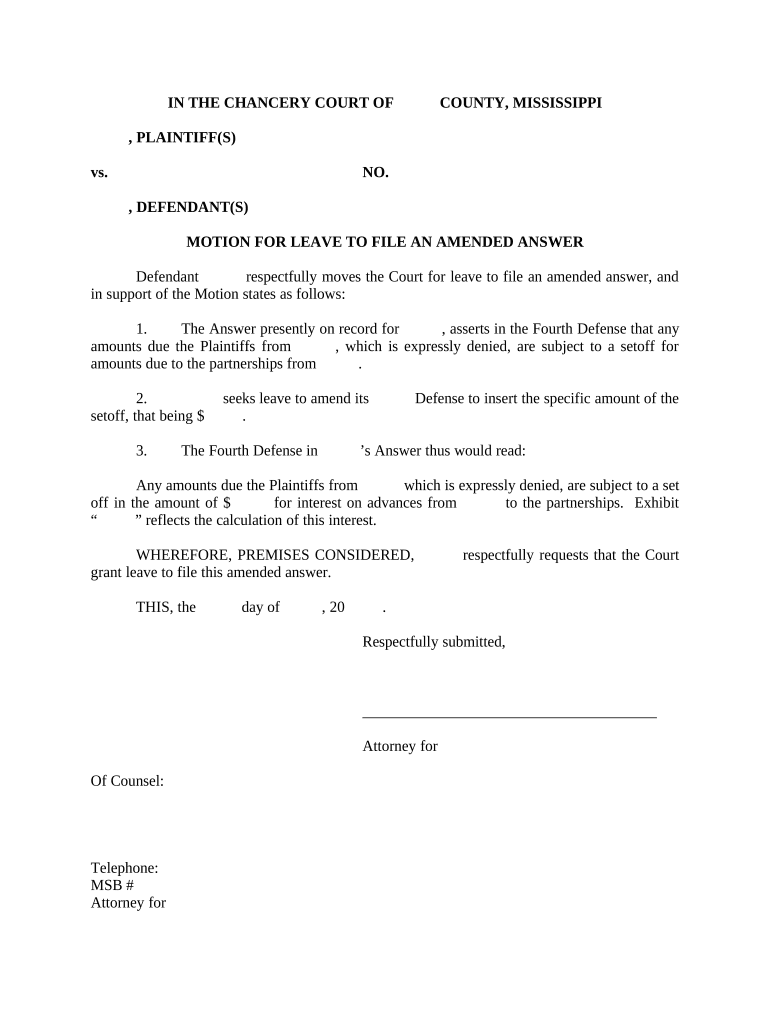
Begin by filling in the plaintiff and defendant names at the top of the form. Ensure accuracy as this information is crucial for court records.
In section one, clearly state your reasons for seeking leave to file an amended answer. Be concise yet thorough in your explanation.
For section two, input the specific amount related to the setoff. This should reflect any financial adjustments pertinent to your case.
In section three, provide a detailed description of what you seek to amend in your answer. This is where you clarify how the amendment impacts your defense.
Finally, review all entries for accuracy and completeness before signing. Use our platform’s tools to ensure everything is correctly formatted.
Start using our platform today for free and streamline your document editing process!
Motion for leave to amend exampleMotion for leave to amend complaintFRCP 15Rule 15 motion to amendDoes an amended complaint replace the original complaintMotion for leave to amend complaint Federal courtAmended Complaint exampleRule 15 amendment
Security and compliance
At DocHub, your data security is our priority. We follow HIPAA, SOC2, GDPR, and other standards, so you can work on your documents with confidence.
May 16, 1988 Sick Leave balances will be held until the employee is called back to work providing it is within twelve months of the layoff. This rule appliesRead more
Rule 15. Amended and Supplemental Pleadings | US Law
A party may amend its pleading once as a matter of course no later than: (A) 21 days after serving it, or (B) if the pleading is one to which a responsiveRead more
A motion to amend a pleading before trial must: (1) Include a copy of the proposed amendment or amended pleading, which must be serially numbered.Read more
Cookie consent notice
This site uses cookies to enhance site navigation and personalize your experience.
By using this site you agree to our use of cookies as described in our Privacy Notice.
You can modify your selections by visiting our Cookie and Advertising Notice.