Type text, add images, blackout confidential details, add comments, highlights and more.
02. Sign it in a few clicks
Draw your signature, type it, upload its image, or use your mobile device as a signature pad.
03. Share your form with others
Send it via email, link, or fax. You can also download it, export it or print it out.
How to use or fill out New York Closing with our platform
Ease of Setup
DocHub User Ratings on G2
Ease of Use
DocHub User Ratings on G2
Click ‘Get Form’ to open the New York Closing Settlement Statement in the editor.
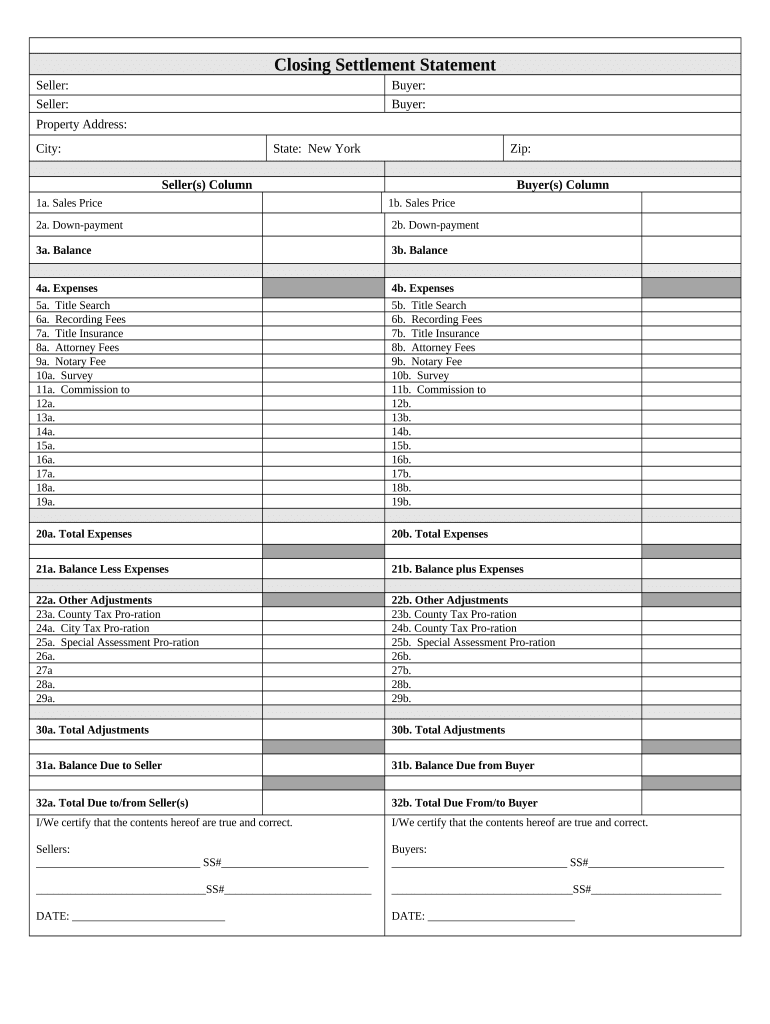
Begin by entering the Seller and Buyer information in the designated fields. Ensure that all names are spelled correctly for legal accuracy.
Fill in the Property Address, including City, State (New York), and Zip Code. This information is crucial for identifying the property involved in the transaction.
In the Seller(s) Column, input the Sales Price, Down-payment, and Balance. Repeat this process for the Buyer(s) Column to ensure both parties' financial details are accurately recorded.
Complete the Expenses section by detailing costs such as Title Search, Recording Fees, Title Insurance, Attorney Fees, Notary Fee, Survey, and Commission. Make sure to differentiate between seller and buyer expenses.
Calculate Total Expenses for both columns and enter them in their respective fields. This will help clarify financial obligations.
Proceed to fill out Other Adjustments including County Tax Pro-ration and Special Assessment Pro-ration as applicable. Ensure all adjustments are clearly documented.
Finally, certify that all information is true and correct by signing in the designated areas for both Sellers and Buyers before saving your document.
Start using our platform today to streamline your New York Closing process for free!
New york closing newsNew york closing todayList of permanently closed restaurants NYC todayNYC restaurant closingsList of permanently closed restaurants NYC downtownWhat stores are closing permanentlyStores closing in NYCNew york manhole
Security and compliance
At DocHub, your data security is our priority. We follow HIPAA, SOC2, GDPR, and other standards, so you can work on your documents with confidence.
The NYC Public School Calendar lists important dates for parents and students during the school year, including: Holiday closures; Parent teacherRead more
High School Closures in New York City: Impacts on Students
A study of the 29 low-performing high schools that were designated for closure in New York City between 2002 and 2008, looking particularly at the impact ofRead more
Cayuga power station (New York) - Global Energy Monitor
Feb 12, 2026 The plant will be retired within 90 days of the day of filing, meaning the plant will close before October 1, 2019. The plant stopped generatingRead more
Cookie consent notice
This site uses cookies to enhance site navigation and personalize your experience.
By using this site you agree to our use of cookies as described in our Privacy Notice.
You can modify your selections by visiting our Cookie and Advertising Notice.