Trustee beneficiary 2026

Get Form
trustee beneficiary Preview on Page 1

Here's how it works

01. Edit your form online
Type text, add images, blackout confidential details, add comments, highlights and more.
02. Sign it in a few clicks
Draw your signature, type it, upload its image, or use your mobile device as a signature pad.
03. Share your form with others
Send it via email, link, or fax. You can also download it, export it or print it out.

How to use or fill out trustee beneficiary with our platform

Form edit decoration
9.5
Ease of Setup
DocHub User Ratings on G2
9.0
Ease of Use
DocHub User Ratings on G2
  1. Click ‘Get Form’ to open the trustee beneficiary document in the editor.
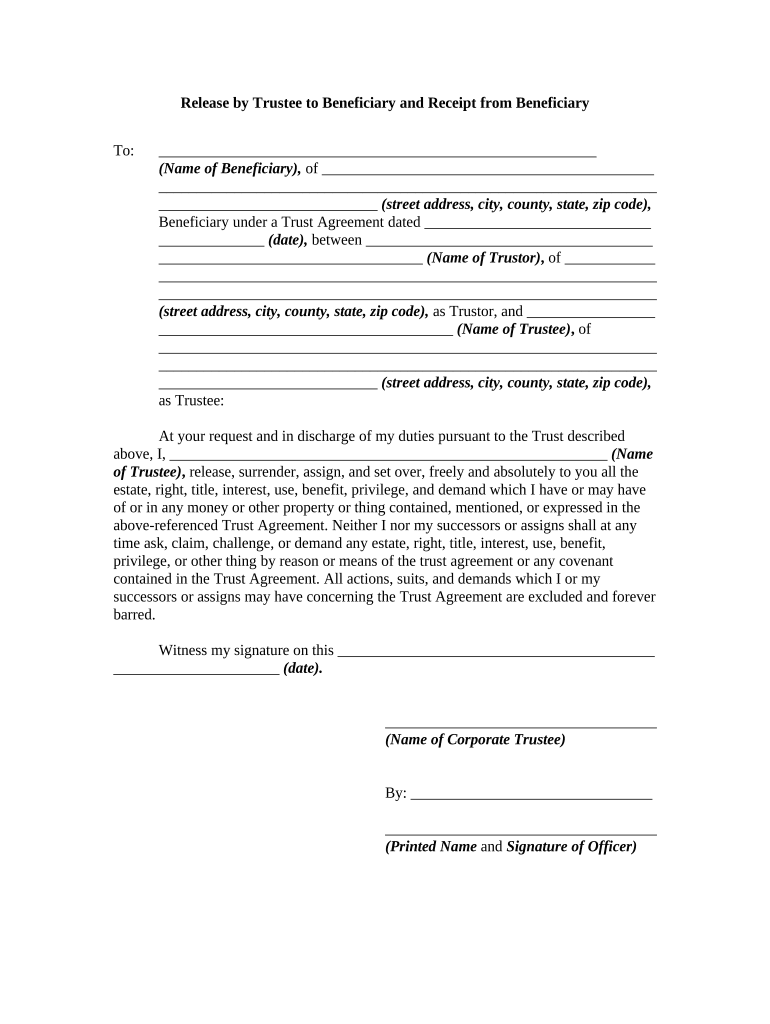
  2. Begin by entering the name of the beneficiary in the designated field, followed by their complete address including street, city, county, state, and zip code.
  3. Next, input the date of the Trust Agreement and the names of both the Trustor and Trustee along with their respective addresses.
  4. In the section where it states 'I release, surrender...', ensure you fill in your name as Trustee. This confirms your action of releasing rights to the beneficiary.
  5. Sign and date where indicated to finalize your release. If applicable, have a corporate officer sign as well.
  6. For acknowledgment by the beneficiary, they should enter their name and sign on the specified line after confirming receipt of property from the Trustee.
  7. Finally, ensure that both parties have their signatures notarized as required for legal validation.

Start using our platform today for free to streamline your trustee beneficiary form completion!

be ready to get more

Complete this form in 5 minutes or less

Get form

Got questions?

We have answers to the most popular questions from our customers. If you can't find an answer to your question, please contact us.
Contact us
The beneficiary or beneficiaries: The beneficiaries are the people or companies for whose benefit the trust is created and administered. Beneficiaries can be either primary beneficiaries (who are named in the trust deed) or general beneficiaries (who often are not named individually).
The decision between the two should consider factors such as the complexity of the estate, the need for control over asset distribution, and the potential for disputes among beneficiaries.
Trustees have a fiduciary responsibility to the trusts beneficiary or beneficiaries. This means a trustee must act in the best interests of the beneficiaries as they manage the trusts assets.
The trustee has the power to manage and administer the trust but must act in the best interest of the beneficiaries as stated in the trust document and under the law.
A trustee can be a beneficiary of a discretionary trust, but they usually will not have the power to make unilateral decisions. Rather, there typically will be someone acting as co-trustee who will be required to sign off on discretionary decisions surrounding the trust.

Security and compliance

At DocHub, your data security is our priority. We follow HIPAA, SOC2, GDPR, and other standards, so you can work on your documents with confidence.

Learn more
ccpa2
pci-dss
gdpr-compliance
hipaa
soc-compliance