Type text, add images, blackout confidential details, add comments, highlights and more.
02. Sign it in a few clicks
Draw your signature, type it, upload its image, or use your mobile device as a signature pad.
03. Share your form with others
Send it via email, link, or fax. You can also download it, export it or print it out.
How to use or fill out drpscu with our platform
Ease of Setup
DocHub User Ratings on G2
Ease of Use
DocHub User Ratings on G2
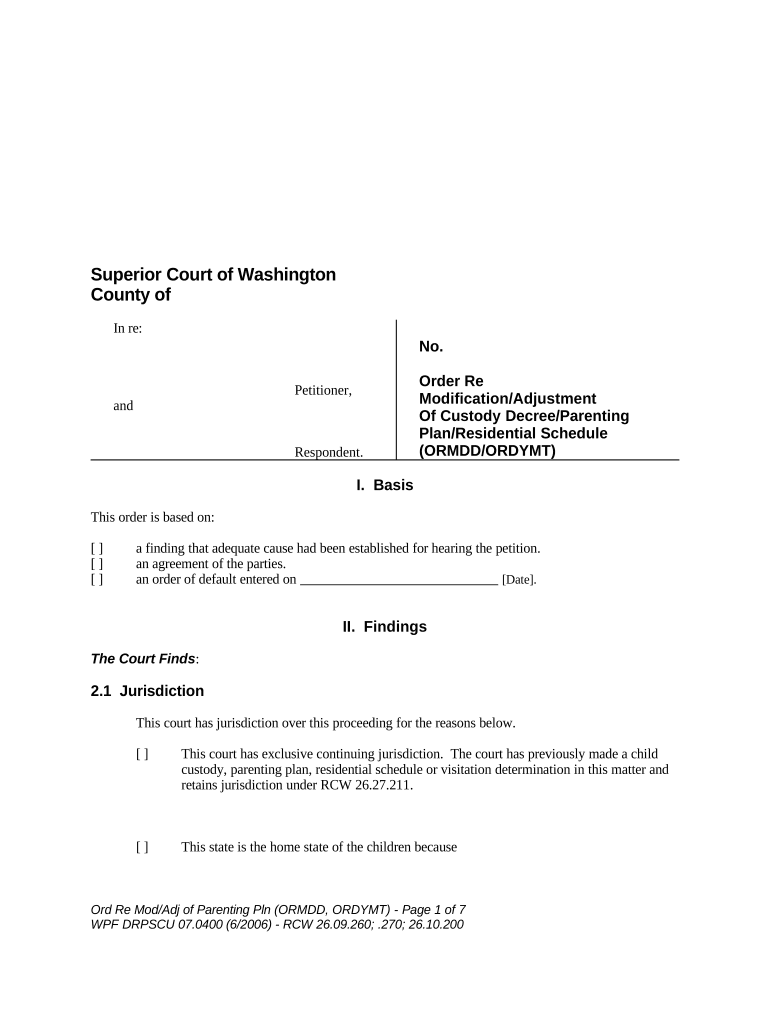
Click ‘Get Form’ to open the drpscu document in the editor.
Begin by reviewing the 'Basis' section. Here, you will select the appropriate reason for your petition by checking the relevant boxes.
Move to the 'Findings' section. Fill in details regarding jurisdiction and any applicable findings about the children's living situation and connections to Washington State.
In the 'Modification Under RCW 26.09.260' section, indicate whether you believe a modification is necessary and provide supporting facts as required.
Complete any additional sections that apply, such as adjustments to residential provisions or substantial changes in circumstances, ensuring all relevant information is accurately filled out.
Finally, review your entries for accuracy before saving or submitting your completed form through our platform.
Start using our platform today to easily fill out your drpscu form online for free!
FL All Family 135FL Parentage 330FL Modify 601Petition FOR modification adjustment of Custody Parenting Plan Residential ScheduleProposed parenting planFL All Family 140Declaration in Lieu of Formal ProofCowlitz county Parenting Plan
Security and compliance
At DocHub, your data security is our priority. We follow HIPAA, SOC2, GDPR, and other standards, so you can work on your documents with confidence.
A S A. Introduction to the Form This section will point out
The notice must contain the information required by law. Use the form Notice of Intended Relocation of Children (form DRPSCU 07.0500). Exceptions: ▫ If theRead more
For Use in All Family Law Cases ; WPF DRPSCU 01.0100, Declaration of [Name] (DCLR) ; WPF DRPSCU 01.0150, Order Re ; WPF DRPSCU 01.0250, Return of Service ; WPFRead more
Cookie consent notice
This site uses cookies to enhance site navigation and personalize your experience.
By using this site you agree to our use of cookies as described in our Privacy Notice.
You can modify your selections by visiting our Cookie and Advertising Notice.