Type text, add images, blackout confidential details, add comments, highlights and more.
02. Sign it in a few clicks
Draw your signature, type it, upload its image, or use your mobile device as a signature pad.
03. Share your form with others
Send it via email, link, or fax. You can also download it, export it or print it out.
How to use or fill out maine summons with our platform
Ease of Setup
DocHub User Ratings on G2
Ease of Use
DocHub User Ratings on G2
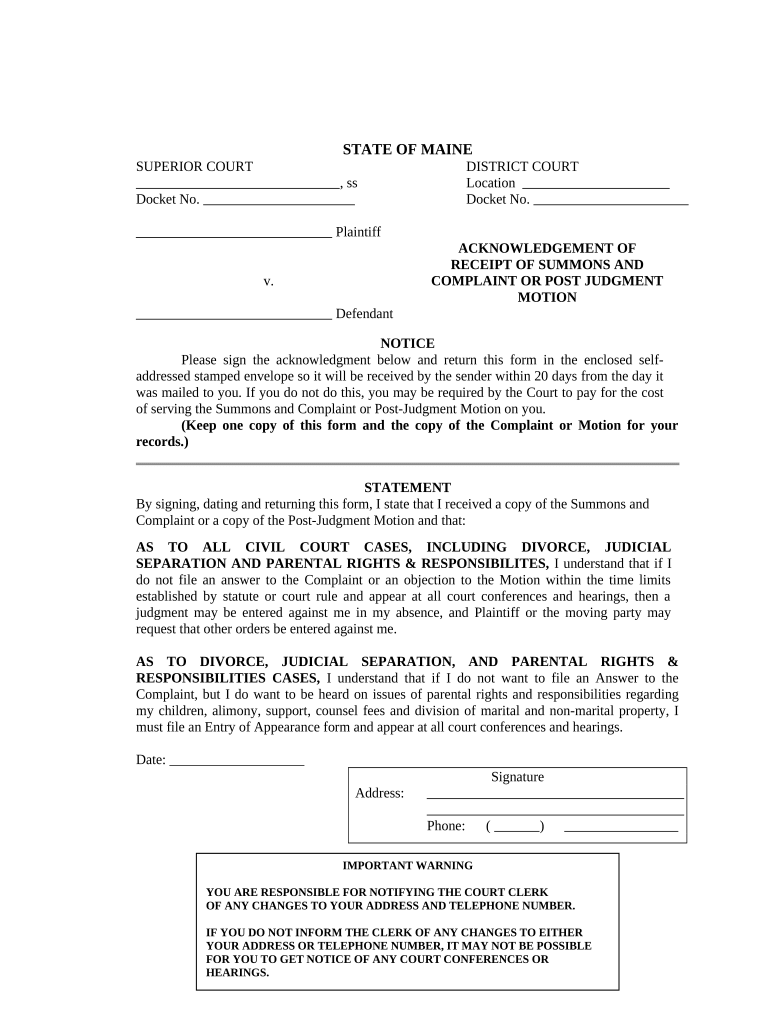
Click ‘Get Form’ to open the Maine Summons in the editor.
Begin by entering the Docket Number at the top of the form. This is essential for identifying your case.
Fill in the Plaintiff's name and Defendant's name in the designated fields. Ensure accuracy as this information is crucial for court records.
In the acknowledgment section, sign and date the form to confirm receipt of the Summons and Complaint or Post-Judgment Motion.
Provide your current address and phone number. Remember, it’s important to notify the court of any changes to ensure you receive all necessary communications.
Review all entered information for accuracy before saving or printing your completed form.
Start using our platform today to fill out your Maine Summons easily and for free!
l.) The Cumberland County Sherriff s Office made three attempts to serve the Appellant with the FED summons and Complaint by hand. (Order on Defs. MotRead more
Many paper forms are free. There is a $5 charge for some forms, such as a Summons, that require the clerks signature and court seal. Search the court formsRead more
Cookie consent notice
This site uses cookies to enhance site navigation and personalize your experience.
By using this site you agree to our use of cookies as described in our Privacy Notice.
You can modify your selections by visiting our Cookie and Advertising Notice.