Enhance your production with Personnel Files Management

Papers managing consumes to half of your office hours. With DocHub, you can reclaim your office time and improve your team's efficiency. Get Personnel Files Management collection and check out all templates relevant to your day-to-day workflows.

The best way to use Personnel Files Management:

  1. Open Personnel Files Management and use Preview to obtain the appropriate form.
  2. Click on Get Form to start working on it.
  3. Wait for your form to open in the online editor and start modifying it.
  4. Add new fillable fields, symbols, and pictures, adjust pages, etc.
  5. Fill out your form or set it for other contributors.
  6. Download or share the form by link, email attachment, or invite.

Improve your day-to-day file managing with our Personnel Files Management. Get your free DocHub profile right now to discover all forms.


Video Guide on Personnel Files Management management

video background

Commonly Asked Questions about Personnel Files Management

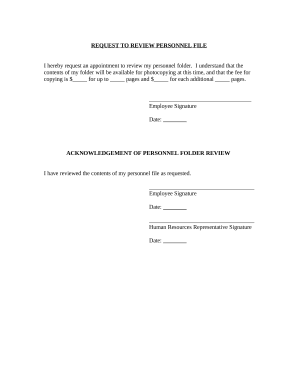
The Personnel Records System was developed to streamline the management of personnel files in a paperless environment. This system allows each employee to review and maintain his or her own record, placing the burden on the individual to ensure the information is correct.
The General Rule Most lawyers, accountants and bookkeeping services recommend keeping original documents for at least seven years. As a rule of thumb, seven years is sufficient time for defending tax audits, lawsuits and potential claims.
Often, employers will use a 7-year rule for purging terminated employee files as this typically covers state and federal statutes of limitations; although shorter retention periods may suffice for some records such as I-9 forms and longer periods may apply to other records such as OSHA exposure records.
How long do employers keep employee records in California? Payroll records and timecards should be retained for a minimum of three years after termination.
The best way to organize employee files is electronically, ideally using a dedicated HR document management system like Connecteam. You can create a standardized file naming system, control access permissions, easily stay on top of document expirations, and more. How to Organize Employee Files: A Complete Guide for Managers connecteam.com e-how-organize-employee-pers connecteam.com e-how-organize-employee-pers
For physical files, choose a secure, locked location to hold the files. Create a file for each employee. Every team member should have a separate file with only their employment documentation in it. Label the files clearly to avoid any confusion and help keep the information secure.
Legal Compliance: Accurate employee records help you comply with various labor laws and regulations. These laws often require employers to maintain specific information about their employees, such as personal details, employment contracts, tax information, and work hours.
In a perfect world StateRecord retention period California 4 years Colorado 3 years Connecticut 7 years Delaware 3 years46 more rows
How to organize personnel files Determine which documents to store. Review company policy, federal law and state regulations to learn which documents to include in a personnel file. Choose a filing method. Format your documents. Learn who can access the files. Create a file retention policy. Update the files as needed.
Employers should keep all job-related documentation such as hiring records, performance reviews, disciplinary actions and job descriptions in an employees general personnel file. Consider whether the document would be relevant to a supervisor who may review this file when making employment decisions. What should, and should not, be included in the personnel file? shrm.org topics-tools tools hr-answers shrm.org topics-tools tools hr-answers