Improve your file operations with Employer Forms

Your workflows always benefit when you can easily discover all of the forms and documents you need at your fingertips. DocHub supplies a a huge collection of document templates to relieve your everyday pains. Get a hold of Employer Forms category and quickly find your document.

Begin working with Employer Forms in several clicks:

  1. Browse Employer Forms and find the form you need.
  2. Click on Get Form to open it in the editor.
  3. Start adjusting your document: add more fillable fields, highlight sentences, or blackout sensitive info.
  4. The application saves your modifications automatically, and once you are ready, you can download or share your file with other contributors.

Enjoy effortless form administration with DocHub. Check out our Employer Forms category and locate your form today!


Video Guide on Employer Forms management

video background

Commonly Asked Questions about Employer Forms

Taxpayers should first contact the employer, payer or issuing agency directly for copies. Taxpayers who havent received a W-2 or Form 1099 should contact the employer, payer or issuing agency and request a copy of the missing document or a corrected document.
What are the 6 types of work? Full time employment. Part-time employees. Fixed-term employees. Casual employees. Self-employment. Children and young people. Recruitment and onboarding. Performance management. What is Employment? Types, Status and Challenges | peopleHum peoplehum.com glossary employment peoplehum.com glossary employment
This article will help you enter income and withholding from Form 1099-NEC in ProSeries. Starting in tax year 2020, nonemployee compensation may be reported to your client on Form 1099-NEC. In previous years, this type of income was typically reported on Form 1099-MISC, box 7.
All U.S. employers must properly complete Form I-9 for every individual they hire for employment in the United States. This includes citizens and noncitizens.
On the Forms page for the relevant business, locate and click on E-file Forms at the top of the page. This action will take you to the E-File Page which lists all the forms that are Ready To E-File On the E-File Page, you have the option to select specific forms you wish to e-file.
Quick Employer Forms is a web-based application that helps tax professionals quickly and easily create and e-file W-2 1099 Forms for their small business clients. It provides an intuitive interface, asks easy questions, pre-fills fields and completes the forms using automated calculations to streamline the process.
Quickzoom is a feature in Forms Mode that is available only using TurboTax CD/Downloads. Clicking on a Quickzoom button on a form or worksheet will open a related worksheet or schedule that provides more detail or supporting calculations for the current line item.
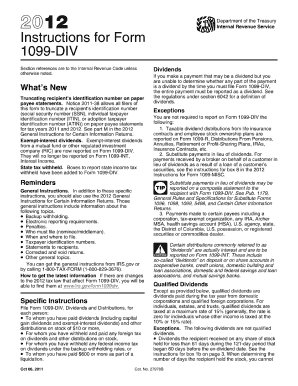
A 1099 is an information filing form, used to report non-salary income to the IRS for federal tax purposes. There are several variants of 1099s, but the most popular is the 1099-NEC. If you paid an independent contractor more than $600 in a financial year, youll need to complete a 1099-NEC.
New employees need to fill out a Form I-9 to verify employment eligibility as well as a W-4 for income tax.