




Here's how it works



How to use or fill out application care nurseries with our platform

- Click ‘Get Form’ to open the application care nurseries in the editor.
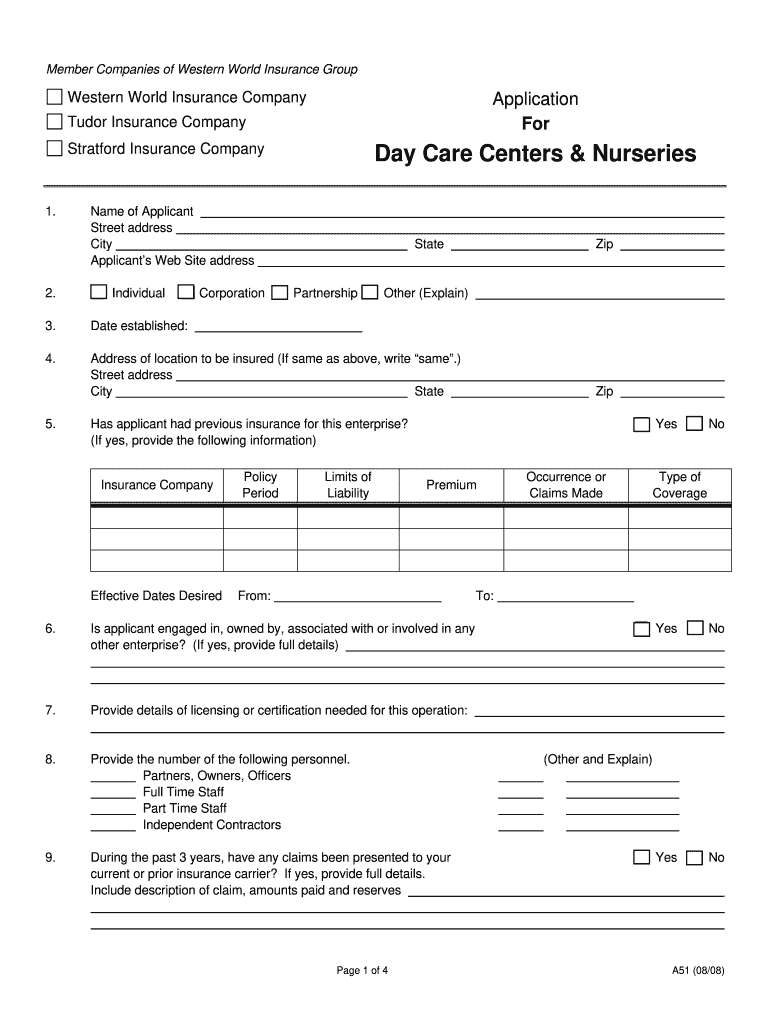
- Begin by entering the 'Name of Applicant' and 'Street Address' in the designated fields. Ensure accuracy as this information is crucial for identification.
- Fill in the 'City', 'State', and 'Zip Code' for both the applicant's address and the location to be insured. If they are the same, simply write 'same'.
- Indicate whether you have had previous insurance for this enterprise by selecting 'Yes' or 'No'. If yes, provide details about your prior insurance company and policy period.
- Complete sections regarding personnel numbers, claims history, and any special circumstances that may affect your application. Be thorough in providing details to ensure a smooth review process.
- Review all entries for accuracy before submitting. Use our platform’s features to save your progress or make edits as needed.
Start filling out your application care nurseries today for free using our platform!
It's free
See more application care nurseries versions
| Versions | Form popularity | Fillable & printable |
|---|---|---|
| 2008 | 4.8 Satisfied (101 Votes) |
Got questions?
What is the simplest way to electronically sign my application care nurseries?
Many software solutions are available out there for document modifying and signing. DocHub is one of the most widely used online solutions that comply with all data protection and compliance standards and guarantees your electronically signed paperwork is legally enforceable. All you need to give it a try is to create an account, upload your application care nurseries, provide the necessary details, and click Sign. Create your electronic signature by typing, drawing it, uploading its image to your template, or scanning a unique QR code.
How to complete and sign application care nurseries online?
You may quickly fill out, modify, and even eSign your application care nurseries using DocHub. Create a new account and begin your free trial. After that, you can upload the document with the form and easily make all the necessary edits. No need to print on paper or use a third-party application to sign it, as you can place your electronic signature on your document faster through DocHub.
Security and compliance
At DocHub, your data security is our priority. We follow HIPAA, SOC2, GDPR, and other standards, so you can work on your documents with confidence.
Learn more


