




Here's how it works

01. Edit your cms 849 online
Type text, add images, blackout confidential details, add comments, highlights and more.

02. Sign it in a few clicks
Draw your signature, type it, upload its image, or use your mobile device as a signature pad.

03. Share your form with others
Send medicare form for lift chair via email, link, or fax. You can also download it, export it or print it out.
How to use or fill out medicare form cms 849 with our platform

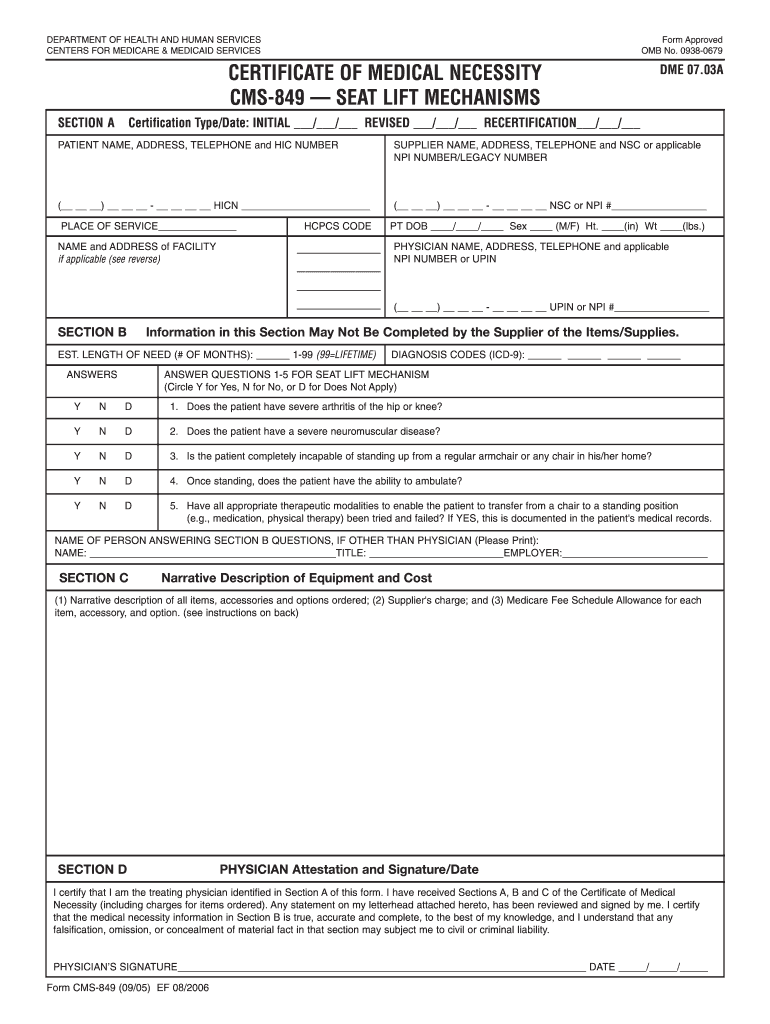
- Click ‘Get Form’ to open the CMS-849 in the editor.
- In Section A, fill in the Certification Type/Date by selecting whether it is an Initial, Revised, or Recertification. Enter the patient’s name, address, telephone number, and HIC number.
- Provide your supplier information including name, address, telephone number, and either NSC or NPI number. Specify the Place of Service and Facility Name if applicable.
- In Section B, enter the HCPCS codes for items ordered. Fill in patient details such as date of birth, height, weight, and sex. Answer questions regarding medical necessity by circling Y for Yes, N for No, or D for Does Not Apply.
- Complete Section C with a narrative description of equipment and costs. Include supplier charges and Medicare fee schedule allowances.
- Finally, in Section D, ensure the physician signs and dates the form to certify that all information is accurate.
Start using our platform today to streamline your Medicare form completion process for free!
Fill out medicare form cms 849 online
It's free
It's free
See more medicare form cms 849 versions
We've got more versions of the medicare form cms 849 form. Select the right medicare form cms 849 version from the list and start editing it straight away!
Security and compliance
At DocHub, your data security is our priority. We follow HIPAA, SOC2, GDPR, and other standards, so you can work on your documents with confidence.
Learn more


Related forms
Withdrawal checklist
The document is a Withdrawal Checklist for high school students, outlining the necessary steps and information required ...

Paramount theater donation request
The document is a Donation Request Form for the Paramount Theatre in Cedar Rapids, outlining the process for organizatio ...

Montana Highway Patrol Vehicle Crash Report - doj mt
The document is a Montana Highway Patrol Vehicle Crash Report, which outlines the procedures for reporting vehicle crash ...

Alive and well statement
The document is an 'Alive and Well Statement' certifying that the individual is alive and lawfully receiving pension ben ...