




Here's how it works



How to use or fill out CCVSblueslatebs-PalmettoFormDefinitionsgenerated-htmlCL-OH-B-40401html with our platform

- Click ‘Get Form’ to open it in the editor.
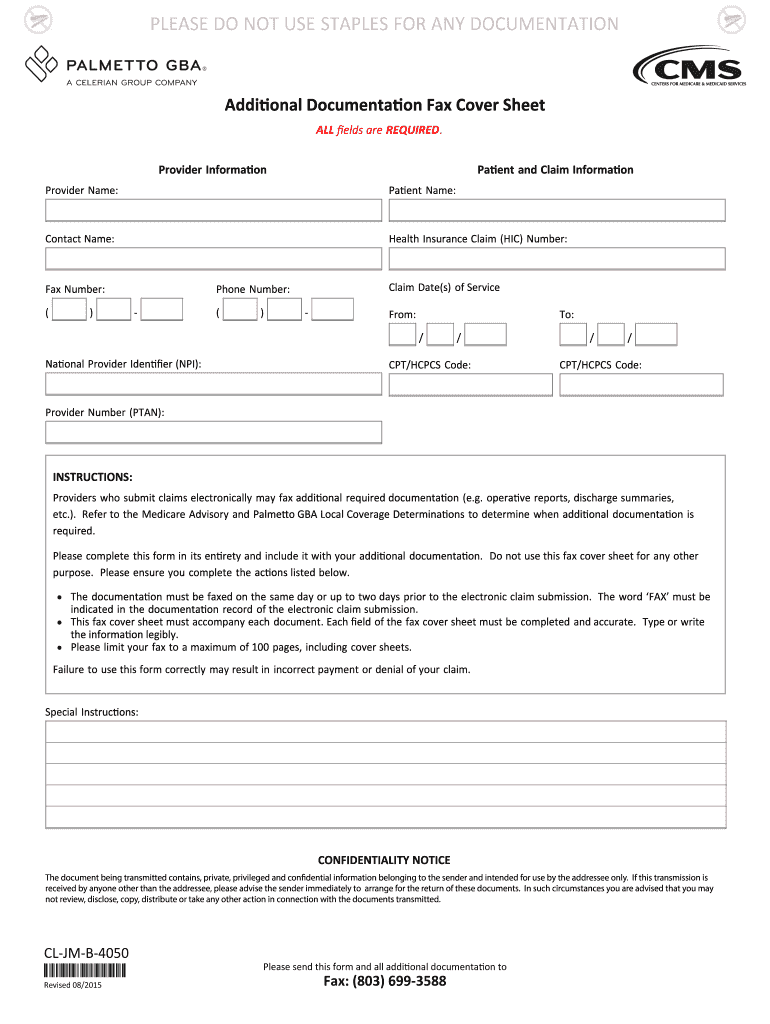
- Begin by filling in the 'Provider Name' field. Ensure that you enter the full name of the provider as it appears on official documents.
- Next, complete the 'Contact Name' section. This should be the individual responsible for handling claims.
- Input the 'Health Insurance Claim (HIC) Number)' accurately, as this is crucial for processing your claim.
- Fill in the 'Claim Date(s) of Service' by specifying both the start and end dates of service using the provided date fields.
- Enter your 'Fax Number' and 'Phone Number' ensuring all digits are correct for effective communication.
- Complete the 'CPT/HCPCS Code' fields with appropriate codes relevant to your services rendered.
- Finally, ensure all fields are filled out legibly before submitting your form via fax as instructed.
Start using our platform today to streamline your document editing and submission process for free!
It's free
See more CCVSblueslatebs-PalmettoFormDefinitionsgenerated-htmlCL-OH-B-40401html versions
Got questions?
Can I sign my CCVSblueslatebs-PalmettoFormDefinitionsgenerated-htmlCL-OH-B-40401html in electronic format?
Based on eSignature laws, forms signed electronically have the same validity as traditionally approved ones. You can electronically sign almost any business and private documentation. Four types of documents still call for handwritten signatures only - wills and testamentary trusts, court orders and other court papers, state statutes governing divorce, adoption, or other family law, and notice of cancellation of utility services. If you follow the guidelines and utilize a safe and compliant software solution, like DocHub, you can eSign your CCVSblueslatebs-PalmettoFormDefinitionsgenerated-htmlCL-OH-B-40401html without printing it.
How to manage my CCVSblueslatebs-PalmettoFormDefinitionsgenerated-htmlCL-OH-B-40401html from Gmail?
In case your go-to email service is Gmail, it is simple to incorporate your DocHub editor in your work. Modify your CCVSblueslatebs-PalmettoFormDefinitionsgenerated-htmlCL-OH-B-40401html with DocHub tools and attach it to your drafts in Gmail. See how easy it can be to exchange documents and collaborate with a swift PDF editing solution at hand.
Security and compliance
At DocHub, your data security is our priority. We follow HIPAA, SOC2, GDPR, and other standards, so you can work on your documents with confidence.
Learn more




