Type text, add images, blackout confidential details, add comments, highlights and more.
02. Sign it in a few clicks
Draw your signature, type it, upload its image, or use your mobile device as a signature pad.
03. Share your form with others
Send louisiana pathways enrollment form via email, link, or fax. You can also download it, export it or print it out.
How to use or fill out Louisiana Pathways with our platform
Ease of Setup
DocHub User Ratings on G2
Ease of Use
DocHub User Ratings on G2
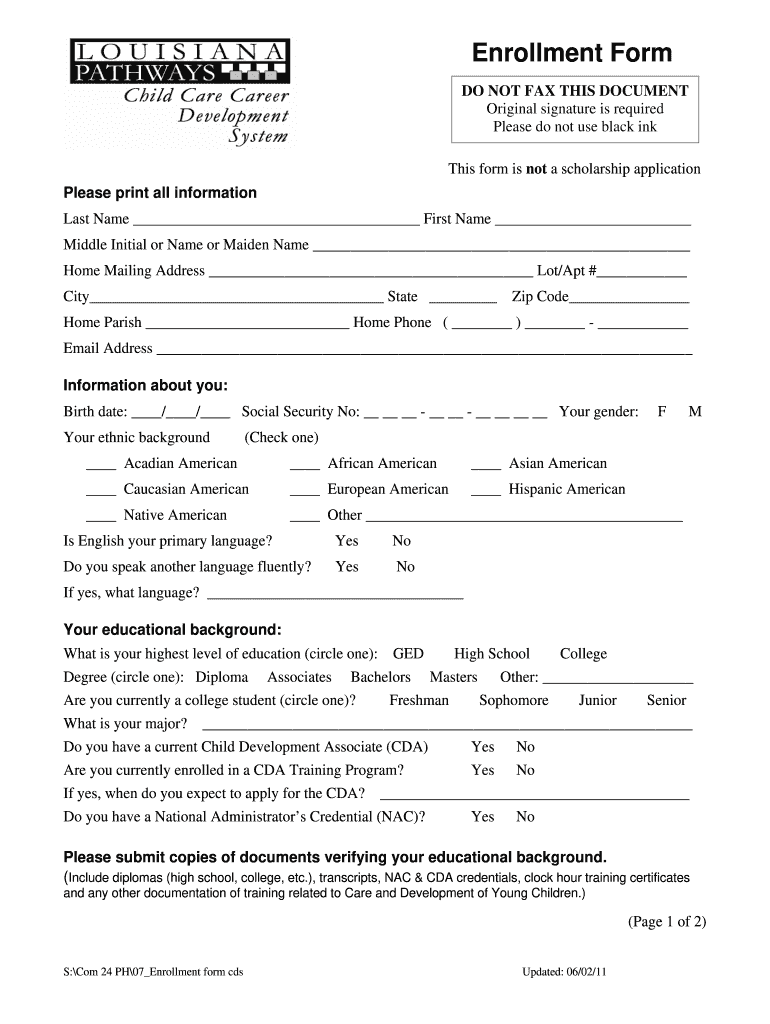
Click ‘Get Form’ to open the Louisiana Pathways enrollment form in the editor.
Begin by filling in your personal information. Enter your last name, first name, and middle initial. Ensure you provide a complete home mailing address, including city, state, and zip code.
Next, provide your contact details such as home phone number and email address. Be sure to print all information clearly.
In the 'Information about you' section, input your birth date and Social Security number. Select your gender and ethnic background from the provided options.
Continue by indicating whether English is your primary language and if you speak another language fluently. Fill out your educational background by circling the highest level of education achieved.
Complete the work experience section by detailing your current employment in early childhood education, including job title and years of experience.
Finally, review all entered information for accuracy before signing and dating the form at the bottom. Remember to submit any required documentation along with this form.
Start using our platform today to easily fill out your Louisiana Pathways form for free!
Teachers must have been working in their eligible Type III childcare center for at least six months for an average of at least 30 hours per week to qualify.Read more
Louisiana Pathways Approved Trainers This may include professional development provided by state contractors. (Resource and Referral, Department of EducationRead more
Sep 24, 2025 The project connects growing supply from the Haynesville shale basin in Louisiana to Louisiana markets, including LNG export facilities.Read more
Cookie consent notice
This site uses cookies to enhance site navigation and personalize your experience.
By using this site you agree to our use of cookies as described in our Privacy Notice.
You can modify your selections by visiting our Cookie and Advertising Notice.