Get registration dowling template 2026

Get Form
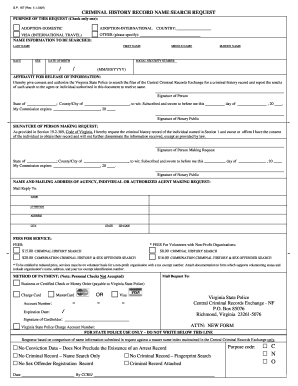
get registration dowling template Preview on Page 1

Here's how it works

01. Edit your form online
Type text, add images, blackout confidential details, add comments, highlights and more.
02. Sign it in a few clicks
Draw your signature, type it, upload its image, or use your mobile device as a signature pad.
03. Share your form with others
Send it via email, link, or fax. You can also download it, export it or print it out.

How to use or fill out get registration dowling template with our platform

Form edit decoration
9.5
Ease of Setup
DocHub User Ratings on G2
9.0
Ease of Use
DocHub User Ratings on G2
  1. Click ‘Get Form’ to open the get registration dowling template in the editor.
  2. Begin by entering your Student Identification Number, Last Name, First Name, and Middle Initial in the designated fields.
  3. Fill in your address details including No. and Street Address or P.O. Box No., Town/City, State, and Zip Code + 4.
  4. Provide your Home Telephone No., Alternative Telephone No., Fax No., Date of Birth, and Email address.
  5. If applicable, check the box indicating if your address has changed.
  6. Specify your Major, Minor, and Area of Concentration in the respective fields.
  7. Select the term of your most recent attendance at Dowling and the term for which you are now registering by checking the appropriate boxes.
  8. List the courses you wish to enroll in by filling out the Course Reference No., Course Title, Class Days, Class Start Time, and Credits for each course.

Start using our platform today to easily complete your get registration dowling template for free!

See more get registration dowling template versions

We've got more versions of the get registration dowling template form. Select the right get registration dowling template version from the list and start editing it straight away!
Versions Form popularity Fillable & printable
2010 4.8 Satisfied (101 Votes)
be ready to get more

Complete this form in 5 minutes or less

Get form

Got questions?

We have answers to the most popular questions from our customers. If you can't find an answer to your question, please contact us.
Contact us

Sure, you’ll find numerous applications for this on the web. Nevertheless, if you need to eSign your get registration dowling template without installing extra software, DocHub is the best choice you can make. This powerful editor works on mobile devices just as on desktops. Open our editor in any internet browser, register or log in to your account, and start managing your paperwork.

You can easily edit fill out your get registration dowling template on any iOS gadget. Open an internet browser of your liking, go to the DocHub site, authorize or create a new account, add your file for editing, and make your desired changes. Our service is mobile-friendly, so utilizing its functions on your phone will be a no-brainer, even on the first try.

Three steps to create signup sheet templates for any event. Step 1: Open a new document. To start the process, open a new document in your word processor of choice. Step 2: Insert a fillable table. Step 3: Convert your signup sheet to a PDF. Download a signup sheet template.
A registration form is a structured digital document that lets you collect data from users for a specific purpose, such as attending an event, signing up for a program, or enrolling in a membership.
How to create a registration form in 7 steps Determine form length. Set clear fields. Set up a confirmation message. Add a payment option (if applicable) Check for accessibility. Embed the form for easy completion. Create your own registration form with SurveyMonkey.

Security and compliance

At DocHub, your data security is our priority. We follow HIPAA, SOC2, GDPR, and other standards, so you can work on your documents with confidence.

Learn more
ccpa2
pci-dss
gdpr-compliance
hipaa
soc-compliance

People also ask

Creating a registration form with Jotform is a straightforward process that can be customized to suit any use case, from event sign-ups to membership applications.
Here is what you need to do: Login to your DLT account. Access the template registration section. Enter the SMS content. Choose the appropriate message category. Submit the SMS template for approval. Await approval,
Open a template or use a blank document Go to File New from Template. In Search, type form. Double-click the template you want to use. Select File Save As, and pick a location to save the form. In Save As, type a file name and then select Save.
Download templates In the Google Cloud console, go to the Application Integration page. In the navigation menu, click Templates. To download a global template, click the template that you want to download from the Global templates tab. Click the template that you want to download from the respective tab selected.

Related links