Secp nift signature 2026

Get Form
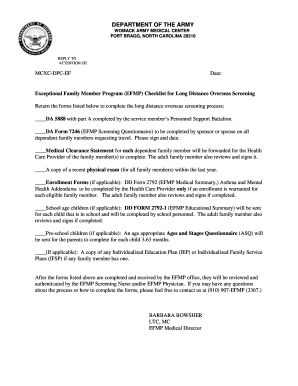
secp nift signature Preview on Page 1

Here's how it works

01. Edit your form online
Type text, add images, blackout confidential details, add comments, highlights and more.
02. Sign it in a few clicks
Draw your signature, type it, upload its image, or use your mobile device as a signature pad.
03. Share your form with others
Send it via email, link, or fax. You can also download it, export it or print it out.

How to use or fill out secp nift signature with our platform

Form edit decoration
9.5
Ease of Setup
DocHub User Ratings on G2
9.0
Ease of Use
DocHub User Ratings on G2
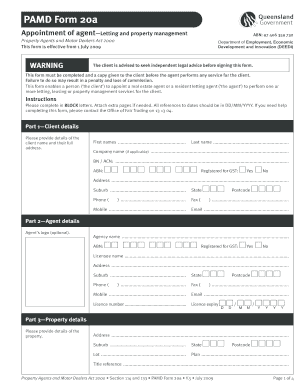
  1. Click ‘Get Form’ to open the secp nift signature in the editor.
  2. Begin by filling in your Account Information in block letters. Ensure you separate your name into First Name and Last Name as per your CNIC.
  3. Select either 'Fast Track' or 'Normal Track' based on your urgency for processing.
  4. Provide your NIFT Application ID, email address (ensure it is a corporate or ISP-based POP3 email), job title, organization name, and business address.
  5. For foreign nationals, include your passport number; for Pakistani nationals, provide your CNIC number and contact details.
  6. Complete the Undertaking section by confirming the accuracy of the information provided and agreeing to the terms outlined.
  7. Attach a recent passport-sized photograph and ensure it is attested on the front.
  8. Finally, review all entries for accuracy before signing and dating the application at the bottom of the form.

Start using our platform today to streamline your document editing and signing process for free!

See more secp nift signature versions

We've got more versions of the secp nift signature form. Select the right secp nift signature version from the list and start editing it straight away!
Versions Form popularity Fillable & printable
2012 4 Satisfied (26 Votes)
be ready to get more

Complete this form in 5 minutes or less

Get form

Got questions?

We have answers to the most popular questions from our customers. If you can't find an answer to your question, please contact us.
Contact us

Log in to your DocHub account and add your secp nift signature to our editor using one of its upload options - from your device, cloud storage, secure URL, or your DocHub folders if you have already managed your document before. Open our editor, click the Sign button in the top toolbar, and choose your signing method. You can upload a picture of your handwritten signature, draw it, enter your name, or use a QR code as an alternative.

If you are looking for a state-specific secp nift signature sample, you can find it in our DocHub Forms & Templates catalog. Use the search field, key in your form’s name, and search through the results for your state. You may also filter out irrelevant results while exploring our catalog by groups.

use dedicated signature verification software Qualified signature providers provide tools for verification, such as Sign, ProCertum docHub, Sapphire, Sigillium. With these applications, you can verify that a document is signed and that the signature is valid.
In order to validate E-sign in docHub reader, click on the eSign marked in red box. Once the user clicks on the image he will be prompted with the following window (Signature Validation Status). Click on the Signature Properties button to check signature properties.
A Digital Signature Certificate(DSC) is an electronic and legal alternative of traditional wet signature. It can be presented electronically to obtain services or information on the internet or else to sign documents digitally. Also, users can utilize a digital signature certificate to send encrypted emails.

Security and compliance

At DocHub, your data security is our priority. We follow HIPAA, SOC2, GDPR, and other standards, so you can work on your documents with confidence.

Learn more
ccpa2
pci-dss
gdpr-compliance
hipaa
soc-compliance

People also ask

How do you verify a digitally signed signature? Using digital signature certificates issued by trusted third-party authorities. Employing third-party services that provide additional security features for signature verification. Utilizing built-in validation tools within PDF readers or document management systems.

Related links