




Here's how it works



How to use or fill out halachic living durable mortem with our platform

- Click ‘Get Form’ to open the Halachic Living Will in the editor.
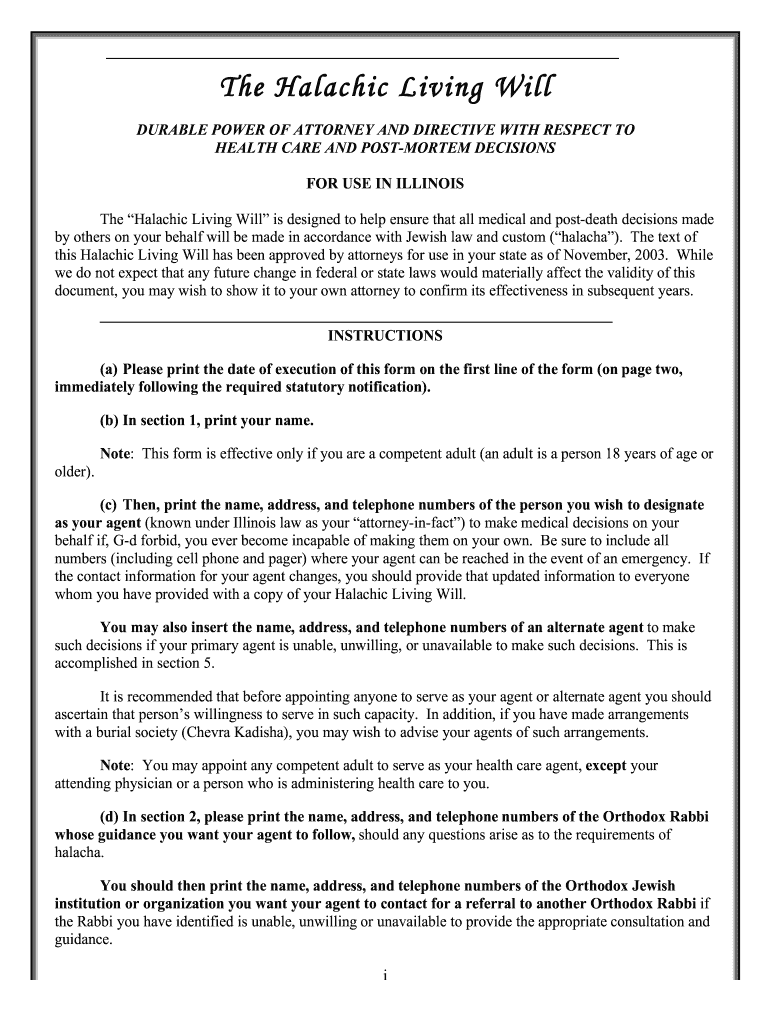
- Print the date of execution on the first line of the form, following the required statutory notification.
- In section 1, enter your name and designate your agent by providing their name, address, and contact numbers. Ensure all information is accurate for emergency situations.
- In section 2, provide the name and contact details of an Orthodox Rabbi whose guidance you wish your agent to follow regarding halachic decisions.
- If applicable, initial section 3 to specify when your agent's authority begins. You can also limit this authority in section 4.
- Complete sections for naming an alternate agent and guardian if desired. Sign and print your name at the end of the form along with witness signatures.
- Notify your health care provider about this Halachic Living Will and keep copies accessible for emergencies.
Start using our platform today to easily complete your Halachic Living Will online for free!
It's free
Got questions?
How can I send my halachic living durable mortem from Google Drive for signing?
If you regularly deal with documents stored in your Google Drive, DocHub is a perfect option for you to easily and quickly fill out, adjust, and sign them. This editor integrates well with Google apps, so you can export your halachic living durable mortem from your Google Drive to the editor without the need of downloading and re-uploading it. Right-click on your file, select Open With → DocHub PDF Sign and Edit. In our editor, add and assign Signature Fields for all parties involved, then click on the Menu option above → Send → select how you want to share your paperwork.
How to fill out and sign halachic living durable mortem online?
You may easily fill out, edit, and even eSign your halachic living durable mortem utilizing DocHub. Create a new profile and begin your free trial. After that, you can upload the file with the form and simply make all the necessary edits. No need to print on paper or use a third-party application to sign it, as you can place your electronic signature on your document faster via DocHub.
What is a halachic living will?
What is the end of life care for Jews?
Does reform Judaism follow Halacha?
Security and compliance
At DocHub, your data security is our priority. We follow HIPAA, SOC2, GDPR, and other standards, so you can work on your documents with confidence.
Learn more




