




Here's how it works

01. Edit your does mdg report to credit bureaus online
Type text, add images, blackout confidential details, add comments, highlights and more.

02. Sign it in a few clicks
Draw your signature, type it, upload its image, or use your mobile device as a signature pad.

03. Share your form with others
Send does mdg report to credit via email, link, or fax. You can also download it, export it or print it out.
How to use or fill out mdg form with our platform

- Click ‘Get Form’ to open the mdg form in the editor.
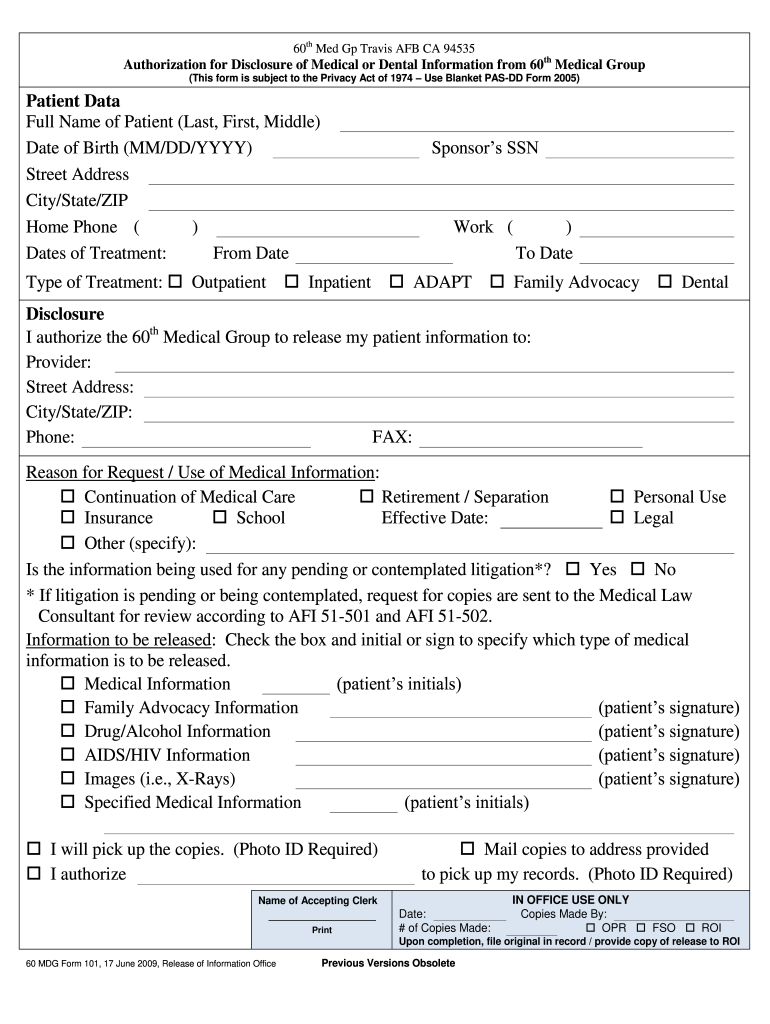
- Begin by filling out the 'Patient Data' section. Enter the full name of the patient, date of birth, street address, city/state/ZIP, and home phone number.
- Indicate the dates of treatment by specifying both 'From Date' and 'To Date'. Select the type of treatment received by checking the appropriate box (Outpatient, Inpatient, etc.).
- In the 'Disclosure' section, provide details about who will receive the medical information. Fill in the provider's name, address, phone number, and reason for request.
- Check which types of medical information you authorize for release and provide your initials or signature as required.
- Complete any additional sections regarding revocation rights and sign at the bottom. Ensure all fields are filled accurately before submission.
Start using our platform today to easily fill out your mdg form online for free!
Fill out mdg form online
It's free
See more mdg form versions
We've got more versions of the mdg form form. Select the right mdg form version from the list and start editing it straight away!
| Versions | Form popularity | Fillable & printable |
|---|---|---|
| 2009 | 4.8 Satisfied (101 Votes) |
Security and compliance
At DocHub, your data security is our priority. We follow HIPAA, SOC2, GDPR, and other standards, so you can work on your documents with confidence.
Learn more


Related forms
Pcm 201
The document is a Supplemental Petition to Application for Hospitalization and Order for Examination from the State of M ...

Tn beer permit application
The document outlines the application process and requirements for obtaining a beer permit in the City of Dickson. It de ...
ROADCUT BORE APPLICATION FOR TOWN OF SOUTH BETHANY
The document is a permit application for road cutting or boring in the Town of South Bethany, Delaware. It outlines the ...

Broadband PCS Spectrum
The document outlines the pre-auction procedures for Auction No. 58 of Broadband PCS Spectrum, detailing important deadl ...
From: Brad Sweet Subject: Reg Z - Truth in Lending Comments: Date: Dec 04, 2009 Proposal: Regulation
From: Brad Sweet Subject: Reg Z - Truth in Lending Comments: Date: Dec 04, 2009 Proposal: Regulation
The document is a comment from Brad Sweet regarding the proposed elimination of Yield Spread Premium (YSP) as a compensa ...

From: Thomas E Black, Jr Subject - Board of Governors of the - federalreserve
The document is a comment letter from Thomas E. Black, Jr. regarding proposed changes to Regulation Z - Truth in Lending ...
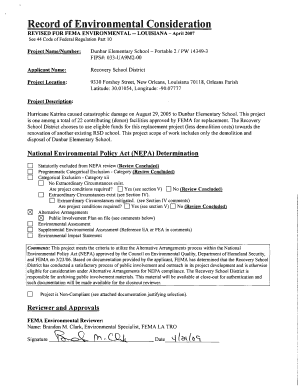
Dunbar Elementary School - fema
The document is a Record of Environmental Consideration for the demolition of Dunbar Elementary School in New Orleans, L ...
Learning and Conducting Preliminary Fire Investigations - US Fire - usfa fema
The document outlines a research project conducted by James W. Moody for the Battle Creek Fire Department, focusing on t ...