Cms 1537-2026

Get Form
survey hospital Preview on Page 1

Here's how it works

01. Edit your survey hospital online
Type text, add images, blackout confidential details, add comments, highlights and more.
02. Sign it in a few clicks
Draw your signature, type it, upload its image, or use your mobile device as a signature pad.
03. Share your form with others
Send services hospital via email, link, or fax. You can also download it, export it or print it out.

How to use or fill out cms 1537 with our platform

Form edit decoration
9.5
Ease of Setup
DocHub User Ratings on G2
9.0
Ease of Use
DocHub User Ratings on G2
  1. Click ‘Get Form’ to open the cms 1537 in the editor.
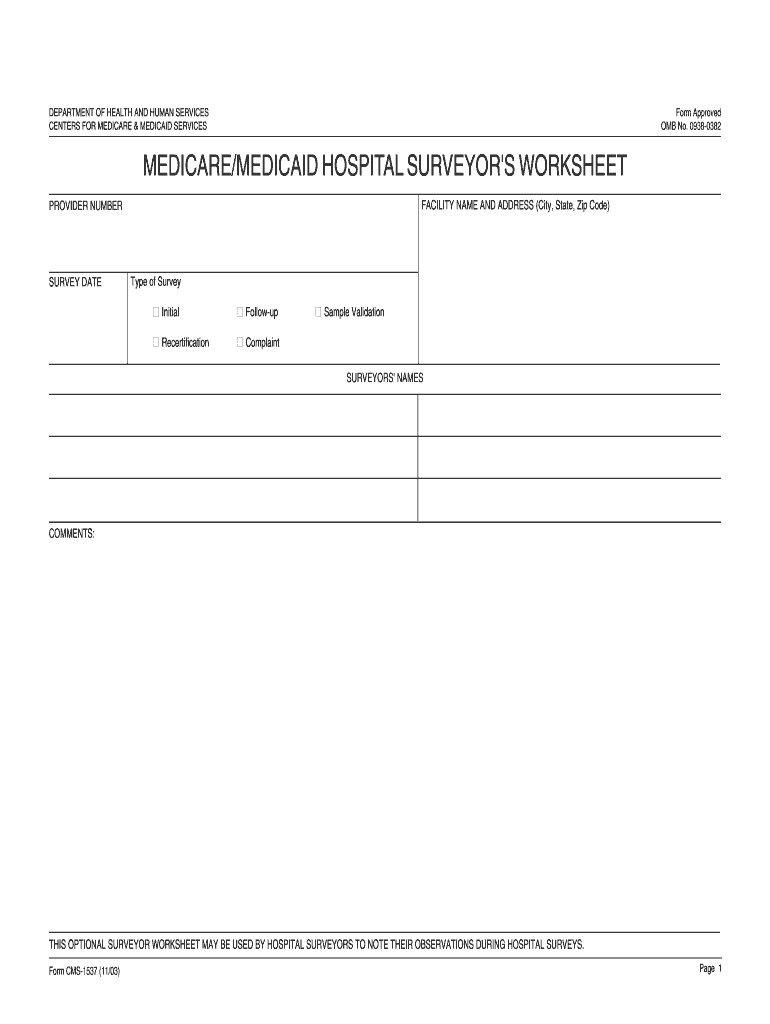
  2. Begin by entering the 'Facility Name and Address' at the top of the form. Ensure that you include the city, state, and zip code for accurate identification.
  3. Fill in the 'Provider Number' and 'Survey Date' fields. These are essential for tracking and referencing your submission.
  4. Select the type of survey from the options provided: Initial, Follow-up, Recertification, Sample Validation, or Complaint. This helps categorize your submission appropriately.
  5. List the names of surveyors in the designated section. This is important for accountability and record-keeping.
  6. Use the comments section to note any observations or additional information relevant to your survey findings.
  7. Review all entries for accuracy before saving or submitting your completed form through our platform.

Start using our platform today to streamline your document editing and form completion!

See more cms 1537 versions

We've got more versions of the cms 1537 form. Select the right cms 1537 version from the list and start editing it straight away!
Versions Form popularity Fillable & printable
2003 4.8 Satisfied (167 Votes)
be ready to get more

Complete this form in 5 minutes or less

Get form

Got questions?

We have answers to the most popular questions from our customers. If you can't find an answer to your question, please contact us.
Contact us
For therapists, the CMS 1500 claim form is a lifeline to getting paid for the services rendered. Without it, or if its filled out incorrectly, you might face delays in payment, underpayment, or even denial of claims.
Risk adjustment is the process that the Centers for Medicare and Medicaid Services (CMS) uses to determine the appropriate premiums that health exchanges are permitted to charge, or which determine the appropriate reimbursement that CMS will give to Medicare Advantage programs.
The CGT Access Model seeks to test whether a CMS-led approach to negotiating and administering OBAs for cell and gene therapies, in the context of a comprehensive strategy for addressing a range of barriers to equitable access to cell and gene therapies, will improve access and health outcomes for people with Medicaid,