




Here's how it works

01. Edit your wells fargo consumer account application online
Type text, add images, blackout confidential details, add comments, highlights and more.

02. Sign it in a few clicks
Draw your signature, type it, upload its image, or use your mobile device as a signature pad.

03. Share your form with others
Send po box 5110 sioux falls sd 57117 via email, link, or fax. You can also download it, export it or print it out.
How to use or fill out Wells Fargo Consumer Account Application with DocHub

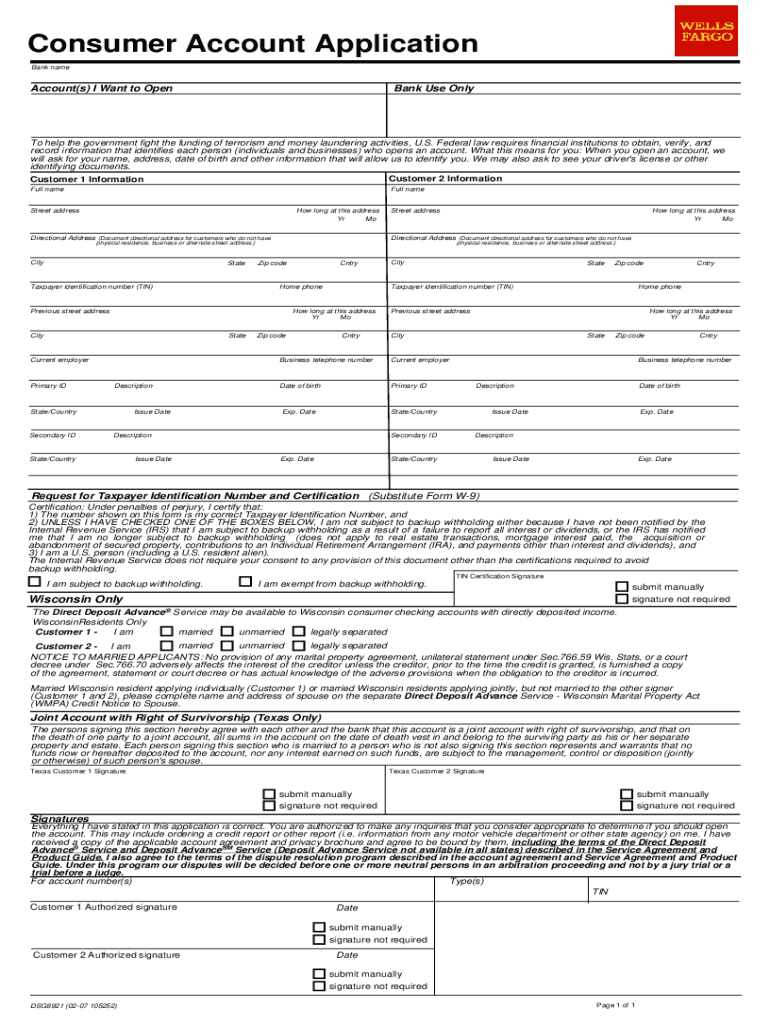
- Click ‘Get Form’ to open the Wells Fargo Consumer Account Application in our platform.
- Begin by entering your personal information in the 'Customer 1 Information' section. Fill in your full name, street address, and how long you have lived at that address.
- Next, provide your date of birth and taxpayer identification number (TIN). Ensure all details are accurate to avoid delays.
- If applicable, complete the 'Customer 2 Information' section with the same details for any additional account holder.
- Review the certification section regarding backup withholding and check the appropriate box based on your status.
- Finally, sign and date the application where indicated. If opening multiple accounts, repeat this process for each account using a separate signature card.
Start filling out your Wells Fargo Consumer Account Application today for free using our editor!
Fill out wells fargo consumer account application online
It's free
See more wells fargo consumer account application versions
We've got more versions of the wells fargo consumer account application form. Select the right wells fargo consumer account application version from the list and start editing it straight away!
| Versions | Form popularity | Fillable & printable |
|---|---|---|
| 2007 | 4.9 Satisfied (533 Votes) |
Security and compliance
At DocHub, your data security is our priority. We follow HIPAA, SOC2, GDPR, and other standards, so you can work on your documents with confidence.
Learn more


Related forms
Pa 40 f
The document provides detailed instructions for completing the PA Schedule F, which is used to report farm income and ex ...
Nj 1040 schedule b
The document outlines the procedures and requirements for claiming a credit for income or wage taxes paid to other juris ...
Irp 44 ifta 20
The document is a form from the Alabama Department of Revenue titled 'Individual Vehicle Distance and Fuel Record (IVDR) ...

BUSINESS NAME & LOCATION INFORMATION
The document outlines the Business Occupation Tax Return process for the City of Johns Creek, Georgia. It includes instr ...
Ndw r
The document is a form from the North Dakota Office of State Tax Commissioner for reciprocity exemption from withholding ...
2018 income tax return
The document is a tax return form for the City of Bryan, Ohio, for the 2020 tax year. It includes sections for reporting ...
IA 1065 Partnership Return of Income, 41-016
The document is the 2017 Iowa Partnership Return of Income (IA 1065), which outlines the requirements for partnerships o ...

Cw2186a
The document is a CalWORKs Time Limit and Welfare-to-Work Participation Exemption Request Form from the California Depar ...