




Here's how it works

01. Edit your nmtap login online
Type text, add images, blackout confidential details, add comments, highlights and more.

02. Sign it in a few clicks
Draw your signature, type it, upload its image, or use your mobile device as a signature pad.

03. Share your form with others
Send es903a form via email, link, or fax. You can also download it, export it or print it out.
How to use or fill out es903a with our platform

- Click ‘Get Form’ to open the es903a in the editor.
- Begin by entering your Employer's Number and Federal IRS Number at the top of the form. Ensure these numbers are accurate for proper identification.
- Fill in the Quarter Ending date and Total Tax Rate. This information is crucial for calculating your tax obligations.
- In Schedule A, report your Total Wages in Item 1. Deduct any Excess Wages in Item 2, then calculate Taxable Wages by subtracting Item 2 from Item 1.
- Calculate the Total Tax Due by multiplying Taxable Wages by the Total Tax Rate. Include any Interest Due if applicable.
- Complete Schedule B by listing each employee's Social Security Number and Name, along with their Gross Wages and any State Income Tax Withheld for each month of the quarter.
- Finally, certify that your report is true and correct, sign it, and ensure all required fields are completed before submission.
Start filling out your es903a form online for free today!
Fill out es903a online
It's free
See more es903a versions
We've got more versions of the es903a form. Select the right es903a version from the list and start editing it straight away!
| Versions | Form popularity | Fillable & printable |
|---|---|---|
| 2009 | 4.9 Satisfied (488 Votes) |
Security and compliance
At DocHub, your data security is our priority. We follow HIPAA, SOC2, GDPR, and other standards, so you can work on your documents with confidence.
Learn more


Related forms

Defining Your Disability Worksheet - bwitigorgb
The 'Defining Your Disability Worksheet' is a tool designed for students and their families to explore and articulate th ...

Official Transcript Request Form - Dona Ana Community College
The document is an Official Transcript Request Form that outlines the process for requesting official transcripts from a ...

Bacterial Meningitis Vaccination Exemption Form (For Students an - tccd
The document is a Bacterial Meningitis Vaccination Exemption Form for students at Tarrant County College, allowing them ...
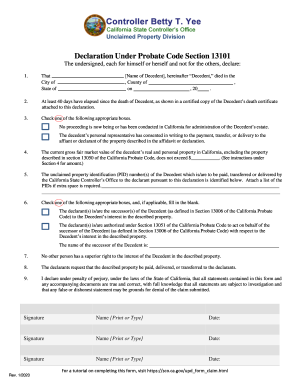
Affidavit under california probate code section 13100 - Marin
The document is a Declaration Under Probate Code Section 13101, which allows individuals to claim unclaimed property of ...

Authorization letter to conduct ci
The document FLH022 is an authorization letter allowing Pag-IBIG Fund to conduct credit and background investigations re ...
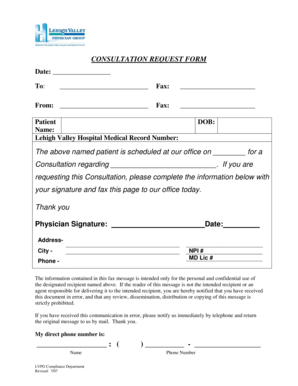
Xxxxxxxxxxxxxxxxxxxbf form
The document is a Consultation Request Form used by healthcare providers to request consultations for patients scheduled ...
RECERTIFICATION BOOKLET
The 2019 BONENT Recertification Booklet outlines the recertification process for the Board of Nephrology Examiners Nursi ...
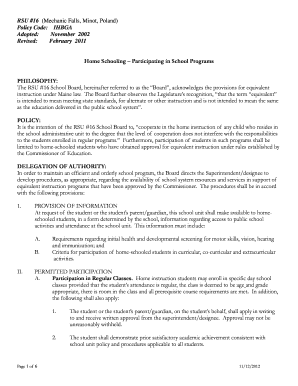
Home Schooling Participating in School Programs PHILOSOPHY - rsu16
The RSU #16 School Board policy outlines the framework for home schooling within the district, emphasizing cooperation w ...