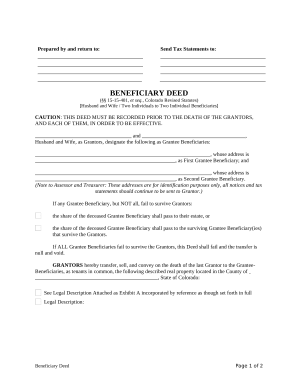
2014 AR Authorization for Release of Confidential Information-2026

Get Form
2014 AR Authorization for Release of Confidential Information Preview on Page 1

Here's how it works

01. Edit your form online
Type text, add images, blackout confidential details, add comments, highlights and more.
02. Sign it in a few clicks
Draw your signature, type it, upload its image, or use your mobile device as a signature pad.
03. Share your form with others
Send it via email, link, or fax. You can also download it, export it or print it out.

How to use or fill out 2014 AR Authorization for Release of Confidential Information with DocHub

Form edit decoration
9.5
Ease of Setup
DocHub User Ratings on G2
9.0
Ease of Use
DocHub User Ratings on G2
  1. Click ‘Get Form’ to open the 2014 AR Authorization for Release of Confidential Information in our editor.
  2. Begin by filling in your name and contact information in the designated fields. Ensure that all details are legible to avoid processing delays.
  3. Provide the applicant's Social Security Number, maiden name or aliases, race, age, and date of birth as required. This information is crucial for identification purposes.
  4. List the child's full names, dates of birth, and Social Security Numbers in the specified sections. If there are multiple children, ensure you provide details for each one.
  5. Fill out your present address and any previous addresses over the last ten years. This section helps establish your residency history.
  6. Sign the form at the bottom where indicated. Remember that a notary public must acknowledge your signature; this adds an extra layer of validation.

Start using our platform today to easily complete and submit your forms online for free!

See more 2014 AR Authorization for Release of Confidential Information versions

We've got more versions of the 2014 AR Authorization for Release of Confidential Information form. Select the right 2014 AR Authorization for Release of Confidential Information version from the list and start editing it straight away!
Versions Form popularity Fillable & printable
2014 4.8 Satisfied (264 Votes)
be ready to get more

Complete this form in 5 minutes or less

Get form

Got questions?

We have answers to the most popular questions from our customers. If you can't find an answer to your question, please contact us.
Contact us
Authorization. A covered entity must obtain the individuals written authorization for any use or disclosure of protected health information that is not for treatment, payment or health care operations or otherwise permitted or required by the Privacy Rule.
Authorization for release of information means the form prescribed by the agency for the purpose of authorizing the release of a confidential record, signed and dated by the person empowered to release the information.
Begin by specifying your name, the entity authorized to disclose information, and the individuals or entities you authorize to receive it. Indicate the specific information and purpose for which it will be disclosed, add an expiration date or event, and sign and date the form to confirm your consent.
The core elements of a valid authorization include: A meaningful description of the information to be disclosed. The name of the individual or the name of the person authorized to make the requested disclosure. The name or other identification of the recipient of the information.

Security and compliance

At DocHub, your data security is our priority. We follow HIPAA, SOC2, GDPR, and other standards, so you can work on your documents with confidence.

Learn more
ccpa2
pci-dss
gdpr-compliance
hipaa
soc-compliance
be ready to get more

Complete this form in 5 minutes or less

Get form