2020 1040 city-2026

Get Form
2020 1040 city Preview on Page 1

Here's how it works

01. Edit your form online
Type text, add images, blackout confidential details, add comments, highlights and more.

02. Sign it in a few clicks
Draw your signature, type it, upload its image, or use your mobile device as a signature pad.

03. Share your form with others
Send it via email, link, or fax. You can also download it, export it or print it out.

How to use or fill out 2020 1040 city with our platform

Form edit decoration
9.5
Ease of Setup
DocHub User Ratings on G2
9.0
Ease of Use
DocHub User Ratings on G2
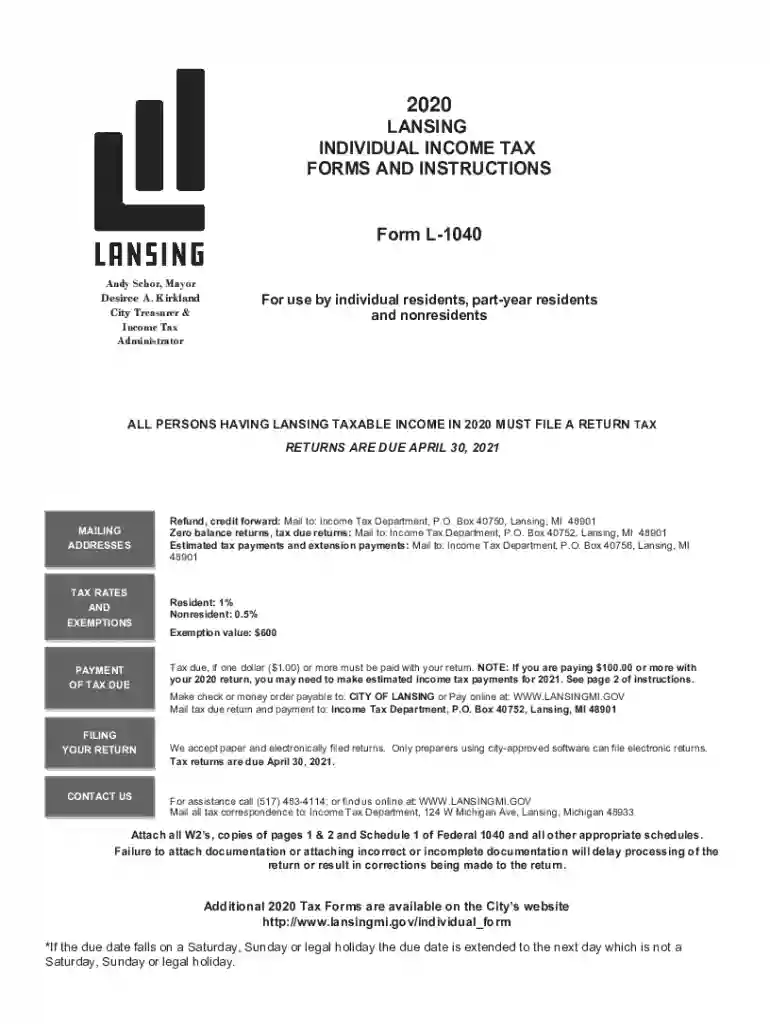
  1. Click ‘Get Form’ to open the 2020 L-1040 in the editor.
  2. Begin by entering your personal information, including your name, address, and Social Security number. Ensure that this matches the information on your W-2 forms.
  3. Indicate your residency status by marking the appropriate box for Resident, Nonresident, or Part-Year Resident.
  4. Fill in your income details on lines 1 through 16. Use column A for federal data and column B for any exclusions or adjustments specific to Lansing.
  5. Calculate your total income after deductions by subtracting line 19 from line 18. Enter this amount on line 20.
  6. Determine your exemptions and enter the total on line 21. Multiply this by $600 and enter it on line 21b.
  7. Calculate your tax due based on the applicable tax rate (1% for residents, 0.5% for nonresidents) and enter it on line 23b.
  8. Review all entries for accuracy before saving or printing the completed form. Attach all necessary documentation as specified in the instructions.

Start filling out your 2020 L-1040 city form today using our platform for a seamless experience!

See more 2020 1040 city versions

We've got more versions of the 2020 1040 city form. Select the right 2020 1040 city version from the list and start editing it straight away!
Versions Form popularity Fillable & printable
2023 4.3 Satisfied (35 Votes)
2022 4.9 Satisfied (45 Votes)
2021 4.6 Satisfied (50 Votes)
2020 4.9 Satisfied (59 Votes)
2019 4.4 Satisfied (193 Votes)
2018 3.9 Satisfied (28 Votes)
2017 4.4 Satisfied (139 Votes)
be ready to get more

Complete this form in 5 minutes or less

Get form

Got questions?

We have answers to the most popular questions from our customers. If you can't find an answer to your question, please contact us.
Contact us
California: Internal Revenue Service, PO Box 802501, Cincinnati, OH 45280-2501.
Wheres My Refund has the latest information on your return. If you dont have internet, call the automated refund hotline at 800-829-1954 for a current-year refund or 866-464-2050 for an amended return. If you think we made a mistake with your refund, check Wheres My Refund or your online account for details.
Even though the deadline has passed, you can file your 2020 taxes online in a few simple steps. Our online income tax software uses the 2020 IRS tax code, calculations, and forms. File your 2017, 2018, 2019, 2020, 2021, 2022, and 2023 tax returns.
Prior year tax returns are available from the IRS for a fee. Taxpayers can request a copy of a tax return by completing and mailing Form 4506, Request for Copy of Tax Return, to the IRS address listed on the form.
Get federal tax forms for current and prior years Download them from IRS.gov. Order online and have them delivered by U.S. mail. Order by phone at 1-800-TAX-FORM (1-800-829-3676)

Security and compliance

At DocHub, your data security is our priority. We follow HIPAA, SOC2, GDPR, and other standards, so you can work on your documents with confidence.

Learn more
ccpa2
pci-dss
gdpr-compliance
hipaa
soc-compliance