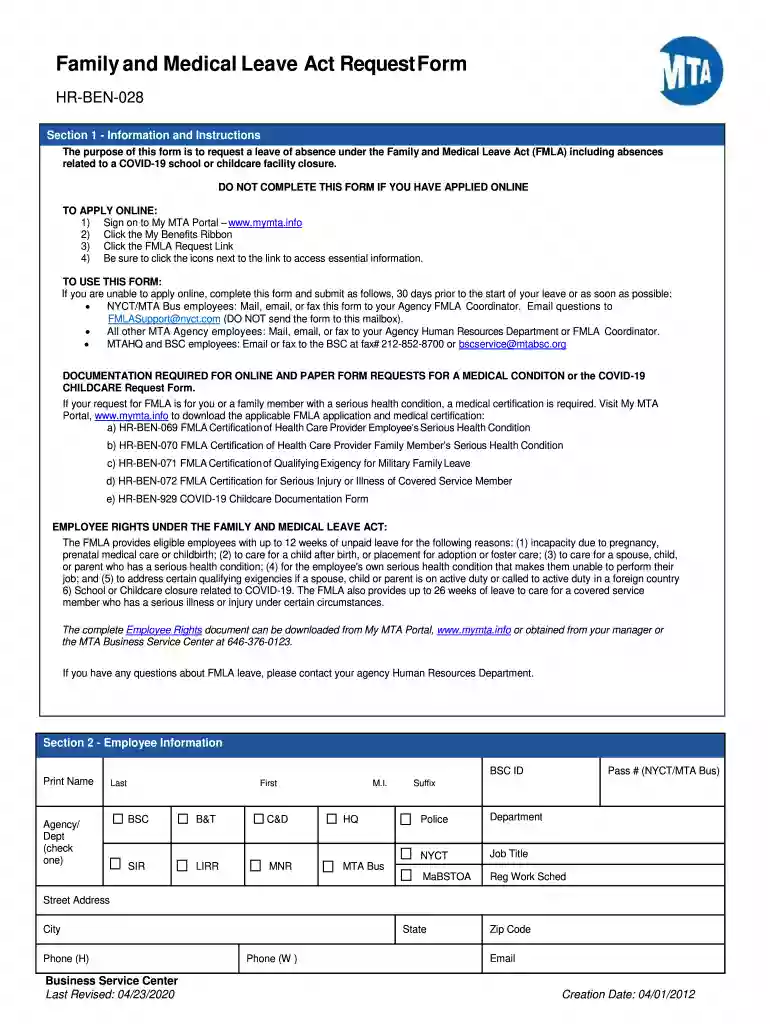
Ben leave application 2026

Get Form
how do you get fmla paperwork Preview on Page 1

Here's how it works

01. Edit your how do you get fmla paperwork online
Type text, add images, blackout confidential details, add comments, highlights and more.

02. Sign it in a few clicks
Draw your signature, type it, upload its image, or use your mobile device as a signature pad.

03. Share your form with others
Send mta leave of absence form via email, link, or fax. You can also download it, export it or print it out.

How to use or fill out ben leave application with our platform

Form edit decoration
9.5
Ease of Setup
DocHub User Ratings on G2
9.0
Ease of Use
DocHub User Ratings on G2
  1. Click ‘Get Form’ to open the ben leave application in the editor.
  2. Begin by filling out Section 2 - Employee Information. Enter your BSC ID, name, agency, job title, and contact details accurately.
  3. In Section 3 - Reason for Leave, select only one reason that applies to your situation. Ensure you provide any necessary verification if required.
  4. If applicable, complete Section 4 - COVID-19 Childcare Reason by providing your child's name, date of birth, and the institution's details.
  5. Specify your leave dates in Section 5 - Request for Leave. Clearly indicate the start and end dates of your requested leave.
  6. In Section 6 - Type of Leave Requested, choose between intermittent, reduced schedule, or continuous leave and provide any additional scheduling details if needed.
  7. Review all sections for accuracy before signing in Section 7 - Authorization. Confirm that all information is true to the best of your knowledge.

Start using our platform today to easily fill out your ben leave application for free!

See more ben leave application versions

We've got more versions of the ben leave application form. Select the right ben leave application version from the list and start editing it straight away!
Versions Form popularity Fillable & printable
2020 4.8 Satisfied (89 Votes)
2020 4.2 Satisfied (35 Votes)
2018 4.4 Satisfied (123 Votes)
2016 4.1 Satisfied (43 Votes)
be ready to get more

Complete this form in 5 minutes or less

Get form

Got questions?

We have answers to the most popular questions from our customers. If you can't find an answer to your question, please contact us.
Contact us
Given below are some simple steps that can be followed to help you send a professional and well-formatted application. Step 1: Start With a Proper Salutation. Step 2: State the Purpose of Your Leave. Step 3: Specify the Duration of Your Leave. Step 4: Mention Contact Information. Step 5: Conclude with a Formal Closing.
A casual leave application is a formal request made by an employee to their employer or manager to take time off from work for personal reasons, typically for short-term, non-medical purposes.
A short leave application should include a clear subject line, a formal salutation, a brief explanation of the reason for leave, specific date and time of absence, a polite request for approval, and a professional closing.
How early should you submit a leave letter? General guidance: At least 2-3 days before a short leave, longer if absence is extended. School specifics: Schools typically prefer early notice (minimum 2-5 days). Office specifics: Workplaces usually expect at least 1-2 weeks advance notice, depending on length.