Type text, add images, blackout confidential details, add comments, highlights and more.
02. Sign it in a few clicks
Draw your signature, type it, upload its image, or use your mobile device as a signature pad.
03. Share your form with others
Send it via email, link, or fax. You can also download it, export it or print it out.
How to use or fill out tennessee pllc with our platform
Ease of Setup
DocHub User Ratings on G2
Ease of Use
DocHub User Ratings on G2
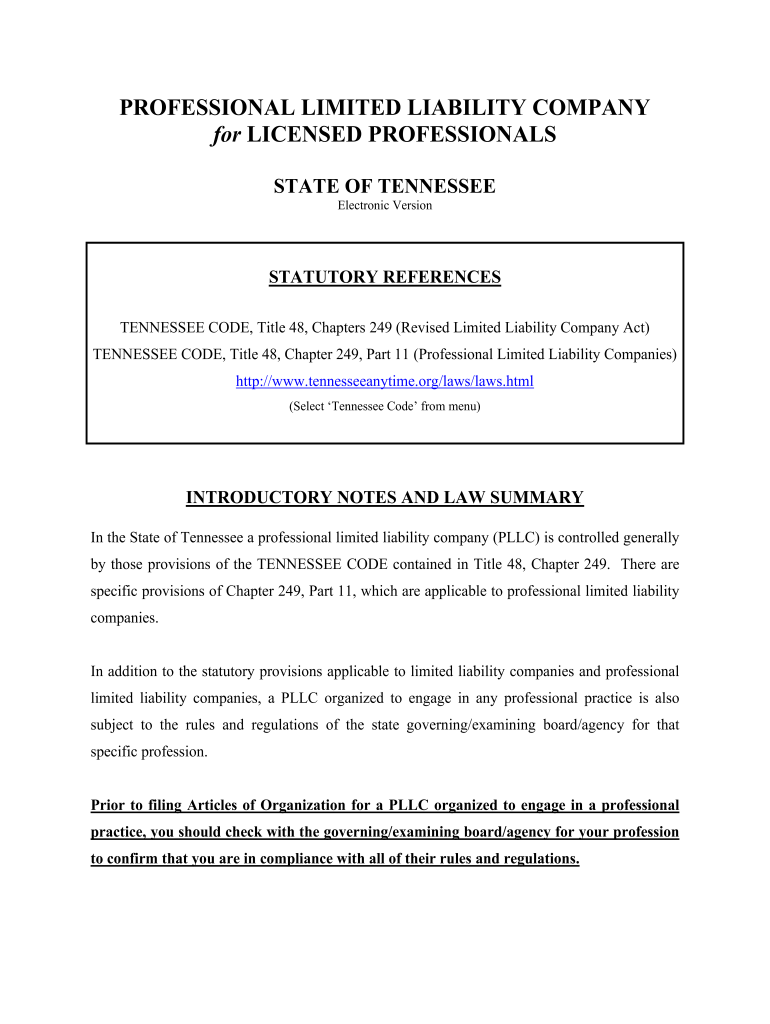
Click ‘Get Form’ to open the tennessee pllc document in the editor.
Begin by reserving your PLLC name using FORM 1. Ensure the name complies with Tennessee regulations and is legibly filled out in black ink.
Complete FORM 2 - Articles of Organization. Provide the PLLC name, registered agent's address, and organizer details. Indicate if it’s Board Managed or Member Managed.
Include the number of members and their addresses, then sign and date the Articles of Organization before submitting.
File the original and a copy of your Articles along with FORM 2b for certified copies, ensuring you include the appropriate filing fee.
Once you receive your certified Articles, deliver them to your profession's licensing authority before commencing business activities.
Start filling out your tennessee pllc form today for free on our platform!
Tennessee pllc statuteTennessee LLC registration onlineArticles of Organization TNTN LLC ApplicationLLC in TNClose LLC in TNArticles of organization tn lookupFILE for LLC in TN
Security and compliance
At DocHub, your data security is our priority. We follow HIPAA, SOC2, GDPR, and other standards, so you can work on your documents with confidence.
Jurisdiction. A federal courts jurisdiction over a FOIA case is dependent upon a showing that an agency has. improperly; withheld; agency records..Read more
United Healthcare Services, Inc. v. Concord Company of
A private insurer alleges that an emergency medicine provider is abusing the No Surprises Act arbitration process to obtain higher out-of-network payments. TheRead more
Business Forms Fees | Tennessee Secretary of State
Statement of Change of Registered Agent/Office by Entity or Agent (PDF, 344.9KB). SS-4534, $20. Resignation of Registered Agent (PDF, 54.2KB). SS-4420, $20.Read more
Cookie consent notice
This site uses cookies to enhance site navigation and personalize your experience.
By using this site you agree to our use of cookies as described in our Privacy Notice.
You can modify your selections by visiting our Cookie and Advertising Notice.