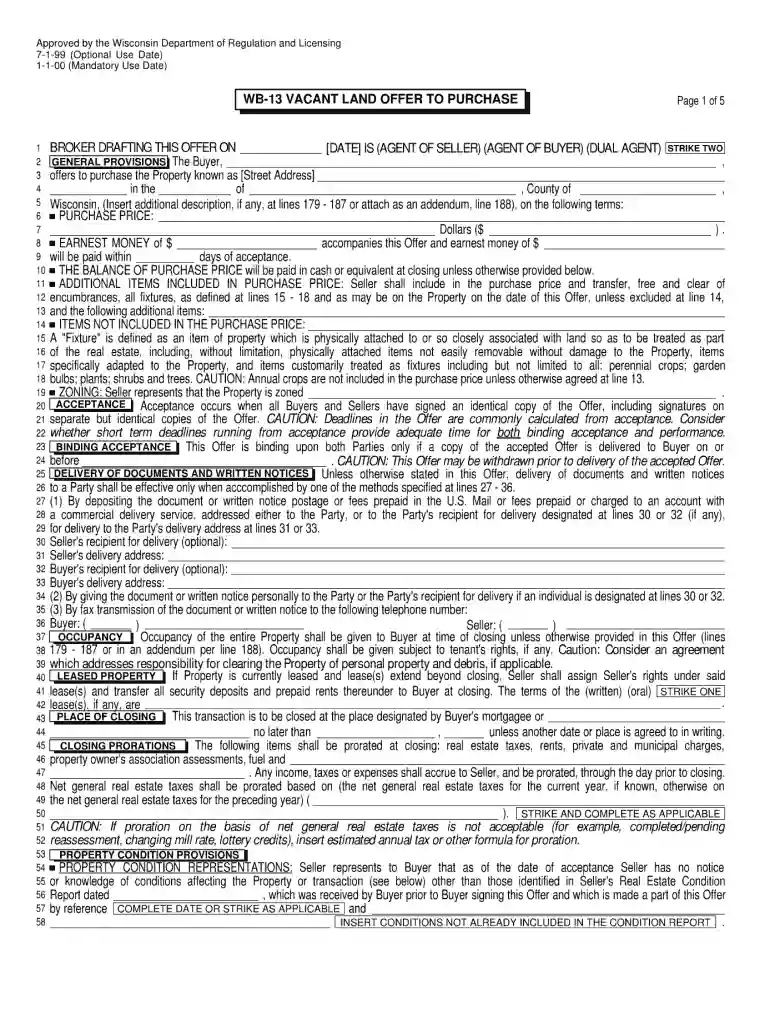
wb 13 Preview on Page 1

Wb 13 vacant land offer to purchase 2000 form-2026

Here's how it works

  • 01. Edit your wb 13 online

    Type text, add images, blackout confidential details, add comments, highlights and more.

  • 02. Sign it in a few clicks

    Draw your signature, type it, upload its image, or use your mobile device as a signature pad.

  • 03. Share your form with others

    Send wb 13 vacant land offer to purchase via email, link, or fax. You can also download it, export it or print it out.

How to use or fill out wb 13 vacant land offer to purchase 2000 form with our platform

Form edit decoration
9.5
Ease of Setup
DocHub User Ratings on G2
9.0
Ease of Use
DocHub User Ratings on G2
  1. Click ‘Get Form’ to open the wb 13 vacant land offer to purchase 2000 form in the editor.
  2. Begin by entering your personal information in the designated fields, including your name, address, and contact details. Ensure accuracy for effective communication.
  3. Next, navigate to the property description section. Fill in the specifics of the vacant land you are interested in purchasing, such as its location and parcel number.
  4. Proceed to the offer price field. Clearly state your proposed purchase price for the land, ensuring it aligns with your budget and market research.
  5. Review any additional terms or conditions that may apply to your offer. This could include contingencies or special requests that you wish to include.
  6. Finally, sign and date the document electronically using our platform’s signature feature. This ensures your offer is legally binding and ready for submission.

Start using our platform today for free to streamline your document editing and signing process!

See more wb 13 versions

We've got more versions of the wb 13 form. Select the right wb 13 version from the list and start editing it straight away!

VersionsForm popularityFillable & printable
20244.2 Satisfied (59 Votes)
20214.1 Satisfied (25 Votes)
20114.9 Satisfied (51 Votes)
20004 Satisfied (56 Votes)

be ready to get more

Complete this form in 5 minutes or less

Security and compliance

At DocHub, your data security is our priority. We follow HIPAA, SOC2, GDPR, and other standards, so you can work on your documents with confidence.

Related links

WISCONSIN DEPARTMENT OF REGULATION

The agreed purchase price was $80,000.00. Page 4. 16. The terms of the accepted offer require the Harpsteads to convey title of the property.Read more

Learn more
Alabama Competitive Bid and Public Works Law Manual

The handbook is organized in three Parts: Part I Contracts, Part II Public Works, and Part Three Appendices. Parts I and II are organized with (1) aRead more

Learn more
Warner Bros. Home Entertainment

Warner Bros. Home Entertainment was founded to bring together all of its parent companys businesses involved in the delivery of home entertainment content toRead more

Learn more
If you believe that this page should be taken down, please follow our DMCA take down process here