Casomb application 2011 form-2026

Get Form
casomb application 2011 form Preview on Page 1

Here's how it works

01. Edit your form online
Type text, add images, blackout confidential details, add comments, highlights and more.
02. Sign it in a few clicks
Draw your signature, type it, upload its image, or use your mobile device as a signature pad.
03. Share your form with others
Send it via email, link, or fax. You can also download it, export it or print it out.

How to use or fill out casomb application 2011 form with our platform

Form edit decoration
9.5
Ease of Setup
DocHub User Ratings on G2
9.0
Ease of Use
DocHub User Ratings on G2
  1. Click ‘Get Form’ to open the casomb application 2011 form in the editor.
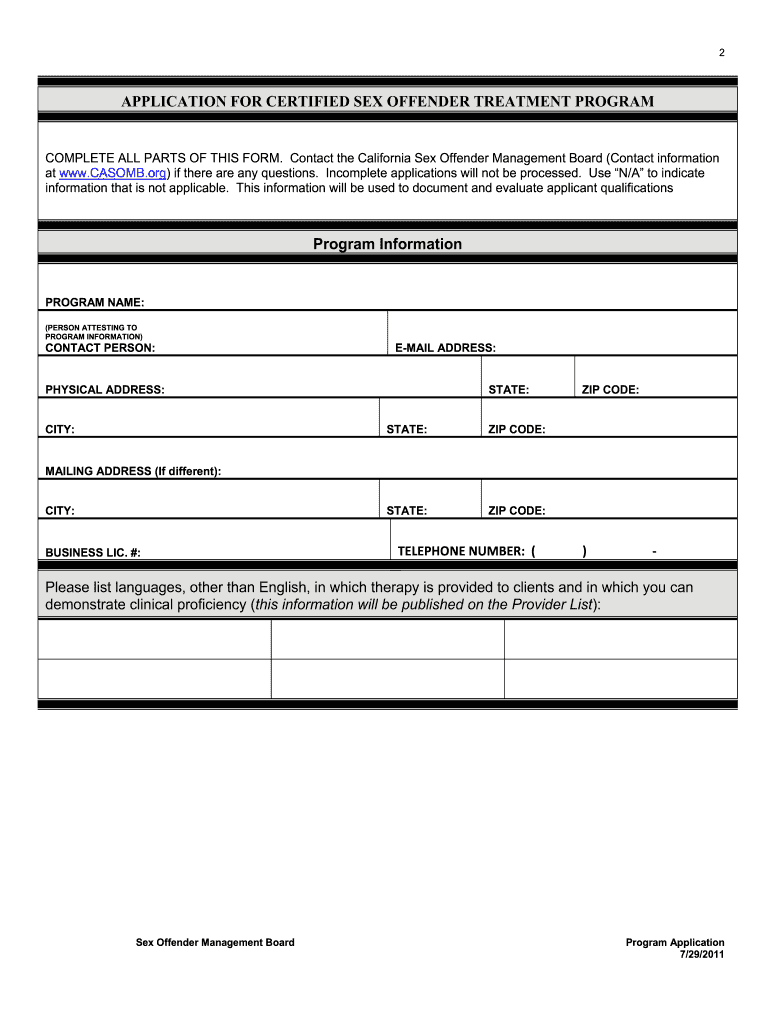
  2. Begin by filling out the 'Program Information' section. Enter the program name, contact person, email address, and physical address. Ensure all fields are completed accurately.
  3. In the 'Program Attestation' section, confirm that your program implements the Containment Model and meets all specified criteria. Provide detailed information as required.
  4. Complete the 'Informed Consent' and 'Waiver of Confidentiality' sections by articulating your program's policies clearly. This ensures clients understand their rights and responsibilities.
  5. Finalize your application by reviewing all entries for accuracy. Save a copy of your completed form before submitting it in hard copy to CASOMB at the provided address.

Start using our platform today to fill out your casomb application 2011 form online for free!

See more casomb application 2011 form versions

We've got more versions of the casomb application 2011 form form. Select the right casomb application 2011 form version from the list and start editing it straight away!
Versions Form popularity Fillable & printable
2015 4.9 Satisfied (362 Votes)
2011 4.1 Satisfied (63 Votes)
be ready to get more

Complete this form in 5 minutes or less

Get form

Got questions?

We have answers to the most popular questions from our customers. If you can't find an answer to your question, please contact us.
Contact us

With DocHub, you can rapidly sign your casomb application 2011 form or any other document on iOS, even without setting up additional programs. You can access your DocHub account from any internet-connected browser and fill out and sign your form in any way you like with just a couple of clicks.

You need only an internet connection and a browser to complete your casomb application 2011 form on an iOS phone. Open the DocHub website and authenticate. Then, add your document or choose it from the list in your dashboard. Then use our editing tools to complete your form and save all your changes. You can also send it to a dedicated recipient right away.

Security and compliance

At DocHub, your data security is our priority. We follow HIPAA, SOC2, GDPR, and other standards, so you can work on your documents with confidence.

Learn more
ccpa2
pci-dss
gdpr-compliance
hipaa
soc-compliance