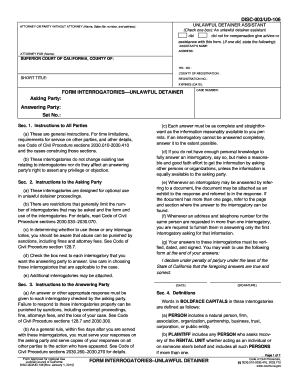
Medical record release form 2026

Get Form
medical record release form Preview on Page 1

Here's how it works

01. Edit your form online
Type text, add images, blackout confidential details, add comments, highlights and more.
02. Sign it in a few clicks
Draw your signature, type it, upload its image, or use your mobile device as a signature pad.
03. Share your form with others
Send it via email, link, or fax. You can also download it, export it or print it out.

How to use or fill out medical record release form with our platform

Form edit decoration
9.5
Ease of Setup
DocHub User Ratings on G2
9.0
Ease of Use
DocHub User Ratings on G2
  1. Click ‘Get Form’ to open the medical record release form in the editor.
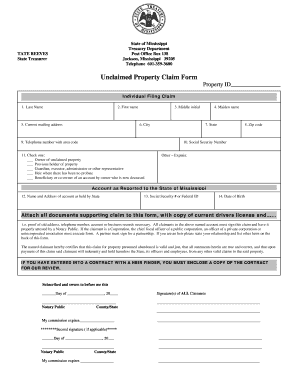
  2. Begin by entering your personal information. Fill in your name, date of birth, previous name, social security number, and address in the designated fields.
  3. In the 'My Authorization' section, check all applicable boxes to specify which health care information you authorize for disclosure. This may include all records or specific treatments.
  4. Indicate the recipient of your health care information by filling in their name and organization, along with their address details.
  5. Select the reason for this authorization by checking the appropriate boxes provided.
  6. Specify when this authorization will end by selecting one of the options available.
  7. Finally, sign and date the form at the bottom. If signing on behalf of someone else, include your printed name and relationship.

Start using our platform today to easily complete your medical record release form online for free!

See more medical record release form versions

We've got more versions of the medical record release form form. Select the right medical record release form version from the list and start editing it straight away!
Versions Form popularity Fillable & printable
2014 4.8 Satisfied (43 Votes)
2009 4 Satisfied (40 Votes)
be ready to get more

Complete this form in 5 minutes or less

Get form

Got questions?

We have answers to the most popular questions from our customers. If you can't find an answer to your question, please contact us.
Contact us
There are multiple reasons for the release of information. They include continuity of care, research, claims processing, and compliance reporting. Each purpose has its own procedures and safeguards, which together make this process central to modern healthcare.
If youre unable to sign and docHub your medical consent forms in person, you can get a remote online notarization. NotaryLive provides an online notarization process where you can remotely sign and docHub a document from the comfort of your home.
HIPAA Release Form FAQs The details usually consist of what PHI is being shared, why it is being shared, who it is being shared with, and if applicable for how long it is being shared.
However, Louisianas medical records laws give you unique rights to: Access Your Medical Record: You have the right to see and get a copy of your medical record within 15 days of your initial request. The health care provider has a right to charge you for copying the record and/or the cost of postage to mail it to you.
How to create a HIPAA compliant medical records release form Provide instructions. Name the patient and individual authorized to use or disclose their PHI. Describe the information. Specify recipients. Specify the purpose of disclosure. Specify the time period. Detail their revocation rights. Obtain the patients signature.

Security and compliance

At DocHub, your data security is our priority. We follow HIPAA, SOC2, GDPR, and other standards, so you can work on your documents with confidence.

Learn more
ccpa2
pci-dss
gdpr-compliance
hipaa
soc-compliance
be ready to get more

Complete this form in 5 minutes or less

Get form

People also ask

Key form fields typically include: Names and contact details of the individual giving consent. Description of the media being released. Intended use of the media. Specific terms and conditions or limitations. Duration of the consent. Signature.

Related links