




Here's how it works

01. Edit your rpm application form online
Type text, add images, blackout confidential details, add comments, highlights and more.

02. Sign it in a few clicks
Draw your signature, type it, upload its image, or use your mobile device as a signature pad.

03. Share your form with others
Send rpm application via email, link, or fax. You can also download it, export it or print it out.
How to use or fill out rpm application with our platform

- Click ‘Get Form’ to open the rpm application in the editor.
- Begin by filling out the 'Personal Information' section. Enter your first name, middle name, last name, date of birth, and any other names used in the last 10 years. Ensure your email address and social security number or TIN are accurate.
- Provide your current address details including city, state, and zip code. Indicate whether you own or rent your home by checking the appropriate box.
- In the 'Employment Information' section, input your employer's name, monthly gross income, and position. Include contact information for your supervisor and any former employers if applicable.
- Complete the 'Bank and Credit References' section by listing your financial institutions and account details. This helps verify your financial stability.
- Review all sections carefully before signing at the end of the document to confirm that all information is true and correct.
Start using our platform today to fill out your rpm application easily and for free!
Fill out rpm application online
It's free
It's free
See more rpm application versions
We've got more versions of the rpm application form. Select the right rpm application version from the list and start editing it straight away!
| Versions | Form popularity | Fillable & printable |
|---|---|---|
| 2008 | 4.8 Satisfied (24 Votes) |
Security and compliance
At DocHub, your data security is our priority. We follow HIPAA, SOC2, GDPR, and other standards, so you can work on your documents with confidence.
Learn more


Related forms
Report of Foreign Bank and Financial Accounts (FBAR Report of Foreign Bank and Financial Accounts (F
Report of Foreign Bank and Financial Accounts (FBAR Report of Foreign Bank and Financial Accounts (F
The document is a request form for the issuance of an official email address for officers in the Federal Board of Revenu ...
PK CPSP Application Form for MCPS-HPE MCPS-HCSM
The document is an application form for the Qarz-e-Hasna Scheme, intended for candidates applying to the MCPS-HPE or MCP ...

Nbp cdd form
The document is a KYC (Know Your Customer) Customer Due Diligence form used by a bank to collect essential information a ...
Pakistan driving form
The document is an application form for the authentication of a Pakistani driving license, requiring personal details of ...

Application-Form-NTO
The document is an application form for the National Talent Olympiad (Talent Scholarship Test) 2021, organized by the No ...
Registration Form BSCS V Dr A Q Khan - kicsit pk
The document is a Willingness Form for the 18th Convocation 2020 at Dr. A Q Khan Institute of Computer Sciences and Info ...
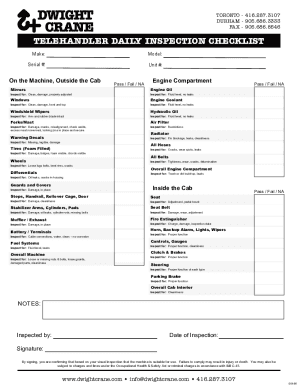
Telehandler daily inspection checklist
The document is a Telehandler Daily Inspection Checklist that outlines various components of a telehandler machine to be ...
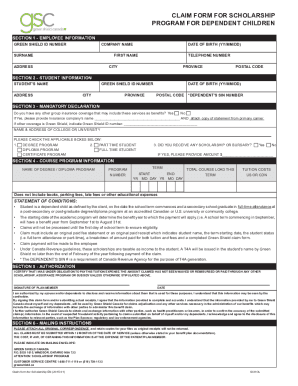
Green shield dependent
The document is a claim form for a scholarship program for dependent children, detailing sections for employee and stude ...