Ira distribution bformb - Insignia Macro Fund 2026

Get Form
business form Preview on Page 1

Here's how it works

01. Edit your business form online
Type text, add images, blackout confidential details, add comments, highlights and more.

02. Sign it in a few clicks
Draw your signature, type it, upload its image, or use your mobile device as a signature pad.

03. Share your form with others
Send form apply via email, link, or fax. You can also download it, export it or print it out.

How to use or fill out IRA Distribution Form - Insignia Macro Fund

Form edit decoration
9.5
Ease of Setup
DocHub User Ratings on G2
9.0
Ease of Use
DocHub User Ratings on G2
  1. Click ‘Get Form’ to open it in the editor.
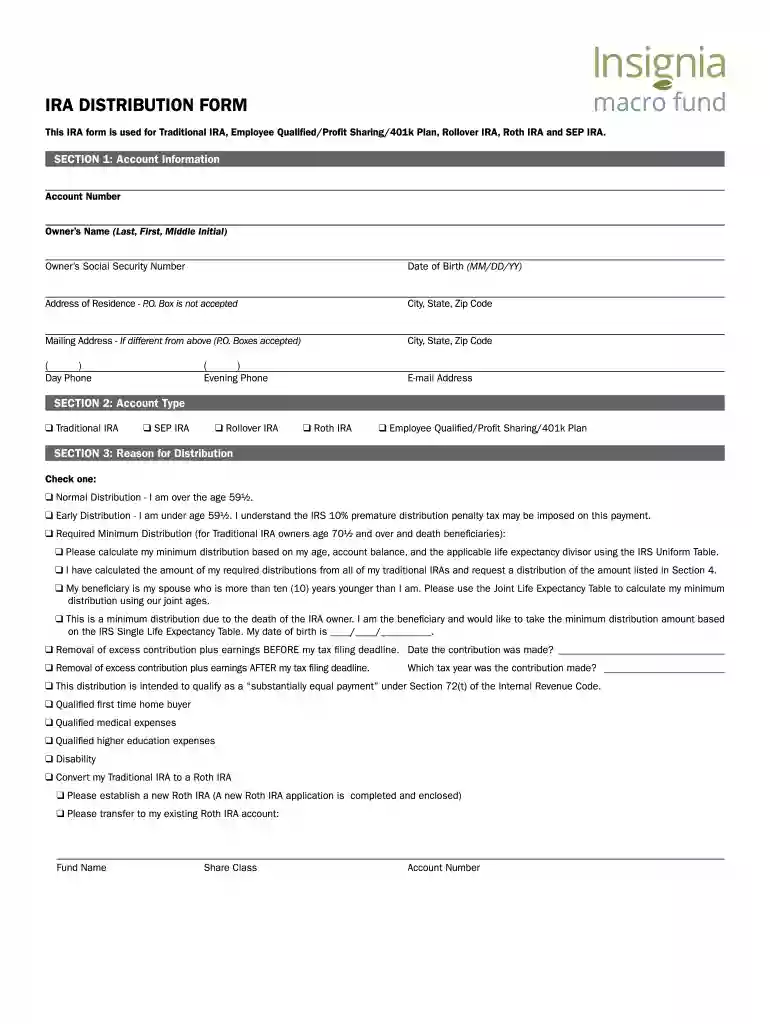
  2. Begin with Section 1: Account Information. Fill in your account number, owner's name, social security number, date of birth, and address details. Ensure accuracy as this information is crucial for processing your request.
  3. Move to Section 2: Account Type. Select the appropriate account type by checking the corresponding box (e.g., Traditional IRA, Roth IRA).
  4. In Section 3: Reason for Distribution, check one option that best describes your reason for withdrawal. This could be a normal distribution or an early distribution among others.
  5. Proceed to Section 4: Distribution Amount. Indicate whether you are withdrawing the total value or making a partial withdrawal by listing fund names and amounts.
  6. Complete Section 5: Tax Withholding Election by selecting whether you want federal income tax withheld from your distribution.
  7. Fill out Sections 6 through 10 with payee information, payment instructions, and bank details if necessary. Ensure all required fields are completed accurately.
  8. Finally, sign and date the form in Section 10 to certify that all information is true and accurate before submitting it as instructed.

Start using our platform today to easily fill out your IRA Distribution Form for free!

See more Ira distribution bformb - Insignia Macro Fund versions

We've got more versions of the Ira distribution bformb - Insignia Macro Fund form. Select the right Ira distribution bformb - Insignia Macro Fund version from the list and start editing it straight away!
Versions Form popularity Fillable & printable
2015 4.8 Satisfied (237 Votes)
be ready to get more

Complete this form in 5 minutes or less

Get form

Got questions?

We have answers to the most popular questions from our customers. If you can't find an answer to your question, please contact us.
Contact us
File Form 1099-R, Distributions From Pensions, Annuities, Retirement or Profit-Sharing Plans, IRAs, Insurance Contracts, etc., for each person to whom you have made a designated distribution or are treated as having made a distribution of $10 or more from profit-sharing or retirement plans, any individual retirement
The best assets for a Roth IRA are investments with high total return prospects, particularly over a long period of time. Slow-growing investments, such as money market funds or certificates of deposit, might not pay off since the low returns probably wouldnt cause a huge tax burden down the road.
Use Form 5329 to report additional taxes on IRAs and retirement plans, including: tax on an early distribution.
Regardless of your age, you will need to file a Form 1040 and show the amount of the IRA withdrawal. Since you took the withdrawal before you docHubed age 59 1/2, unless you met one of the exceptions, you will need to pay an additional 10% tax on early distributions on your Form 1040.
The IRS does not send the 1099-R, it will come from your retirement company. You may be able to check online or call them. If you took the distribution in calendar year 2023, you will receive it next year.

Security and compliance

At DocHub, your data security is our priority. We follow HIPAA, SOC2, GDPR, and other standards, so you can work on your documents with confidence.

Learn more
ccpa2
pci-dss
gdpr-compliance
hipaa
soc-compliance
be ready to get more

Complete this form in 5 minutes or less

Get form