Type text, add images, blackout confidential details, add comments, highlights and more.
02. Sign it in a few clicks
Draw your signature, type it, upload its image, or use your mobile device as a signature pad.
03. Share your form with others
Send it via email, link, or fax. You can also download it, export it or print it out.
How to use or fill out mv 4rp with our platform
Ease of Setup
DocHub User Ratings on G2
Ease of Use
DocHub User Ratings on G2
Click ‘Get Form’ to open the mv 4rp in the editor.
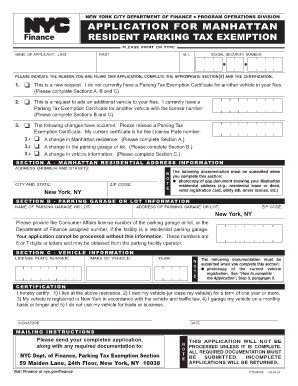
In Section A, enter the Salvor Information. Fill in the name of the salvor, certification number, dealer identification, street address, city, state, zip code, and telephone number.
Proceed to Section B for Vehicle Description. Here, input the plate number (if known), title number (if known), vehicle identification number, year, body style, make, and odometer reading. If mileage is unknown, select that option.
In Section C, as the vehicle owner, certify your ownership by signing and dating the form. Include your PA Driver License or Photo ID number and print your name clearly.
Start using our platform today to easily complete your mv 4rp form online for free!
Simulation model for wind energy storage systems. Volume II
The effort developed a comprehensive computer program for the modeling of wind energy/storage systems utilizing any combination of five types of storage
Millivolt system and all individual components may be checked with a millivolt meter 0-1000 MV range. It is important to use wire of a gauge proper for theRead more
Cookie consent notice
This site uses cookies to enhance site navigation and personalize your experience.
By using this site you agree to our use of cookies as described in our Privacy Notice.
You can modify your selections by visiting our Cookie and Advertising Notice.