




Here's how it works

01. Edit your children's mercy employee wellness center online
Type text, add images, blackout confidential details, add comments, highlights and more.

02. Sign it in a few clicks
Draw your signature, type it, upload its image, or use your mobile device as a signature pad.

03. Share your form with others
Send it via email, link, or fax. You can also download it, export it or print it out.
How to use or fill out Seating Wheelchair Clinic Pre-Appointment Form - childrensmercy with our platform

- Click ‘Get Form’ to open it in the editor.
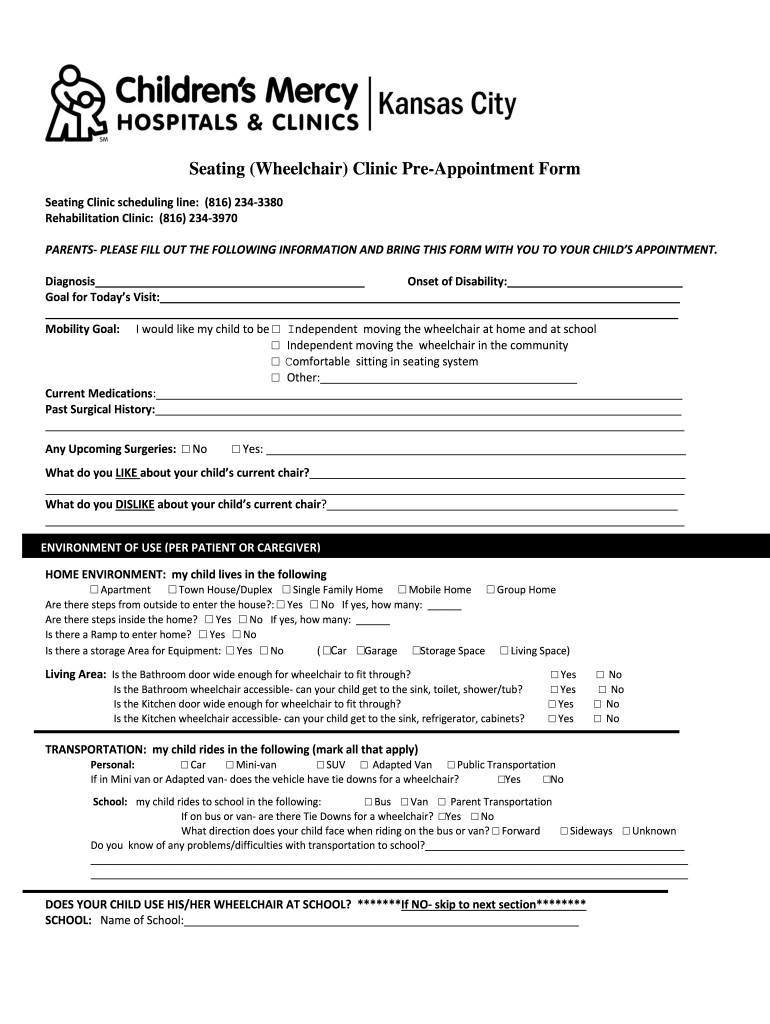
- Begin by entering your child's diagnosis and the onset of their disability in the designated fields. This information is crucial for the clinic to understand your child's needs.
- Next, specify the goals for your visit and mobility preferences. Indicate whether you want your child to be independent at home, school, or comfortable in their seating system.
- Fill out the current medications and past surgical history sections. Be thorough to ensure all relevant medical information is available.
- Describe what you like and dislike about your child's current wheelchair. This feedback helps clinicians tailor recommendations.
- Complete the home environment section by selecting options that best describe your living situation, including accessibility features like ramps or steps.
- Continue through transportation and school-related questions, ensuring you provide details on how your child navigates these environments.
- Finally, review all entries for accuracy before saving or printing the completed form to bring to the appointment.
Start using our platform today for free to streamline filling out important forms like this one!
Fill out Seating Wheelchair Clinic Pre-Appointment Form - childrensmercy online
It's free
It's free
See more Seating Wheelchair Clinic Pre-Appointment Form - childrensmercy versions
We've got more versions of the Seating Wheelchair Clinic Pre-Appointment Form - childrensmercy form. Select the right Seating Wheelchair Clinic Pre-Appointment Form - childrensmercy version from the list and start editing it straight away!
| Versions | Form popularity | Fillable & printable |
|---|---|---|
| 2015 | 4 Satisfied (31 Votes) |
Security and compliance
At DocHub, your data security is our priority. We follow HIPAA, SOC2, GDPR, and other standards, so you can work on your documents with confidence.
Learn more


