




01. Edit your lefs calculator online
Type text, add images, blackout confidential details, add comments, highlights and more.

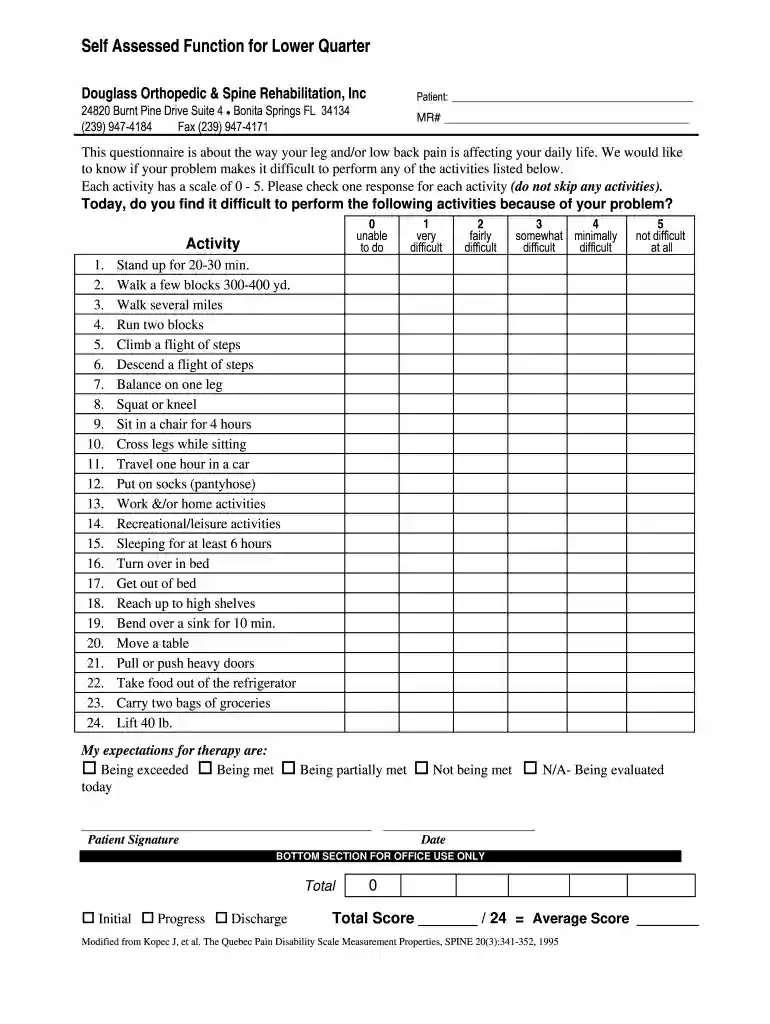
Type text, add images, blackout confidential details, add comments, highlights and more.

Draw your signature, type it, upload its image, or use your mobile device as a signature pad.

Send lefs score calculator via email, link, or fax. You can also download it, export it or print it out.

Start using our editor today for free to complete your self-assessed function form effortlessly!
At DocHub, your data security is our priority. We follow HIPAA, SOC2, GDPR, and other standards, so you can work on your documents with confidence.
by S Bendixen 2018 Cited by 1 The Utilization of Lower Quarter Testing to Assess Return to Sport Readiness in an Athlete following Achilles Tendon Repair: A Case Report. Seth Bendixen. DPTRead more
by NJ Ruffe 2019 Cited by 76 The Y-Balance Test (YBT) is an objective measure used to assess functional muscle strength, balance, and expose asymmetries between tested limbs. PurposeRead more
For validity assessment, we conducted both content validity and construct validity tests. Results demonstrated strong alignment between observed patterns and


