Theory of barbershop harmony pdf 2026

Get Form
barbershop arranging manual pdf Preview on Page 1

Here's how it works

01. Edit your barbershop arranging manual pdf online
Type text, add images, blackout confidential details, add comments, highlights and more.
02. Sign it in a few clicks
Draw your signature, type it, upload its image, or use your mobile device as a signature pad.
03. Share your form with others
Send barbershop arranging manual via email, link, or fax. You can also download it, export it or print it out.

How to use or fill out theory of barbershop harmony pdf with our platform

Form edit decoration
9.5
Ease of Setup
DocHub User Ratings on G2
9.0
Ease of Use
DocHub User Ratings on G2
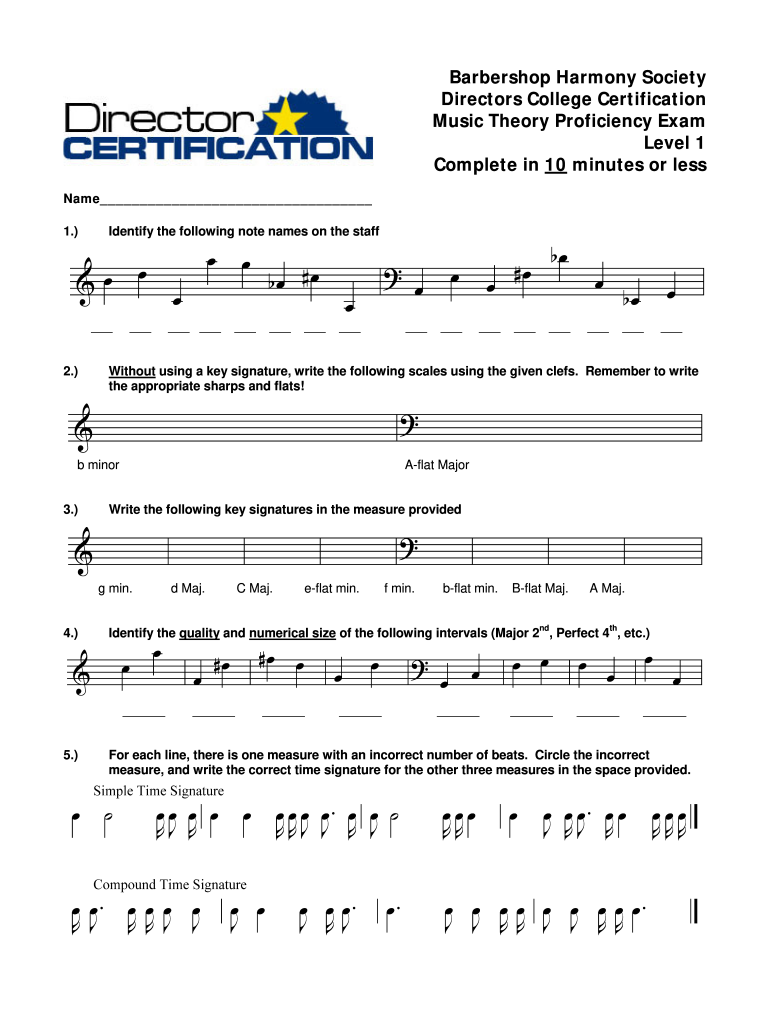
  1. Click ‘Get Form’ to open the theory of barbershop harmony PDF in the editor.
  2. Begin by entering your name in the designated field at the top of the form. This personalizes your submission and ensures proper identification.
  3. For question 1, identify and write down the note names on the staff provided. Use the editor's text tool to input your answers clearly.
  4. In section 2, you will need to write key signatures for various scales. Utilize the drawing tool if necessary to accurately depict sharps and flats.
  5. For question 3, identify intervals by writing their quality and numerical size in the spaces provided. Ensure clarity for easy grading.
  6. In section 4, write scales without key signatures using appropriate clefs. Again, leverage our platform’s tools for precision.
  7. Finally, review measures for incorrect beats in section 5. Circle any errors and write correct time signatures as needed.

Start editing your theory of barbershop harmony PDF today for free and streamline your document completion process!

be ready to get more

Complete this form in 5 minutes or less

Get form

Got questions?

We have answers to the most popular questions from our customers. If you can't find an answer to your question, please contact us.
Contact us

Sign in to your DocHub account and add your barbershop quartet songs pdf to our editor using one of its upload methods - from your device, cloud storage, protected URL, or your DocHub folders if you have already processed your document before. Open our editor, click the Sign key in the upper toolbar, and decide on your signing method. You can upload a picture of your handwritten signature, draw it, enter your name, or use a QR code as an alternative.

You can easily edit fill out your barbershop pdf on any iOS device. Open an internet browser of your choice, go to the DocHub website, authorize or create a new account, add your file for editing, and make your required changes. Our service is mobile-friendly, so utilizing its functions on your phone will be a no-brainer, even on the first try.

Security and compliance

At DocHub, your data security is our priority. We follow HIPAA, SOC2, GDPR, and other standards, so you can work on your documents with confidence.

Learn more
ccpa2
pci-dss
gdpr-compliance
hipaa
soc-compliance
be ready to get more

Complete this form in 5 minutes or less

Get form