




Here's how it works

01. Edit your history and physical form for surgery online
Type text, add images, blackout confidential details, add comments, highlights and more.

02. Sign it in a few clicks
Draw your signature, type it, upload its image, or use your mobile device as a signature pad.

03. Share your form with others
Send surgical history form via email, link, or fax. You can also download it, export it or print it out.
How to use or fill out SURGICAL HISTORY AND PHYSICAL FORM 12-10 with our platform

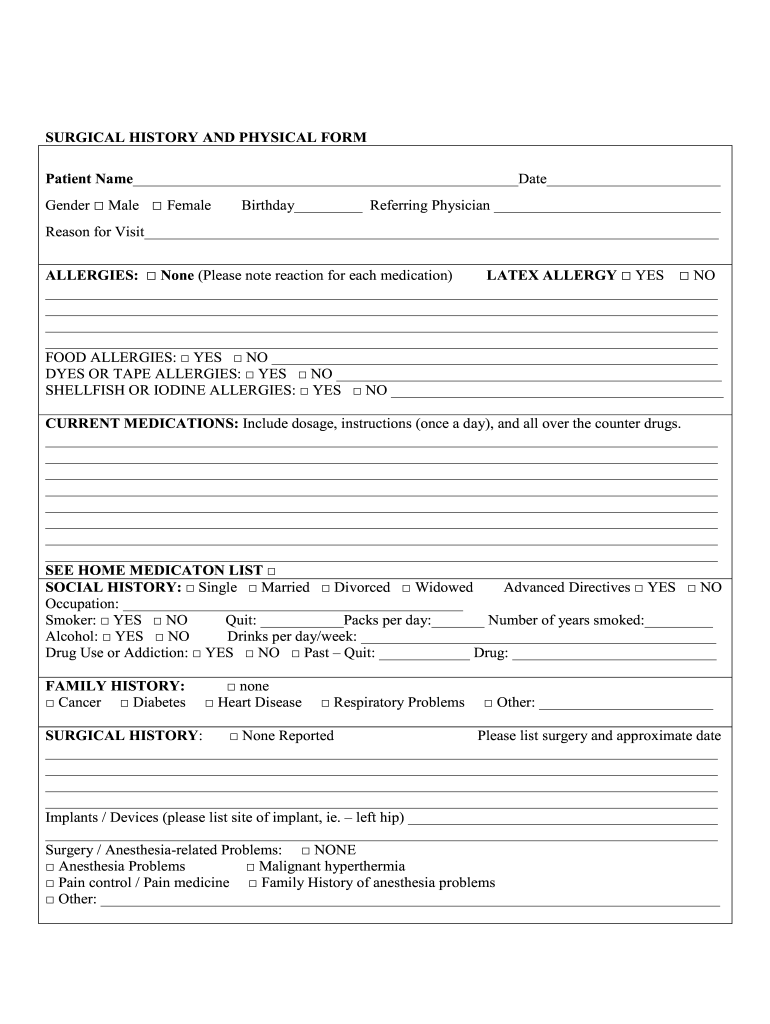
- Click ‘Get Form’ to open the SURGICAL HISTORY AND PHYSICAL FORM 12-10 in the editor.
- Begin by entering your Patient Name and Date at the top of the form. Select your Gender by checking the appropriate box.
- Fill in your Birthday and Referring Physician's name. Clearly state the Reason for Visit in the designated area.
- Indicate any Allergies you have, including medications, food, and latex allergies. Be sure to note reactions where applicable.
- List Current Medications, including dosages and instructions. If you have a home medication list, check the corresponding box.
- Complete the Social History section by selecting your marital status, occupation, smoking habits, and alcohol consumption.
- In the Family History section, check any relevant conditions such as cancer or heart disease.
- Detail your Surgical History by listing any surgeries and their approximate dates. Note any implants or anesthesia-related problems if applicable.
- Review Systems: Check all that apply from each category (e.g., Head and Neck, Cardiovascular) and add comments if needed.
- Finally, ensure all sections are completed before saving or sharing your form for review.
Start using our platform today to easily fill out your SURGICAL HISTORY AND PHYSICAL FORM 12-10 for free!
Fill out SURGICAL HISTORY AND PHYSICAL FORM 12-10 online
It's free
It's free
See more SURGICAL HISTORY AND PHYSICAL FORM 12-10 versions
We've got more versions of the SURGICAL HISTORY AND PHYSICAL FORM 12-10 form. Select the right SURGICAL HISTORY AND PHYSICAL FORM 12-10 version from the list and start editing it straight away!
| Versions | Form popularity | Fillable & printable |
|---|---|---|
| 2011 | 4 Satisfied (22 Votes) |
Security and compliance
At DocHub, your data security is our priority. We follow HIPAA, SOC2, GDPR, and other standards, so you can work on your documents with confidence.
Learn more


