




Here's how it works

01. Edit your nj crash report online
Type text, add images, blackout confidential details, add comments, highlights and more.

02. Sign it in a few clicks
Draw your signature, type it, upload its image, or use your mobile device as a signature pad.

03. Share your form with others
Send nj state police accident report via email, link, or fax. You can also download it, export it or print it out.
How to use or fill out accident report new jersey with our platform

- Click ‘Get Form’ to open the accident report in the editor.
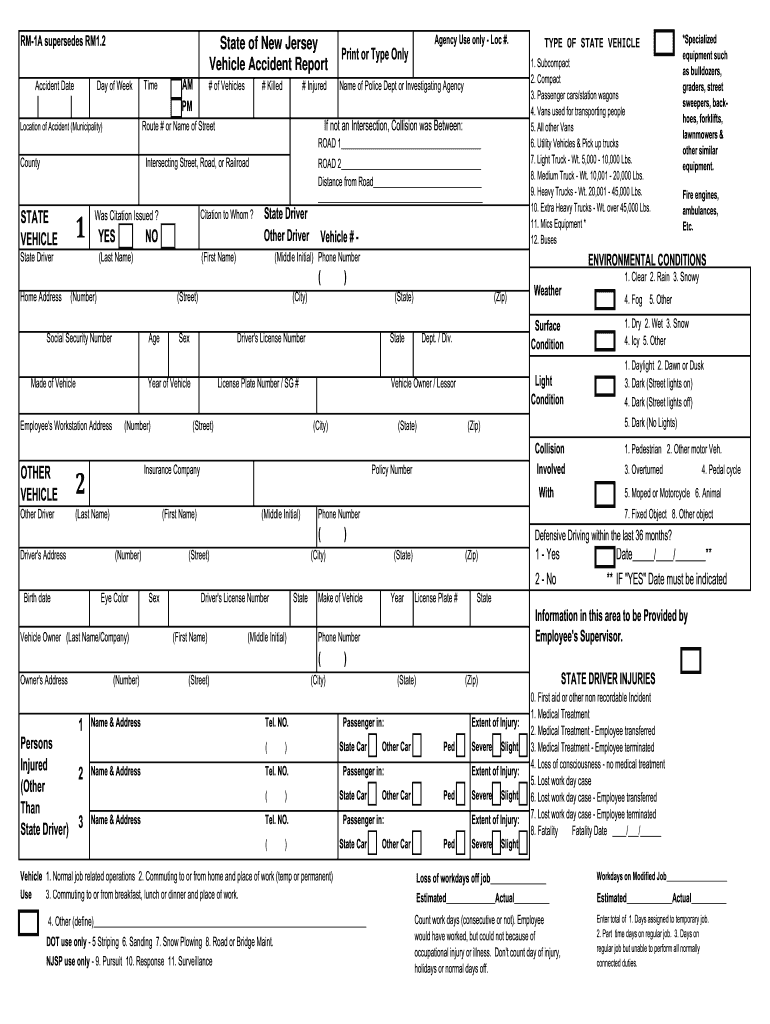
- Begin by entering the 'Accident Date', 'Day of Week', and 'Time' in the designated fields. Ensure accuracy as this information is crucial for record-keeping.
- Fill in the number of vehicles involved and provide details about the police department or investigating agency. Include any citations issued, if applicable.
- In the sections labeled 'ROAD 1' and 'ROAD 2', specify the roads involved, including intersecting streets and county information. This helps clarify the accident location.
- Complete driver information for all parties involved, including names, addresses, phone numbers, and vehicle details such as make, model, and license plate numbers.
- Document any injuries sustained by individuals involved in the accident. Use clear language to describe the extent of injuries and whether medical treatment was required.
- Finally, review all entries for accuracy before signing off on the form. Utilize our platform's features to save your progress or share it with relevant parties.
Start filling out your accident report today for free using our platform!
Fill out accident report new jersey online
It's free
It's free
Security and compliance
At DocHub, your data security is our priority. We follow HIPAA, SOC2, GDPR, and other standards, so you can work on your documents with confidence.
Learn more


