Type text, add images, blackout confidential details, add comments, highlights and more.
02. Sign it in a few clicks
Draw your signature, type it, upload its image, or use your mobile device as a signature pad.
03. Share your form with others
Send ministry profile example via email, link, or fax. You can also download it, export it or print it out.
How to use or fill out Personal Ministry Profile - Comfort My People Ministries
Ease of Setup
DocHub User Ratings on G2
Ease of Use
DocHub User Ratings on G2
Click ‘Get Form’ to open it in the editor.
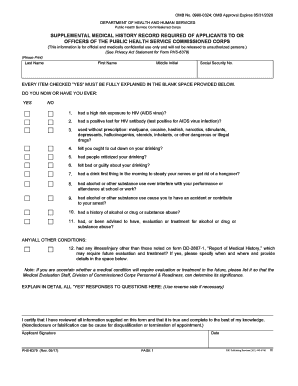
Begin by entering your Full Legal Name, Date, Address, Phone, and Email in the designated fields. Ensure all information is accurate for effective communication.
Indicate your marital status by selecting Single, Married, or Divorced. If applicable, provide details about your occupation and any relevant experiences.
Reflect on your spiritual journey by answering questions regarding your Salvation Experience and any doubts you may have. Use the comment fields for additional insights.
For each traumatic event listed, provide a brief description along with the age at which it occurred. This section allows for deeper reflection on personal history.
Continue through the form by checking boxes that apply to you or your family regarding emotional experiences and family history. Be honest and thorough.
If you reach sections where space is limited, utilize the last page for additional comments or explanations as needed.
Once completed, review all entries for accuracy before submitting electronically or via email as instructed at the end of the document.
Start filling out your Personal Ministry Profile today using our platform for free!
Fill out Personal Ministry Profile - Comfort My People Ministries online It's free
personal ministry leadershipsda children's ministries handbook pdfsabbath school personal ministry lesson 2021general conference of seventh-day adventistssabbath ministriesseventh-day adventist church policy pdfsda church manual communication departmenttotal member involvement pdf
Security and compliance
At DocHub, your data security is our priority. We follow HIPAA, SOC2, GDPR, and other standards, so you can work on your documents with confidence.
The Tennessee Department of Mental Health and Substance Abuse Services has developed an exemplary model for engaging people of faith and inspiring them toRead more
The world Adventist-Jewish Friendship Center (WJFC) serves the world community with love and compassion, embracing Gods call to comfort my people with aRead more
Cookie consent notice
This site uses cookies to enhance site navigation and personalize your experience.
By using this site you agree to our use of cookies as described in our Privacy Notice.
You can modify your selections by visiting our Cookie and Advertising Notice.