Definition & Meaning
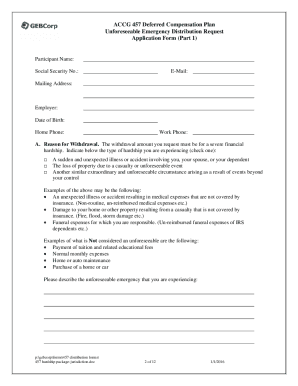
The CashPro Online Authorization Form is a critical document used to grant permissions and authorize specific actions within the CashPro banking platform. CashPro is a system designed to facilitate online banking operations for corporate clients, enabling them to manage cash flow, execute transactions, and administer accounts digitally. The authorization form specifically allows businesses to delegate various banking responsibilities to specific individuals, ensuring secure and efficient management of their financial activities.
Key Features
- Authorization Delegation: Assign specific roles and tasks to individuals within an organization.
- Security Controls: Helps maintain a secure transaction environment by clearly defining who has access to what functionalities within the CashPro platform.
- Record Keeping: Establishes a clear audit trail of authorizations for compliance and accountability purposes.
How to Use the CashPro Online Authorization Form
Step-by-Step Instructions
- Log into the CashPro Platform: Access the banking portal using your organization's credentials.
- Navigate to Forms Section: Locate the section where all administrative forms, including authorization forms, are available.
- Select the Appropriate Form: Choose the CashPro Online Authorization Form relevant to the permissions you wish to set.
- Fill in Details: Input required information such as the names, roles, and permissions of individuals being authorized.
- Review and Confirm: Double-check all entered details for accuracy before submission.
- Submit the Form: Follow on-screen instructions to complete the submission process.
Important Considerations
- Accuracy: Ensure all personal information and role specifications are precise to avoid any operational errors.
- Updates: Regularly review and update the form as personnel changes occur within the organization.
Steps to Complete the CashPro Online Authorization Form
Gathering Information
- Identify Personnel: Determine which employees need access and their specific roles within the CashPro system.
- Define Permissions: Decide what level of access each individual requires, ranging from viewing capabilities to full transaction authority.
- Organize Required Documentation: Compile any necessary supporting documents to verify identities and roles.
Completing the Form
- Fill Out Required Fields: Accurate input of details such as company name, employee identification, and specific permissions.
- Add Additional Notes: If necessary, use designated areas on the form to specify any supplemental instructions or unique circumstances.
Finalizing the Process
- Obtain Necessary Signatures: Secure all required signatures from authorized company officials as stipulated by your organization’s protocol.
- Submit for Processing: Follow the submission guidelines provided within your corporate protocols or the CashPro system instructions.
Why Should You Use the CashPro Online Authorization Form
Benefits of Using the Form
- Enhanced Security: Provides protection by ensuring only authorized persons have access to sensitive banking functions.
- Operational Efficiency: Speeds up internal processes by clearly defining roles and responsibilities, reducing confusion.
- Compliance Assurance: Facilitates adherence to legal and regulatory requirements by maintaining documented authorization records.
Practical Applications
- Corporate Management: Helps streamline finance department tasks by delegating transactional authority.
- Audit Preparation: Simplifies the process of compiling necessary documentation during audits.
Who Typically Uses the CashPro Online Authorization Form

Primary Users
- Corporate Financial Officers: Often responsible for delegating banking operations within large firms.
- Small Business Owners: Use the form to assign banking access to trusted staff members.
- Accountants and Financial Consultants: Frequently involved in advising businesses on best practices for secure financial management.
User Scenarios
- Multinational Corporations: Necessary for managing complex account structures across various regions.
- Non-Profit Organizations: Ensures that financial activities are conducted by authorized individuals to maintain donor trust.
Key Elements of the CashPro Online Authorization Form
Essential Components
- Company Information: Basic details about the organization utilizing CashPro.
- Authorized Personnel Details: Names, roles, and specific permissions of individuals being granted access.
- Signature Section: Areas for required endorsements from company officers.
Detailed Breakdown
- Permission Levels: Differentiates between view-only rights, transaction capabilities, and administrative access, ensuring clear delineation of powers.
- Duration of Authorization: Specifies the time period for which the authorization is valid, enabling periodic reviews and updates.
Legal Use of the CashPro Online Authorization Form
Compliance Guidelines
- Adherence to Regulations: Must align with state and federal banking regulations to ensure legal protection.
- Document Retention: Maintain copies of completed forms as evidence of proper authorization in the event of disputes or audits.
Potential Pitfalls
- Unauthorized Changes: Risks associated with incorrect or fraudulent changes if proper checks and balances are not established.
- Expiry Management: Ensures regular updates to maintain compliance with evolving legal and corporate policies.
Form Submission Methods (Online / Mail)
Submission Channels
- Online Submission: Direct upload functionality within the CashPro platform for immediate processing and acknowledgment.
- Mail Submission: Traditional option for organizations preferring physical documentation, though less efficient.
Efficiency Tips
- Automate Reminders: Utilize system features to ensure timely submissions and updates, reducing the risk of lapses in authorization.
- Monitor Submission Status: Track progress and verify successful integration of authorization details into the CashPro system.