Type text, add images, blackout confidential details, add comments, highlights and more.
02. Sign it in a few clicks
Draw your signature, type it, upload its image, or use your mobile device as a signature pad.
03. Share your form with others
Send it via email, link, or fax. You can also download it, export it or print it out.
How to use or fill out famu employment application form with our platform
Ease of Setup
DocHub User Ratings on G2
Ease of Use
DocHub User Ratings on G2
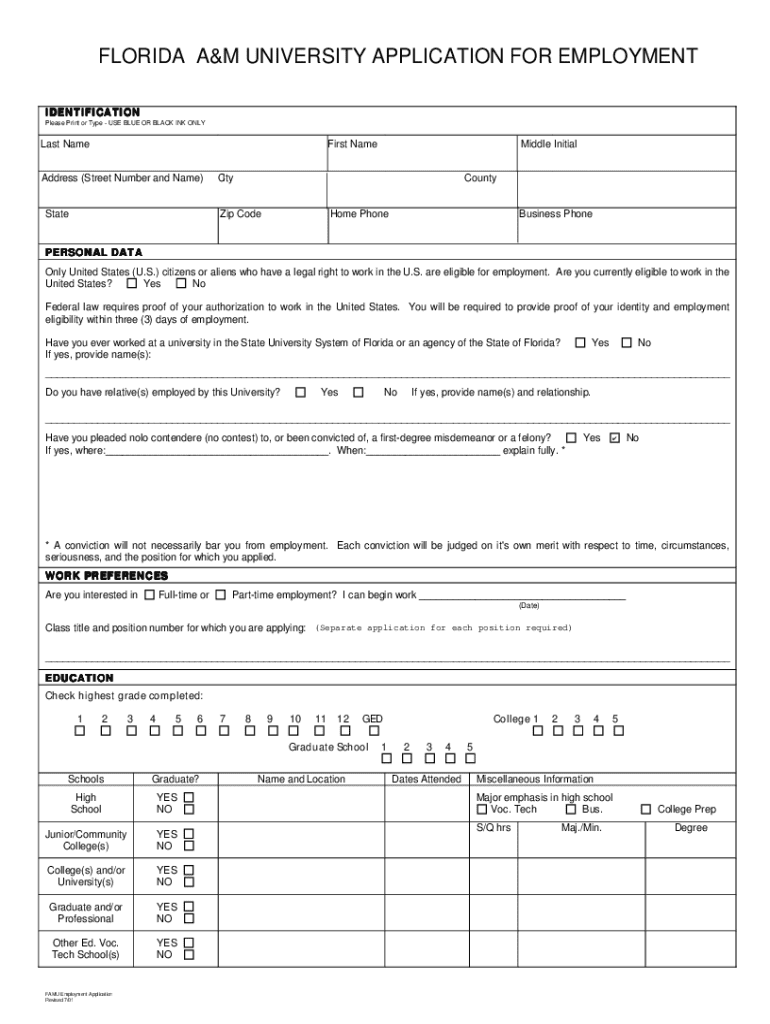
Click ‘Get Form’ to open the famu employment application in the editor.
Begin by filling out the Identification section. Enter your Last Name, First Name, Middle Initial, and complete your address details using blue or black ink.
In the Personal Data section, indicate your eligibility to work in the U.S. by selecting 'Yes' or 'No'. If applicable, provide details about previous employment at a Florida university.
Next, specify your Work Preferences. Indicate whether you are seeking full-time or part-time employment and provide the class title and position number for which you are applying.
Proceed to the Education section. Check the highest grade completed and list any relevant educational institutions attended along with dates.
In Employment History, list all previous employers starting with your most recent job. Include job titles, dates employed, and reasons for leaving.
Complete the Skills/Licenses/Certifications section by detailing any relevant qualifications or certifications you hold.
Finally, review and sign the Authorization and Certification section before submitting your application.
Start filling out your famu employment application today for free using our platform!
Fill out famu employment application form online It's free
Famu employment application form pdfFamu employment application form 2021Famu Pay schedule 2026Famu overload Authorization FormFAMU jobs for studentsFAMU job applicationFamu Payment Request FormFAMU jobs now hiring
Security and compliance
At DocHub, your data security is our priority. We follow HIPAA, SOC2, GDPR, and other standards, so you can work on your documents with confidence.
Specific tasks: Provided invaluable knowledge to the Build Team as well as lab space in the FAMU-FSU College of Engineering Cell and Tissue EngineeringRead more
Cookie consent notice
This site uses cookies to enhance site navigation and personalize your experience.
By using this site you agree to our use of cookies as described in our Privacy Notice.
You can modify your selections by visiting our Cookie and Advertising Notice.