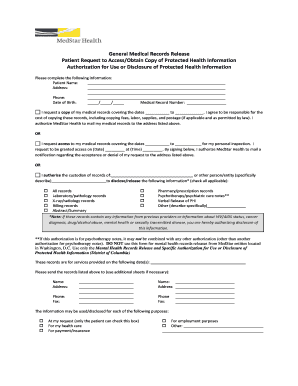
Type text, add images, blackout confidential details, add comments, highlights and more.
02. Sign it in a few clicks
Draw your signature, type it, upload its image, or use your mobile device as a signature pad.
03. Share your form with others
Send it via email, link, or fax. You can also download it, export it or print it out.
The best way to modify Form 1 in PDF format online
Ease of Setup
DocHub User Ratings on G2
Ease of Use
DocHub User Ratings on G2
Working on paperwork with our extensive and intuitive PDF editor is easy. Make the steps below to fill out Form 1 online easily and quickly:
Sign in to your account. Sign up with your credentials or create a free account to test the service before upgrading the subscription.
Upload a document. Drag and drop the file from your device or import it from other services, like Google Drive, OneDrive, Dropbox, or an external link.
Edit Form 1. Effortlessly add and underline text, insert images, checkmarks, and signs, drop new fillable areas, and rearrange or remove pages from your paperwork.
Get the Form 1 completed. Download your updated document, export it to the cloud, print it from the editor, or share it with other participants via a Shareable link or as an email attachment.
Take advantage of DocHub, the most straightforward editor to quickly handle your documentation online!
Form 1 Checklist Booklet Type of Application. Applicant. Applicants Information. Description of Firearm. Applicants FFL Information. Applicant SOT Information. Signature of Applicant. Name and Title.
What is the difference between a form 1 and form 2?
What is the difference between a Form 1 and Form 2? Unlike a Form 1, a Form 2 does not allow someone to be detained for 72 hours. It only allows for the person to be brought to the hospital for assessment. After that, the person must be willing to stay voluntarily, placed on a Form 1 by a doctor or allowed to leave.
Who needs to fill out a form 1?
ATF Form 1 is an Application to Make and Register a Firearm. It is used whenever a person without a Federal Firearms License (FFL) wants to make an NFA Firearm such as a silencer (suppressor), short barreled rifle (SBR), short barreled shotgun (SBS), or an Any Other Weapon (AOW).
What is a Form 1 firearm?
Form 1 - Application to Make and Register a Firearm (ATF Form 5320.1) Download Form 1 - Application to Make and Register a Firearm (ATF Form 5320.1) (723.81 KB) This form is to request approval to make a NFA firearm. A making tax liability may be incurred.
What is form 1 in a company?
1) This document is an application for registration of a company under Section 4(1) of the Companies Act No.
Related Searches
Form 1 suppressorATF Form 1Form 1 wait timesForm 1 pdfForm 1 onlineForm 1 downloadForm 1 ATF SBRATF Form 1 SBR example
The Form 1 is a formal statement which must be served by the vendor (seller) to the purchaser when transacting a property. The document outlines the cooling-off rights in addition to essential details relating to the property. It is a legal requirement* to serve a Form 1 to the purchasers prior to settlement.
Who needs to file an ATF form 1?
The ATF Form 1 (Form 5320.1) is the application that the Bureau of Alcohol, Tobacco, and Firearms requires from any citizen of the United States who constructs a firearm. In addition to applying for a permit to make firearms, ATF Form 1 also allows you to register the form.
Related links
FAA Form 8710-1, Airman Certificate and/or Rating
The information collected on this form is necessary to determine applicant eligibility for airman ratings. We estimate it will take 30.
Cookie consent notice
This site uses cookies to enhance site navigation and personalize your experience.
By using this site you agree to our use of cookies as described in our Privacy Notice.
You can modify your selections by visiting our Cookie and Advertising Notice.