







Definition and Purpose of the Pediatric New Patient Intake Form - ColumbiaDoctors
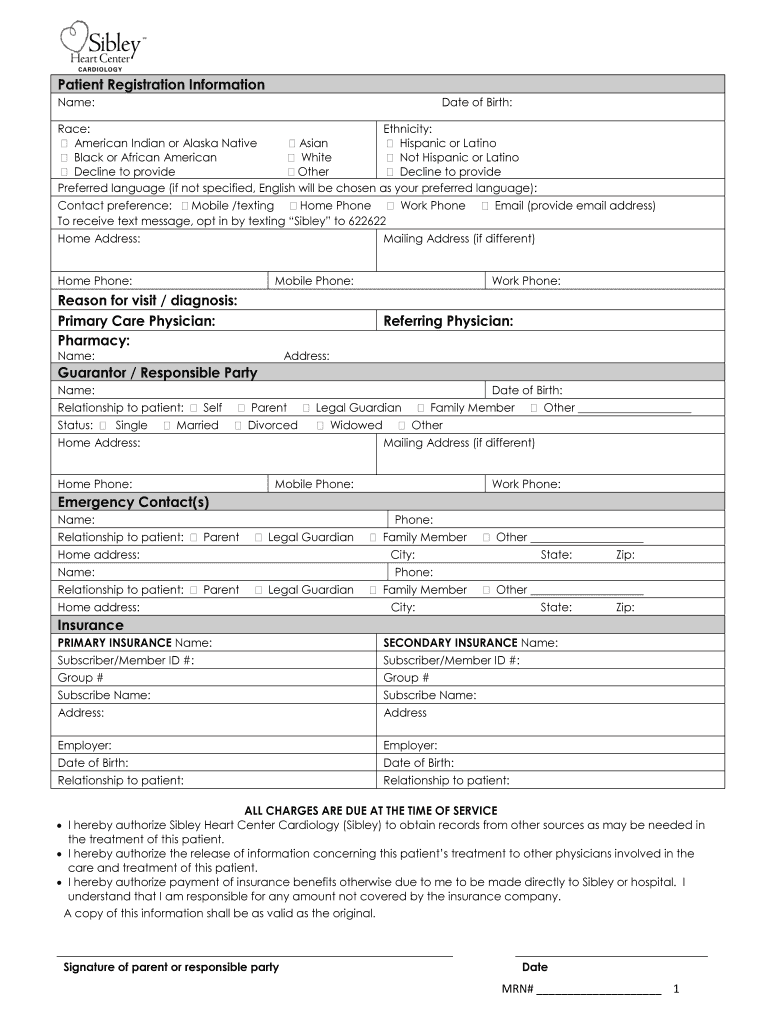
The Pediatric New Patient Intake Form at ColumbiaDoctors is a comprehensive document designed to gather essential information about new pediatric patients. It serves as a preliminary assessment tool, facilitating efficient and personalized healthcare services upon the patient's initial visit. The form collects critical data, including personal and familial medical history, which aids healthcare providers in understanding the patient's health background and potential risk factors. This in-depth information enables the professionals at ColumbiaDoctors to develop tailored care plans, ensuring that every young patient receives optimal attention and treatment from the onset of their healthcare journey.
How to Use the Pediatric New Patient Intake Form - ColumbiaDoctors
Completing the Pediatric New Patient Intake Form requires careful attention to ensure accuracy and comprehensiveness. Parents or guardians are expected to provide detailed information across various sections. This involves:
- Personal Information: Enter basic details such as the child's full name, date of birth, and contact information.
- Medical History: Include the child's past illnesses, surgeries, or any chronic conditions that may influence their current health.
- Family Medical History: Record any hereditary conditions or significant health issues present in the family.
- Current Medications: List all medications, including dosages, that the child is currently prescribed.
- Insurance Information: Provide details about the child’s health insurance, including policy numbers and provider details.
Accurate completion of this form not only eases the administrative process but ensures that healthcare providers have all necessary data to offer informed and efficient care.
Obtaining the Pediatric New Patient Intake Form - ColumbiaDoctors
The Pediatric New Patient Intake Form is readily accessible through various means to accommodate different preferences and needs. Interested parties can:
- Download From the Website: Visit the ColumbiaDoctors website, where forms can be downloaded and printed at home.
- Receive via Email: Upon scheduling an appointment, request the form to be emailed for digital completion.
- Pick Up in Person: Collect the form directly from the ColumbiaDoctors office during office hours for those who prefer physical copies.
These multiple retrieval options ensure that obtaining the form is convenient, catering to both tech-savvy individuals and those who favor face-to-face interaction.
Steps to Complete the Pediatric New Patient Intake Form
To ensure thoroughness, follow these steps when completing the Pediatric New Patient Intake Form:
- Preparation: Gather all necessary documents such as the child’s medical records, insurance card, and a list of medications.
- Personal Details: Start by filling out the basic personal details section, ensuring names and dates are correctly entered.
- Medical Background: Carefully fill out the medical history sections, utilizing information from medical reports or previous pediatric visits.
- Review: Double-check all entries to confirm accuracy and completeness.
- Submission: Once the form is thoroughly reviewed, submit it through the preferred method — online, mail, or in-person delivery.
Attention to detail in these steps ensures that the form accurately reflects all pertinent information needed for effective healthcare delivery.
Importance of the Pediatric New Patient Intake Form - ColumbiaDoctors
This intake form is vital for establishing a foundational understanding of the patient’s health. Its importance is underscored by:
- Streamlined Care: Provides healthcare providers with comprehensive medical history and current health status, leading to more effective and timely care.
- Risk Management: Identifies potential health risks based on family history and past medical conditions, facilitating proactive management strategies.
- Continuity of Care: Enhances communication and data sharing among healthcare providers, ensuring consistency in the child’s healthcare regime.
Ultimately, the form plays a crucial role in ensuring that all children receive personalized and attentive healthcare from the outset.
Who Typically Uses the Pediatric New Patient Intake Form - ColumbiaDoctors
The primary users of the Pediatric New Patient Intake Form are parents or guardians of children who are new patients at ColumbiaDoctors. This population includes:
- First-time Visitors: Individuals bringing their children to ColumbiaDoctors for the first initial consultation.
- Transfer Patients: Families transitioning from another healthcare provider to ColumbiaDoctors who need to update medical records.
- Special Needs Cases: Parents of children with complex medical histories requiring detailed and specific documentation ahead of their visit.
In these scenarios, the form is essential for capturing vital information to provide a seamless healthcare experience for new pediatric patients.


Key Elements of the Pediatric New Patient Intake Form
The form is structured to cover various critical components crucial for quality pediatric care, such as:
- Demographic Information: Collects basic data to identify the patient and ensure proper record-keeping.
- Medical and Family History: In-depth questions assess hereditary predispositions and past health conditions.
- Insurance Details: Information is collected to facilitate billing processes and determine coverage.
- Consent and Authorization: Sections where parents or guardians authorize medical treatment and the sharing of information with third-party providers when necessary.
Incorporating these key elements guarantees that healthcare providers at ColumbiaDoctors have a comprehensive view of the patient’s needs and circumstances.
Form Submission Methods
To accommodate varying preferences and ensure ease of access, there are several methods available for submitting the Pediatric New Patient Intake Form:
- Online Submission: Completes the form via the ColumbiaDoctors online portal for instant submission.
- Mail: Send the completed form to ColumbiaDoctors’ mailing address before the initial appointment.
- In-Person: Bring the form to the clinic on the day of the appointment for those who prefer personal delivery.
These submission options provide flexibility and convenience, ensuring that all new patients can be efficiently accommodated.
Software Compatibility and Digital Management
For ease of use and integration with digital document management systems, the Pediatric New Patient Intake Form aligns with popular software solutions. The form can be:
- Edited in PDF Editors: Use programs like Adobe Acrobat or DocHub for filling out and saving the form digitally.
- Stored Digitally: Maintain an organized digital record that can be easily accessed and shared electronically.
- Integrated with EHR Systems: Compatible with Electronic Health Record systems, facilitating streamlined data transfer and record-keeping in medical offices.
Such compatibility enhances both the submission process and the accuracy of information transfer within healthcare networks.




