Owner contract create 2026

Get Form
agreement provide Preview on Page 1

Here's how it works

01. Edit your agreement provide online
Type text, add images, blackout confidential details, add comments, highlights and more.

02. Sign it in a few clicks
Draw your signature, type it, upload its image, or use your mobile device as a signature pad.

03. Share your form with others
Send seller purchase agreement via email, link, or fax. You can also download it, export it or print it out.

How to use or fill out owner contract create with our platform

Form edit decoration
9.5
Ease of Setup
DocHub User Ratings on G2
9.0
Ease of Use
DocHub User Ratings on G2
  1. Click ‘Get Form’ to open the owner contract create in the editor.
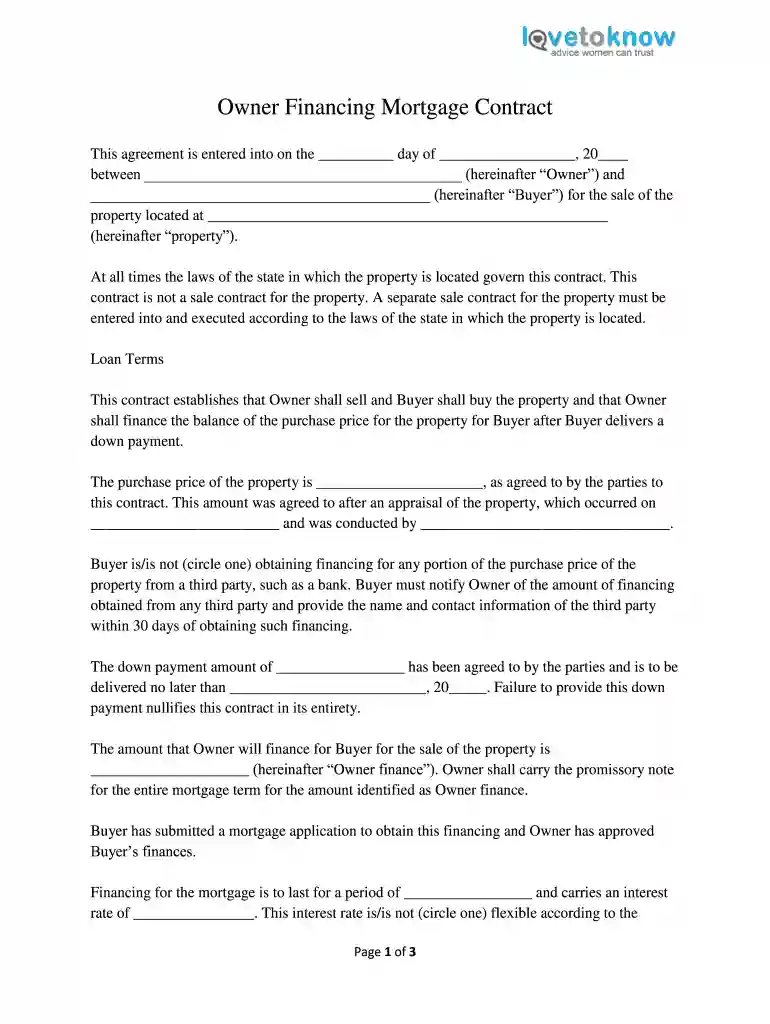
  2. Begin by entering the date of the agreement at the top of the form. This is crucial for establishing the timeline of your contract.
  3. Fill in the names of both parties involved: the Owner and Buyer. Ensure that all names are spelled correctly to avoid any legal issues.
  4. Specify the property address where indicated. This should be complete and accurate, as it identifies the subject of this contract.
  5. In the Loan Terms section, input the agreed purchase price and down payment amount. Be sure to include dates for payment delivery.
  6. Indicate whether financing is being obtained from a third party and provide necessary details if applicable.
  7. Complete sections regarding mortgage terms, including interest rates and payment amounts, ensuring clarity on what is included in these payments.
  8. Finally, have both parties sign and date at the bottom of the form, ensuring notarization if required by state law.

Start using our platform today to easily create and manage your owner contracts for free!

be ready to get more

Complete this form in 5 minutes or less

Get form

Got questions?

We have answers to the most popular questions from our customers. If you can't find an answer to your question, please contact us.
Contact us
Only legal professionals can draft a legal contract. A contract is a legally recognized agreement made between two or more people. In most cases, it doesnt have to be a written document. But its a good idea to put a contract in writing, even if the law doesnt require it.
If youre asking whether you need a lawyer to draft a contract, legally, the answer is no. Anyone can draft a contract on their own and as long as the elements above are included and both parties are legally competent and consent to the agreement, it is generally lawful.
Yes you can write your own contracts. A written contract is only a written record of something that has already been agreed in speech. So to start with write down in simple terms what has been agreed already, that is a good starting point.
Yes, any adults can write legally binding contracts, although minors cannot except in certain circumstances. However, oral contracts are binding, but it is better to get it in writing so you have proof of the contract. In fact, you can even enter into a contract by your actions without saying anything.
Some states, like California, have created real estate purchase agreements you can download and change. You can also get a template from docHub, as well as benefiting from real estate contract management software functionality.

Security and compliance

At DocHub, your data security is our priority. We follow HIPAA, SOC2, GDPR, and other standards, so you can work on your documents with confidence.

Learn more
ccpa2
pci-dss
gdpr-compliance
hipaa
soc-compliance

People also ask

Outlining the rights and obligations of each party Agree on what rights and responsibilities each party will have. Ensure that each party understands and agrees to the duties and obligations assigned to them. Identify what each party is responsible for, including any financial contributions.

owner finance home contract texas