Type text, add images, blackout confidential details, add comments, highlights and more.
02. Sign it in a few clicks
Draw your signature, type it, upload its image, or use your mobile device as a signature pad.
03. Share your form with others
Send it via email, link, or fax. You can also download it, export it or print it out.
How to use or fill out form 1403 with our platform
Ease of Setup
DocHub User Ratings on G2
Ease of Use
DocHub User Ratings on G2
Click ‘Get Form’ to open it in the editor.
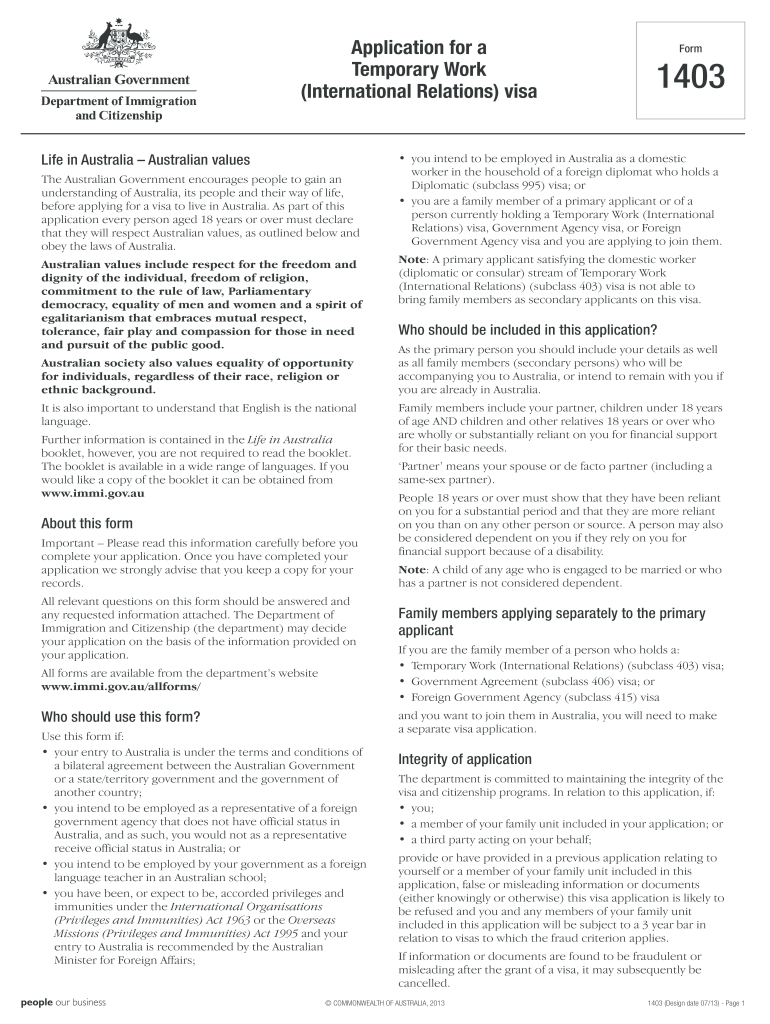
Begin by filling out Part A, which includes your visa information. Ensure you provide accurate details about your intended arrival date and the number of applicants included in this application.
In Part B, enter your personal details such as name, date of birth, and passport information. Make sure all names match exactly as they appear on your passport.
Proceed to Part C to list any family members accompanying you. Include their details like relationship status and citizenship.
Complete Part D by providing information about any previous travel to Australia or visa applications. This section is crucial for assessing your eligibility.
In Part E, detail your employment or activity in Australia, including the proposed period of stay and how it benefits Australia.
Finally, review all sections for accuracy before submitting. Use our platform's features to save and share your completed form easily.
Start using our platform today for free to streamline your form completion process!
Form 1403 printableForm 1403 instructionsForm 1403 pdfForm 1403 onlineForm 1403 pdf downloadIRS Form 14039 PDFForm 14039 instructionsIRS Form 14039 printable
Security and compliance
At DocHub, your data security is our priority. We follow HIPAA, SOC2, GDPR, and other standards, so you can work on your documents with confidence.
1403 Charging of Administrative and Clerical Salaries and
Provide guidance and assistance to PIs with proposal preparation when charging administrative or clerical salaries and other types of general administrativeRead more
STANDARD FORM 1403 (REV. 1/2014). Prescribed by GSA FAR (48 CFR) 53.209-1(a). AUTHORIZED FOR LOCAL REPRODUCTION. Previous edition is NOT usable. 2. NAME ANDRead more
Cookie consent notice
This site uses cookies to enhance site navigation and personalize your experience.
By using this site you agree to our use of cookies as described in our Privacy Notice.
You can modify your selections by visiting our Cookie and Advertising Notice.