Type text, add images, blackout confidential details, add comments, highlights and more.
02. Sign it in a few clicks
Draw your signature, type it, upload its image, or use your mobile device as a signature pad.
03. Share your form with others
Send boston mutual claim status via email, link, or fax. You can also download it, export it or print it out.
How to use or fill out the Boston Life Claim Form with DocHub
Ease of Setup
DocHub User Ratings on G2
Ease of Use
DocHub User Ratings on G2
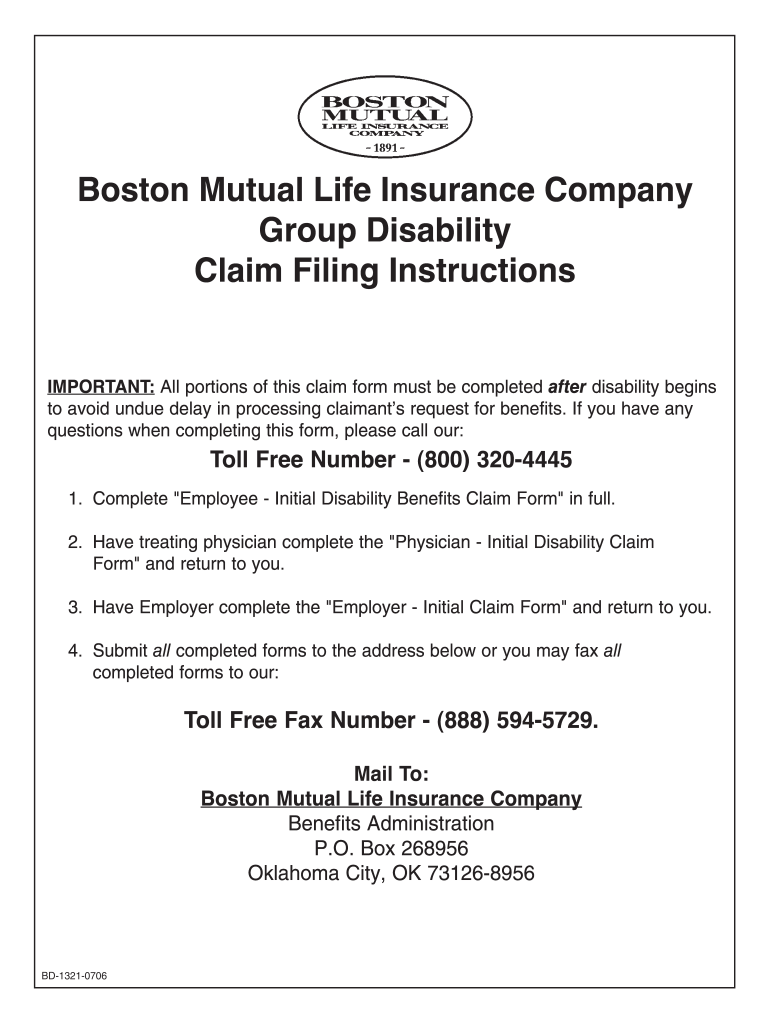
Click ‘Get Form’ to open the Boston Life Claim Form in our editor.
Begin with the 'Employee - Initial Disability Benefits Claim Form'. Fill in your name, Social Security Number, and complete mailing address. Ensure all fields are accurately filled to avoid delays.
Next, have your treating physician complete the 'Physician - Initial Disability Claim Form'. This section requires their diagnosis and treatment details.
Then, request your employer to fill out the 'Employer - Initial Claim Form', which includes employment status and salary information.
Once all forms are completed, submit them via mail or fax using the provided contact details. You can easily export your filled forms directly from our platform for convenience.
Start filling out your Boston Life Claim Form today for free using our platform!
Complete the information below to authorize Boston Mutual Life Insurance Company (Boston Mutual) to directly deposit your benefits into the bank accountRead more
Apr 18, 2025 Authorized BOSTON Manufacturer In a format which Includes: base curve In support of the claim of substantial equivalence to BOSTON ES.Read more
Cookie consent notice
This site uses cookies to enhance site navigation and personalize your experience.
By using this site you agree to our use of cookies as described in our Privacy Notice.
You can modify your selections by visiting our Cookie and Advertising Notice.