




01. Edit your form online
Type text, add images, blackout confidential details, add comments, highlights and more.

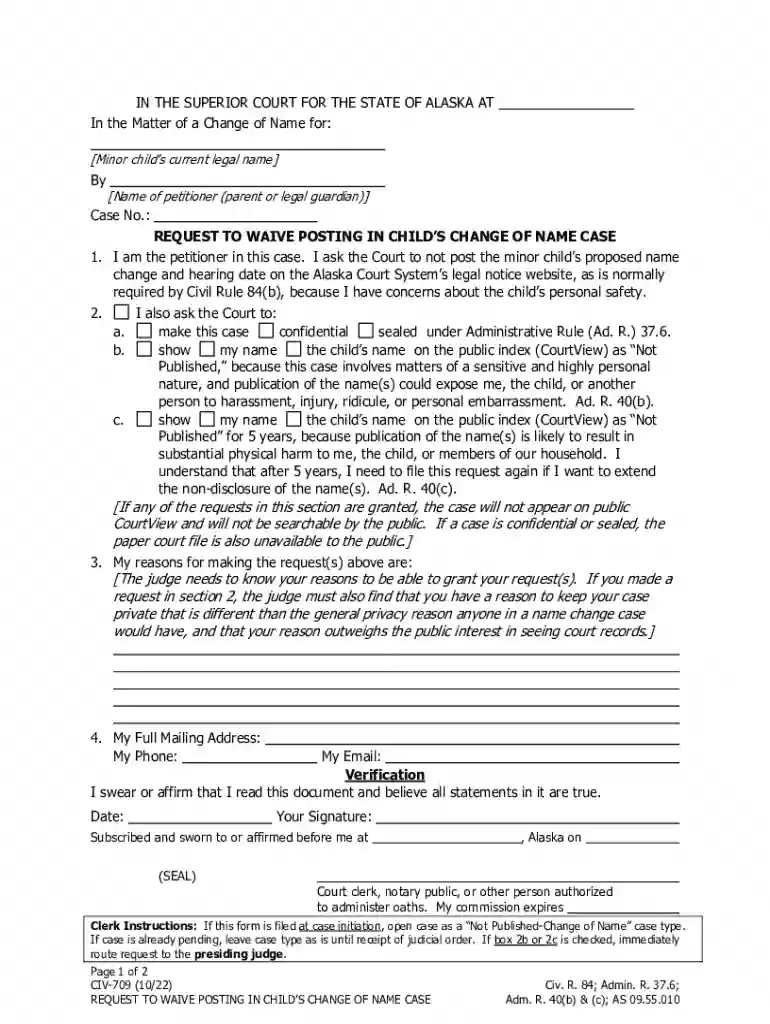
Type text, add images, blackout confidential details, add comments, highlights and more.

Draw your signature, type it, upload its image, or use your mobile device as a signature pad.

Send it via email, link, or fax. You can also download it, export it or print it out.
The term "form online" refers to any digital version of a document that can be accessed, filled out, and submitted through the internet. This format is increasingly popular due to its convenience and efficiency. Forms online can encompass a wide variety of document types, including application forms, tax documents, legal paperwork, and more. They are designed to streamline processes that traditionally required physical paper, allowing for faster and more organized data collection and processing.
Using an online form typically involves a straightforward process. The first step is to locate the form on the relevant website, such as the official site of the organization that issues it. Once accessed:
An online form is generally comprised of several key components, each serving a specific purpose to ensure effective data collection:
Completing an online form requires attention to detail and following a structured sequence of actions:
While online forms share a standardized national format, state-specific rules can dictate additional requirements or variations:
Online forms must comply with legal standards to ensure their validity:
Real-world scenarios illustrate the utility and efficiency of online forms:
When using online forms, compatibility with different software or platforms ensures broad accessibility:
We've got more versions of the Alaska Child Name Change Waiver Request form. Select the right Alaska Child Name Change Waiver Request version from the list and start editing it straight away!
At DocHub, your data security is our priority. We follow HIPAA, SOC2, GDPR, and other standards, so you can work on your documents with confidence.



May 14, 1992 name change of the Department of. Community and Economic Development request for a waiver under 18 AAC. 75.390. (b) For purposes ofRead more
If you cannot afford the fee, attach form TF-920 to request a waiver of the fee from the judge. Nothing will happen in your case until you pay the fee or the
To request a change to name, Tuition Waiver Request Employee, spouse, child, and senior citizens.


