01. Edit your form online
Type text, add images, blackout confidential details, add comments, highlights and more.

Type text, add images, blackout confidential details, add comments, highlights and more.

Draw your signature, type it, upload its image, or use your mobile device as a signature pad.

Send it via email, link, or fax. You can also download it, export it or print it out.
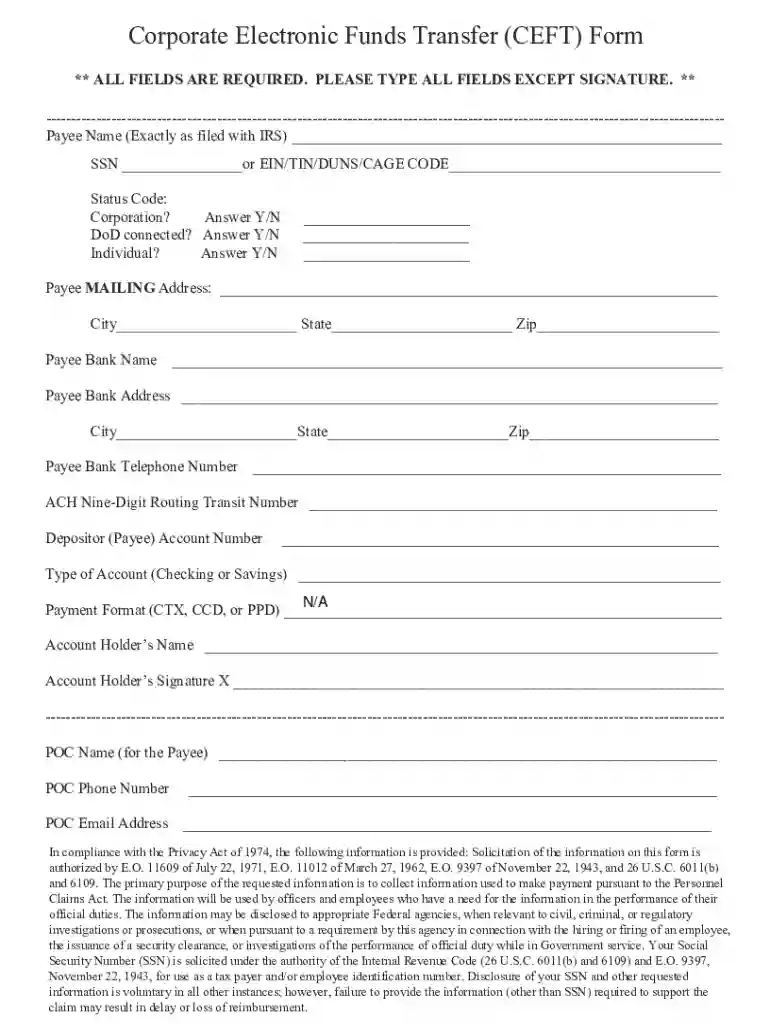
CEFT Input Information pertains to the data provided in a Corporate Electronic Funds Transfer (CEFT) Form. This form is integral for businesses that engage in financial transactions, allowing them to electronically transfer funds across banking institutions. The key inputs in this form typically include detailed information about the payee, such as their personal identification details and banking information. Using this form streamlines the payment process and ensures funds are transferred securely and efficiently.
Gather Necessary Documents: Ensure you have the payee's identification, tax documents, and bank information readily available.
Fill Out Payee Information: Input the full name, TIN, and mailing address of the payee accurately to confirm their identity and contact details.
Provide Banking Information: Enter the bank name, routing number, and account number. Double-check for accuracy to avoid any transaction errors.
Select Account Type: Indicate whether the destination account is checking or savings.
Review Compliance Statements: Familiarize yourself with privacy and data protection clauses to understand your responsibilities and rights.
Submit the Form: Follow the respective submission procedure, which could be online, via mail, or in person, depending on the issuer's requirements.
Corporations utilize CEFT input information in compliance with the Personnel Claims Act, ensuring that all financial transactions are documented adequately for regulatory purposes. The form helps mitigate fraud risks by fostering transparency and accuracy in transactions. The inclusion of compliance statements related to the Privacy Act of 1974 signifies the importance of safeguarding personal and financial data in the electronic funds transfer process.
Completing the CEFT form necessitates several key documents:
Failing to comply with CEFT input requirements can lead to significant repercussions, including:
CEFT Input Information is predominantly utilized by corporate entities, including:


Software platforms like QuickBooks, and TurboTax can assist in the accurate completion and filing of the CEFT form. Integration with accounting software ensures that the financial data entered aligns with the broader financial records of the business.
We've got more versions of the CEFT INPUT INFORMATION form. Select the right CEFT INPUT INFORMATION version from the list and start editing it straight away!
| Versions | Form popularity | Fillable & printable |
|---|---|---|
| 2017 | 4.3 Satisfied (32 Votes) |
At DocHub, your data security is our priority. We follow HIPAA, SOC2, GDPR, and other standards, so you can work on your documents with confidence.