Application for Employment 2026

Get Form
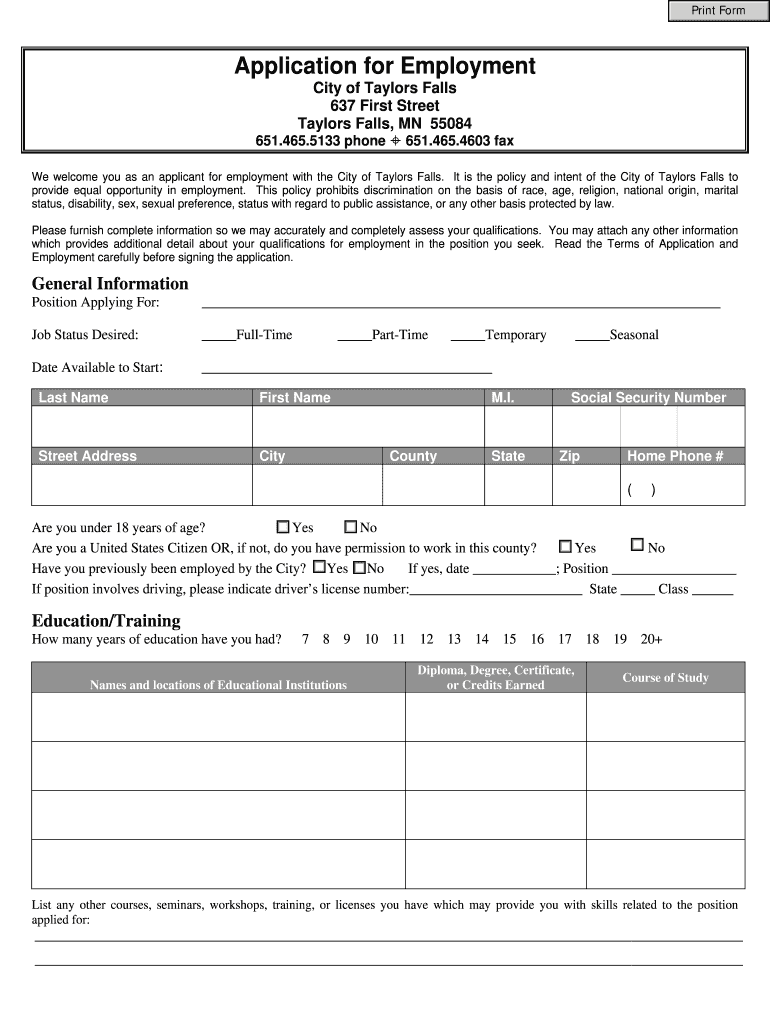
Application for Employment Preview on Page 1

Here's how it works

01. Edit your form online
Type text, add images, blackout confidential details, add comments, highlights and more.
02. Sign it in a few clicks
Draw your signature, type it, upload its image, or use your mobile device as a signature pad.
03. Share your form with others
Send it via email, link, or fax. You can also download it, export it or print it out.

How to use or fill out Application for Employment with DocHub

Form edit decoration
9.5
Ease of Setup
DocHub User Ratings on G2
9.0
Ease of Use
DocHub User Ratings on G2
  1. Click ‘Get Form’ to open the Application for Employment in our editor.
  2. Begin by filling in your General Information. Specify the position you are applying for, your job status desired (Full-Time, Part-Time, Temporary, or Seasonal), and your availability date.
  3. Complete the personal details section including your name, address, social security number, and contact information. Indicate if you are under 18 and confirm your eligibility to work in the U.S.
  4. In the Education/Training section, list your educational background and any relevant courses or certifications that enhance your qualifications for the position.
  5. Detail your Employment History by listing previous employers starting with the most recent. Include job titles, responsibilities, and reasons for leaving each position.
  6. Provide Personal References who can vouch for your work qualities. Ensure they have known you for at least one year.
  7. Review the Terms of Application and Employment carefully before signing. Ensure all information is accurate to avoid any issues during processing.

Start using our platform today to fill out your Application for Employment easily and efficiently!

be ready to get more

Complete this form in 5 minutes or less

Get form

Got questions?

We have answers to the most popular questions from our customers. If you can't find an answer to your question, please contact us.
Contact us
Dear [Hiring Managers Name] or Hiring Manager, Im writing to express my interest in any open position at [Company Name]. With a strong work ethic, adaptability, and a commitment to making a positive contribution to team goals, I believe I can be a valuable asset to your organization.
How to write a CV for a job or academic role Choose an appropriate CV format. Clearly list your contact information at the top. Open with a strong professional summary. List your experience in chronological order. Detail your education. Add additional sections that highlight your strengths.
A job or employment application is a standard document that businesses typically give candidates to fill during an application process, usually alongside a resume and a cover letter. For most companies, its the first stage of recruitment, and it helps create a structured application process.
How to write an application letter Research the company and job opening. Use a professional format. State the position youre applying for. Explain why youre the best fit for the job. Summarize your qualifications. Mention why you want the job. Include a professional closing.
Follow these steps to compose a compelling application letter: Research the company and job opening. Use a professional format. State the position youre applying for. Explain why youre the best fit for the job. Summarize your qualifications. Mention why you want the job. Include a professional closing.
be ready to get more

Complete this form in 5 minutes or less

Get form

People also ask

A writing sample provides an employer with an example of how you organize and express your thoughts. The purpose is to convince an employer you can create the kind of written materials and handle the type of work expected of an employee in the position.
Your application form must follow an organized structure. My suggestion is for you to divide it into parts by topic. For example, have a section for personal information (name, email address, the preferred method for contact, etc.), another for education (degrees and certificates), and one more for work background.

Related links