Type text, add images, blackout confidential details, add comments, highlights and more.
02. Sign it in a few clicks
Draw your signature, type it, upload its image, or use your mobile device as a signature pad.
03. Share your form with others
Send it via email, link, or fax. You can also download it, export it or print it out.
How to use or fill out form ct 12 2015 with DocHub
Ease of Setup
DocHub User Ratings on G2
Ease of Use
DocHub User Ratings on G2
Click ‘Get Form’ to open it in the editor.
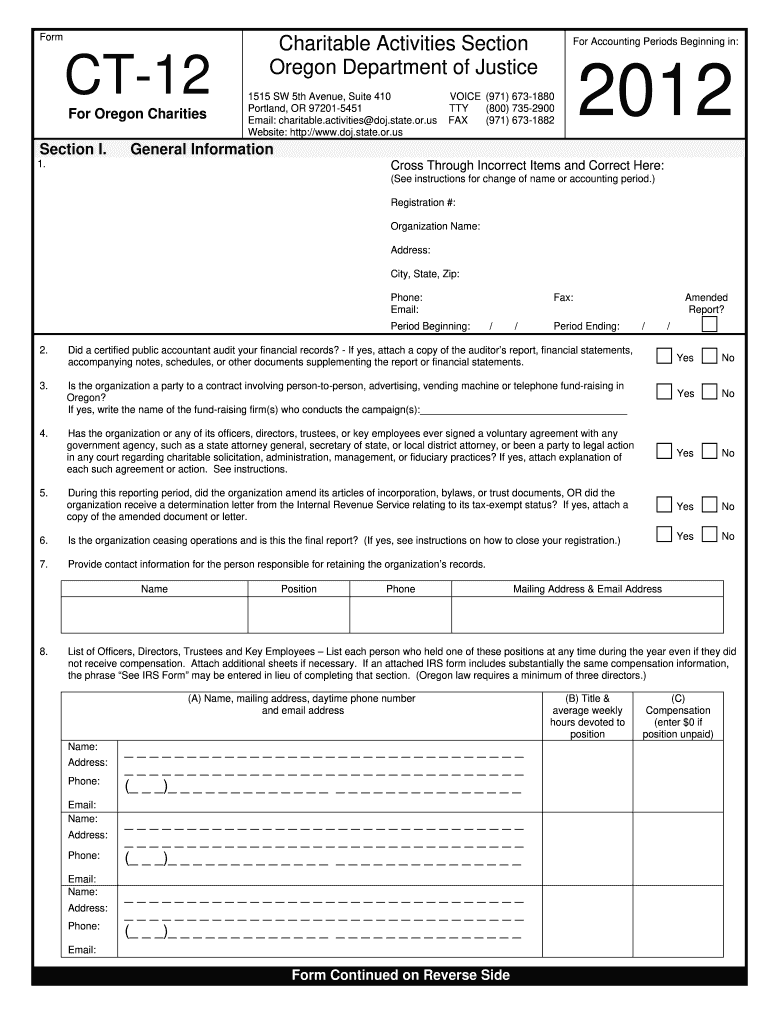
Begin with Section I, where you will provide general information about your organization. Fill in the registration number, organization name, address, and contact details accurately.
Indicate whether a certified public accountant audited your financial records by selecting 'Yes' or 'No'. If 'Yes', attach the auditor’s report.
Answer questions regarding contracts for fundraising activities and any legal actions involving your organization. Attach explanations if necessary.
In Section II, calculate total revenue based on your financial records. Use the provided fee schedule to determine the revenue fee.
Complete the net assets section by entering values from your IRS forms or accounting records as instructed.
Finally, review all entries for accuracy before signing and submitting the form through our platform.
Start using our platform today to streamline your form completion process for free!
HCC Document Library. Use the Filter by Type menu to select the type of document you are searching for and enter your relevant keyword(s) before searching.Read more
Recent district court cases on agency records ; Competitive Enterprise Institute v. Office of Science And Technology Policy. 1:2014cv00765. D.C.. May 5, 2014.Read more
Cookie consent notice
This site uses cookies to enhance site navigation and personalize your experience.
By using this site you agree to our use of cookies as described in our Privacy Notice.
You can modify your selections by visiting our Cookie and Advertising Notice.