




01. Edit your form online
Type text, add images, blackout confidential details, add comments, highlights and more.

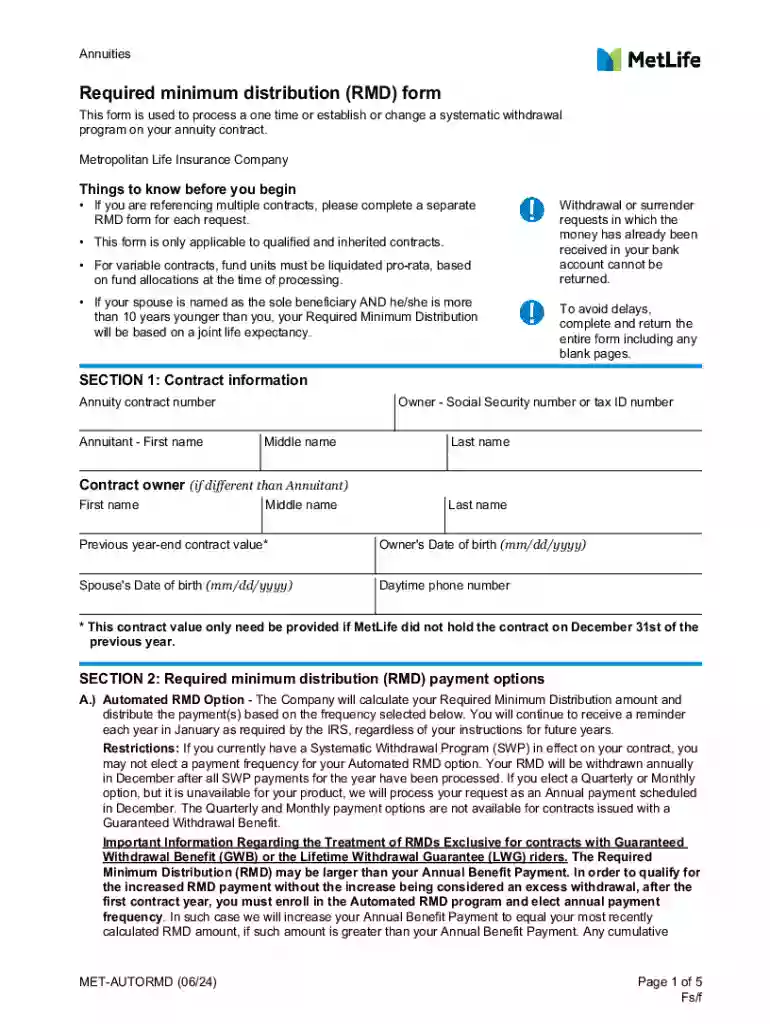
Type text, add images, blackout confidential details, add comments, highlights and more.

Draw your signature, type it, upload its image, or use your mobile device as a signature pad.

Send it via email, link, or fax. You can also download it, export it or print it out.
The term "form online" refers to a digital version of a document that requires user input to collect information or consent. Forms can range from simple surveys to complex tax documents. These digital forms are designed to be completed and submitted over the internet, streamlining processes such as data collection, application submissions, and contract agreements. Online forms are integral to various industries, providing a user-friendly way to gather information quickly and accurately.
Using a form online typically involves a straightforward process. First, the user accesses the form via a web link, which may be sent through email, provided on a website, or accessed through a cloud platform like DocHub. Users fill out required fields, which may include entering text, selecting options from dropdown menus, or checking boxes. Forms can also incorporate conditional logic, where the appearance of certain fields depends on previous answers. Once completed, the form is reviewed for accuracy before submission.
Access the Form: Obtain a link or access point to the online form through a trusted source, such as an organization's website or a secure email.
Enter Required Information: Fill in all necessary fields. Fields marked with an asterisk (*) usually indicate mandatory information.
3.Review and Edit: Carefully check for any typos or incorrect data entries. Form platforms often allow for real-time edits until the form is submitted.
Attach Necessary Documents: If applicable, upload any supporting documents. These can include PDFs, images, or other file types as specified by the form's requirements.
Sign the Form: If the form requires a signature, utilize digital signing tools. Platforms like DocHub offer options to draw, type, or upload a signature image.
Submit the Form: Once satisfied with the entries, click the submit button. Confirmation messages or emails usually follow to acknowledge receipt.
Online forms are utilized across various sectors by individuals, businesses, and governmental bodies. Common users include:
Businesses: For employee onboarding, feedback surveys, and client agreements.
Educational Institutions: To gather student information for admissions or course registrations.
Healthcare Providers: For patient intake forms and electronic health records.
Government Agencies: For tax forms, permits, and licenses.
Nonprofits: To organize event registrations and volunteer sign-ups.


Digital forms are structured for clarity and efficiency. Key components often include:
Header Information: Title and purpose of the form, providing context to the user.
Instructional Details: Guidance on how to complete the form, including field descriptions and example entries.
Form Fields: Various types, such as text boxes for free text, radio buttons for single-choice answers, and checkboxes for multiple selections. Other elements could include date selectors, dropdowns, and file upload fields.
Validation Rules: These are checks that ensure data entries match the expected format or range, such as limiting numerical entries to a specific range.
Many online forms hold legal significance. Their use is governed by laws to ensure authenticity and integrity. In the U.S., the Electronic Signatures in Global and National Commerce Act (ESIGN Act) ensures that electronic signatures on forms are legally binding, equivalent to handwritten signatures. This includes any agreement or form that requires user consent, such as contracts, tax files, and official applications. Legal compliance is crucial when handling sensitive or contractual documents online.
Some forms mandate additional documentation to validate the information submitted. These documents can include:
Identification: Like a driver's license or passport for identity verification.
Financial Records: Such as bank statements or W-2s for income verification.
Proof of Address: Utility bills or lease agreements that affirm residency.
Supporting Documentation: For example, medical reports or legal documents may be needed depending on the form type, such as insurance or court forms.
Online forms offer advantages over traditional paper versions:
Convenience: Forms can be completed and submitted remotely at any time, reducing the need for physical visits or mailings.
Efficiency: Automatic validation and guidance reduce errors and simplify the completion process.
Storage and Access: Digital forms are easily stored and recalled, eliminating physical storage needs and enhancing organization.
Real-time Collaboration: Online platforms allow multiple stakeholders to review and edit forms instantly, streamlining workflows and decision-making processes.
Online forms can be used with various software to streamline operations:
Accounting Software: Applications like QuickBooks can leverage forms for billing and invoicing processes.
Tax Preparation Tools: TurboTax and similar programs facilitate the submission of forms related to income taxes.
CRMs: Customer relationship management systems can integrate forms to capture leads and client feedback effectively.
Document Management Systems: These systems ensure that completed forms are stored securely and can be retrieved effortlessly for audits or future reference.
We've got more versions of the MetLife Annuity RMD Form form. Select the right MetLife Annuity RMD Form version from the list and start editing it straight away!
At DocHub, your data security is our priority. We follow HIPAA, SOC2, GDPR, and other standards, so you can work on your documents with confidence.


