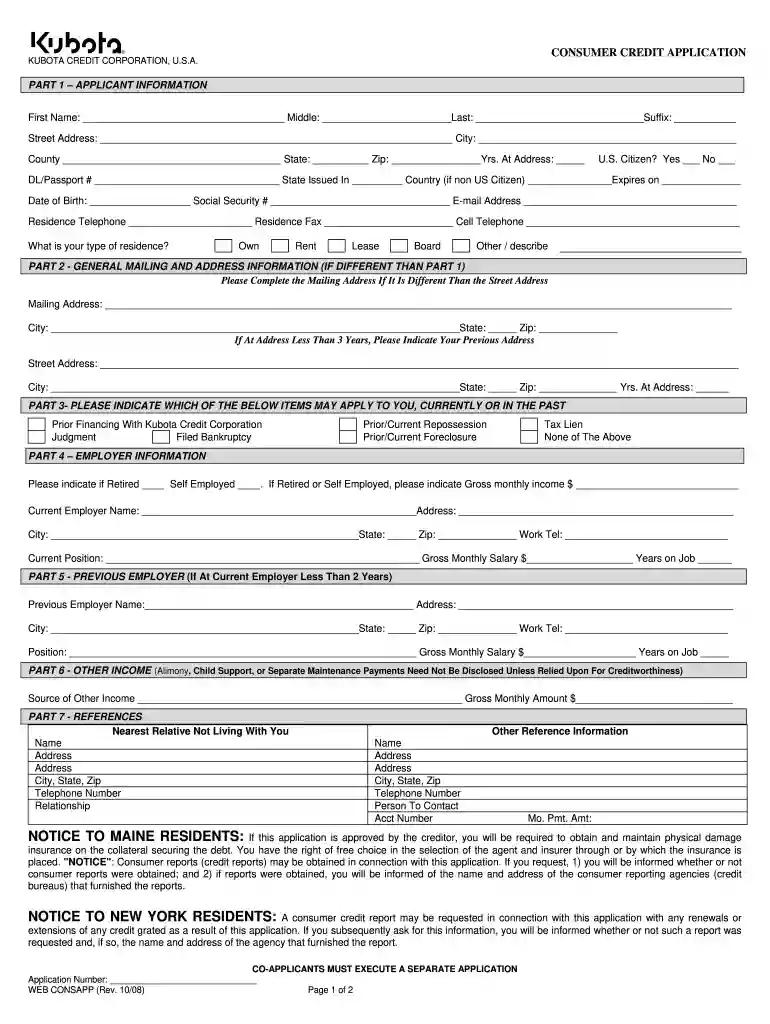
kubota credit 2008 form Preview on Page 1

Kubota credit 2008 form-2026

Here's how it works

  • 01. Edit your form online

    Type text, add images, blackout confidential details, add comments, highlights and more.

  • 02. Sign it in a few clicks

    Draw your signature, type it, upload its image, or use your mobile device as a signature pad.

  • 03. Share your form with others

    Send it via email, link, or fax. You can also download it, export it or print it out.

How to use or fill out kubota credit 2008 form with our platform

Form edit decoration
9.5
Ease of Setup
DocHub User Ratings on G2
9.0
Ease of Use
DocHub User Ratings on G2
  1. Click ‘Get Form’ to open the kubota credit 2008 form in the editor.
  2. Begin with Part 1 – Applicant Information. Fill in your first name, middle initial, last name, and suffix. Provide your street address, city, county, state, zip code, and how long you have lived at that address.
  3. Indicate your citizenship status by selecting 'Yes' or 'No'. Enter your driver's license or passport number along with the state issued and expiration date.
  4. Complete your date of birth and social security number. Add your email address and contact numbers for residence and cell phone.
  5. In Part 2, if your mailing address differs from your residential address, fill it out accordingly. Include previous addresses if you've moved within the last three years.
  6. Proceed to Part 3 to disclose any relevant financial history such as prior financing with Kubota Credit Corporation or any bankruptcies.
  7. Fill out Part 4 with current employer information including gross monthly salary and position held. If self-employed or retired, provide that information as well.
  8. If applicable, complete Part 5 for previous employment details. In Part 6, list any other income sources if necessary.
  9. Finally, provide references in Part 7 including a nearest relative not living with you and any other reference information required.

Start filling out your kubota credit 2008 form online for free today!

See more kubota credit 2008 form versions

We've got more versions of the kubota credit 2008 form form. Select the right kubota credit 2008 form version from the list and start editing it straight away!

VersionsForm popularityFillable & printable
20144.9 Satisfied (205 Votes)
20124 Satisfied (33 Votes)
20084.4 Satisfied (33 Votes)

be ready to get more

Complete this form in 5 minutes or less

Security and compliance

At DocHub, your data security is our priority. We follow HIPAA, SOC2, GDPR, and other standards, so you can work on your documents with confidence.

If you believe that this page should be taken down, please follow our DMCA take down process here