




01. Edit your form web pdf online
Type text, add images, blackout confidential details, add comments, highlights and more.

Type text, add images, blackout confidential details, add comments, highlights and more.

Draw your signature, type it, upload its image, or use your mobile device as a signature pad.

Send form web graphic organizer via email, link, or fax. You can also download it, export it or print it out.
A "form web PDF" refers to a digital format designed to create, manage, and utilize forms online via PDF technology. DocHub excels in streamlining this process, enabling users to edit, send, and sign a wide range of documents by converting them into web-friendly PDFs. This format allows interactive fields such as text boxes, checkboxes, and signature fields, transforming static documents into dynamic forms for efficient data collection and interaction.
Using a form web PDF involves several intuitive steps facilitated by DocHub:
Open the Form: Upload your PDF document into the DocHub platform from your device or import it directly from cloud services like Google Drive.
Edit and Annotate: Use the array of editing tools to add text, images, and annotations to the form. You can highlight sections, comment on areas, or completely white out unnecessary parts.
Create Fillable Fields: Insert various form fields such as text boxes, dropdown menus, or signature slots, ensuring users can interact with the form meaningfully.
Distribute and Collect Data: Once the form is prepared, distribute it to recipients via email. They can fill out the form using any device, and you can track their inputs in real-time.
DocHub simplifies obtaining form web PDFs through its versatile platform:
Upload Existing Documents: Convert any existing document into a web PDF form by uploading files from your computer or importing them from supported cloud storage services.
Use Pre-Made Templates: Access a library of templates tailored for different purposes, enhancing efficiency by providing a ready-made structure.
Start from Scratch: Utilize DocHub’s blank document feature to create a custom form web PDF from the ground up, tailoring it to your specific needs.
Completing a form web PDF via DocHub involves the following steps:
Filling Out Information: Enter data into the prepared fields. DocHub allows you to type directly into text fields or select options from dropdown menus.
Electronic Signatures: Sign the document digitally using DocHub’s signature features, which include drawing your signature or using a saved digital signature.
Review for Accuracy: Check all filled sections for accuracy before submission, as corrections are easier to handle digitally.
Save and Export: Once completed, save the document to your preferred location, or export it to cloud storage services for easy sharing.
Form web PDFs possess several key elements integral to DocHub’s functionality:
Interactive Fields: Features such as text inputs, checkboxes, and radio buttons for dynamic data entry.
Security Features: Encryption protocols, password protections, and access controls to safeguard document integrity.
Collaborative Tools: Options for multiple contributors to work on the same form, with comment and annotation capabilities to streamline teamwork.
Document Tracking: Real-time updates and audit trails that help monitor the document’s status and history.
Form web PDFs have numerous practical applications across various fields:
Academic Forms: Used for student registrations, admission applications, and grant submissions that require precise and secure data handling.
Employment Documents: Facilitate processes such as job applications, performance reviews, and time-off requests, where multiple stakeholders may need access and input.
Legal Agreements: Enable the swift completion of contracts and consent forms requiring authorized signatures from remote parties.
The legal implications of using form web PDFs are underpinned by compliance with digital signature laws such as the U.S. ESIGN Act:
Legally Binding Signatures: DocHub ensures that electronic signatures on form web PDFs are recognized as legally binding, enabling their admissibility in court.
Audit Trails: Each version and interaction with the form are logged, providing a detailed history that upholds legal accountability.
Secure Data Handling: Encryption and authentication measures ensure that sensitive information within the forms is appropriately safeguarded against unauthorized access.
While form web PDFs are universally applicable across states, unique rules may apply:
State Regulations: Some states might have specific requirements for digital document handling or notarization processes.
Diverse Standards: State-specific standards for secure transfers or additional certifications may dictate how form web PDFs are utilized legally.
Notary Requirements: Certain legal forms may still require physical notarization in some states despite digital form capabilities.
We've got more versions of the form web pdf form. Select the right form web pdf version from the list and start editing it straight away!
| Versions | Form popularity | Fillable & printable |
|---|---|---|
| 2007 | 4 Satisfied (26 Votes) |
At DocHub, your data security is our priority. We follow HIPAA, SOC2, GDPR, and other standards, so you can work on your documents with confidence.


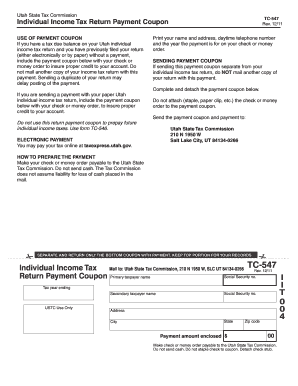
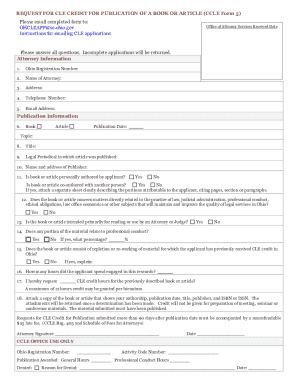
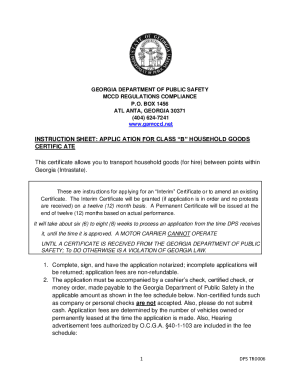
The most accessible (and easiest, and cheapest) option is to convert your PDF form into an accessible web-based form. Convert your PDF form to a web-based form.Read more
The easiest is to go to the action menu on any article and select PDF Download. This will convert the article to PDF and store a copy of it,
Jul 24, 2026 Fill out a form through a guided online workflow; or; Upload a completed PDF of the form. The available submission options depend on the formRead more


