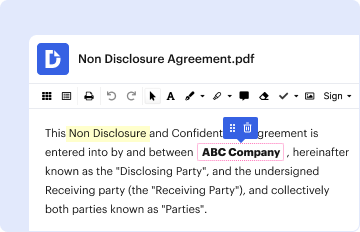
Type text, add images, blackout confidential details, add comments, highlights and more.
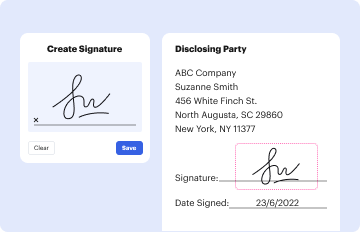
02. Sign it in a few clicks
Draw your signature, type it, upload its image, or use your mobile device as a signature pad.
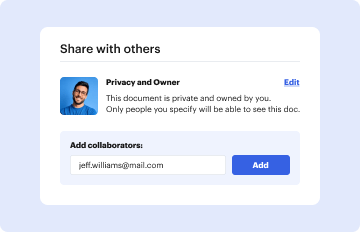
03. Share your form with others
Send it via email, link, or fax. You can also download it, export it or print it out.
How to use or fill out QoS Signaling for IPv6 Qos Support using our platform
Ease of Setup
DocHub User Ratings on G2
Ease of Use
DocHub User Ratings on G2
Click ‘Get Form’ to open the QoS Signaling for IPv6 Qos Support document in the editor.
Begin by filling out the 'General Information' section. Enter your name, title, and company details accurately to ensure proper identification.
Provide your contact information, including phone number, fax number, and email address. This is crucial for any follow-up communications regarding the document.
In the 'Caspian Networks, Inc. states' section, confirm that you do not hold any Essential Patent(s) necessary for compliance with the proposed TIA Publication by checking the appropriate box or entering a statement if required.
Review all entered information for accuracy before proceeding to save or submit your completed form.
Start using our platform today to fill out your QoS Signaling form quickly and efficiently!
Fill out QoS Signaling for IPv6 Qos Supportandquot; online It's free
QoS features supported for IPv6 environments include packet classification, queueing, traffic shaping, packet marking, and policing of IPv6 packets.
Which field of the IPv6 packet header can be used for QoS?
Two fields in an IPv6 header are related to QoS, Traffic Class (TC), and Flow Label (FL). The TC field has eight bits and functions the same as the ToS field in an IPv4 packet header to identify the service type.
How do I enable IPv6 on my Cisco router?
First, enable IPv6 routing on a Cisco router using the ipv6 unicast-routing global configuration command. This command globally enables IPv6 and must be the first command executed on the router. Configure the IPv6 global unicast address on an interface using the ipv6 address address/prefix-length [eui-64] command.
What IPv6 header field is used?
The fields in the IPv6 header are: Version 4 bits are used to indicate the version of IP and is set to 6. Traffic Class Indicates the class or priority of the IPv6 packet. The size of this field is 8 bits.
Which field in the IPv6 header is used for QoS?
Two fields in an IPv6 header are related to QoS, Traffic Class (TC), and Flow Label (FL). The TC field has eight bits and functions the same as the ToS field in an IPv4 packet header to identify the service type. The FL field has 20 bits and is used to identify packets in the same data flow.
The IPv6 DSCP value is the first six bits in the 8-bit Traffic Class field of the IPv6 header. The DSCP value is used to determine the behavior aggregate (BA) classification for the packet entering the network device. You use classifier rules to map the DSCP code points to a forwarding class and packet loss priority.
Cookie consent notice
This site uses cookies to enhance site navigation and personalize your experience.
By using this site you agree to our use of cookies as described in our Privacy Notice.
You can modify your selections by visiting our Cookie and Advertising Notice.