150d traffic gov form 2026

Get Form
traffic control device report Preview on Page 1

Here's how it works

01. Edit your traffic control device report online
Type text, add images, blackout confidential details, add comments, highlights and more.
02. Sign it in a few clicks
Draw your signature, type it, upload its image, or use your mobile device as a signature pad.
03. Share your form with others
Send it via email, link, or fax. You can also download it, export it or print it out.

How to use or fill out 150d traffic gov form with our platform

Form edit decoration
9.5
Ease of Setup
DocHub User Ratings on G2
9.0
Ease of Use
DocHub User Ratings on G2
  1. Click ‘Get Form’ to open the 150d traffic gov form in the editor.
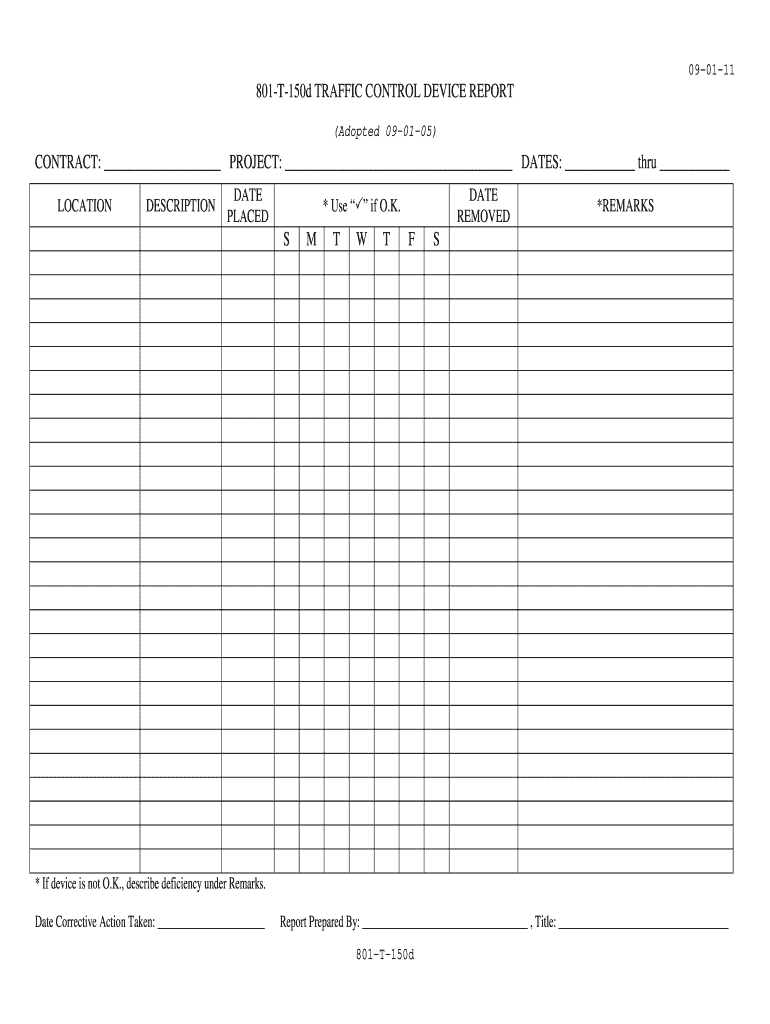
  2. Begin by filling in the CONTRACT and PROJECT fields at the top of the form. Ensure that you provide accurate details as these are essential for tracking and accountability.
  3. Next, enter the DATES section, specifying the start and end dates for your project. This helps in maintaining a clear timeline for your traffic control device report.
  4. In the LOCATION section, describe where the traffic control devices were placed. Be specific to ensure clarity for future reference.
  5. For each device, fill out the DESCRIPTION, DATE PLACED, and DATE REMOVED fields. Use checkmarks () to indicate if each device is functioning properly.
  6. If any device is not functioning correctly, detail the deficiency under REMARKS. Additionally, note when corrective action was taken in the provided space.
  7. Finally, complete the Report Prepared By section with your name and title to finalize your report.

Start using our platform today to easily fill out your 150d traffic gov form online for free!

See more 150d traffic gov form versions

We've got more versions of the 150d traffic gov form form. Select the right 150d traffic gov form version from the list and start editing it straight away!
Versions Form popularity Fillable & printable
2011 4.8 Satisfied (239 Votes)
be ready to get more

Complete this form in 5 minutes or less

Get form

Got questions?

We have answers to the most popular questions from our customers. If you can't find an answer to your question, please contact us.
Contact us
The MCS-150 is a form required by the FMCSA to either obtain or renew your USDOT number. A carriers DOT number is an essential part of maintaining your operating authority. It is issued by the Department of Transportation to collect data on your trucking business for safety purposes.
The FMCSA requires all interstate carriers to file a MCS-150 or MCS-150B, if a Safety permit is required, every 24 months based on the last two digits of the US DOT number.
We will file your MCS-150 for you automatically the first time and every two years after that. It is a simple thing you can forget about that can cost you $1,000s . If you need more information, you can visit our MCS-150 service page.
be ready to get more

Complete this form in 5 minutes or less

Get form